Employee self service that lives in a phone browser
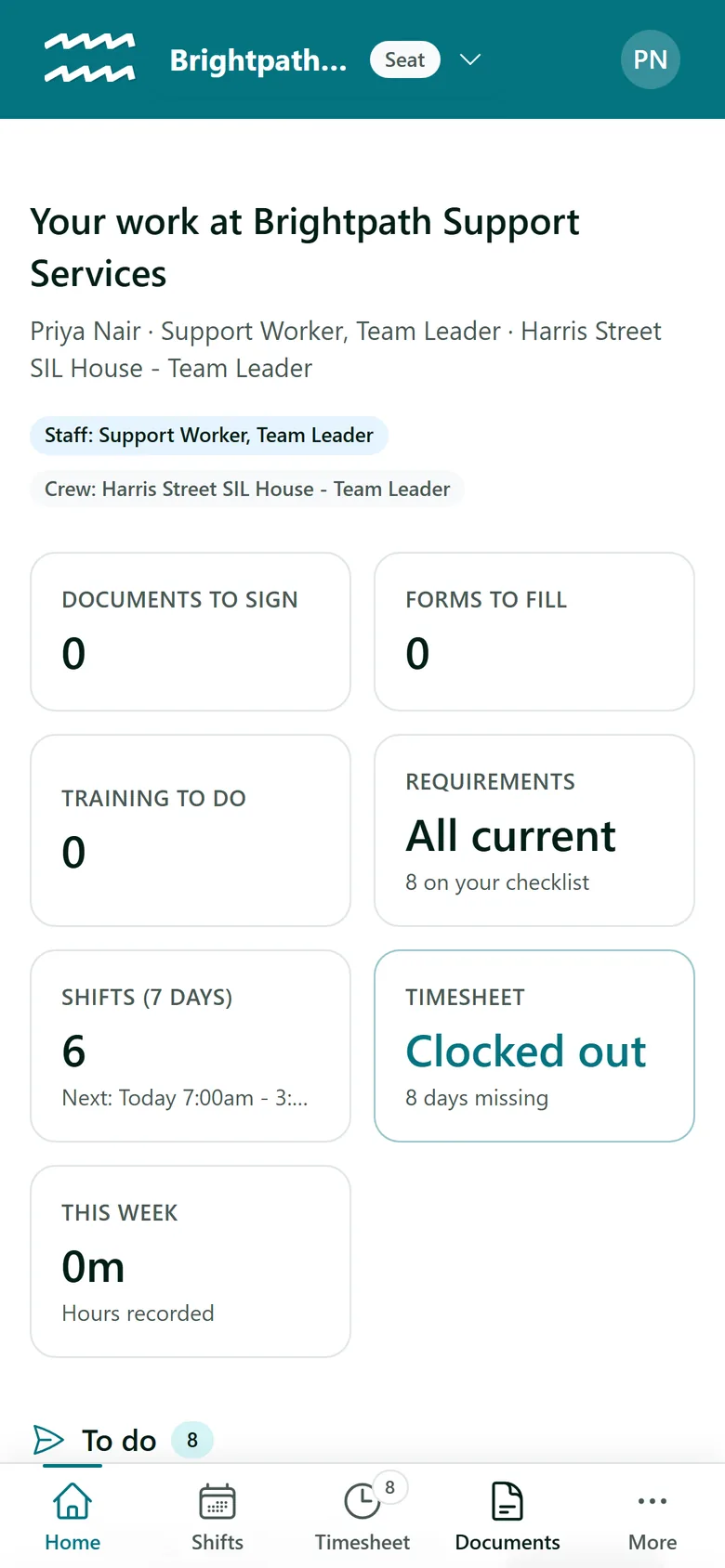
Staff Home gives each worker their day in one place: where they are rostered, the button to clock in, and everything they owe you. They sign in from any phone browser, with nothing to download.
Book a demoPart of the AirSign suite - one plan, every app.
What your staff can do themselves
A To do list
Everything waiting on them in one list, each with its action: Sign, Fill in, Start, Accept or Clock in.
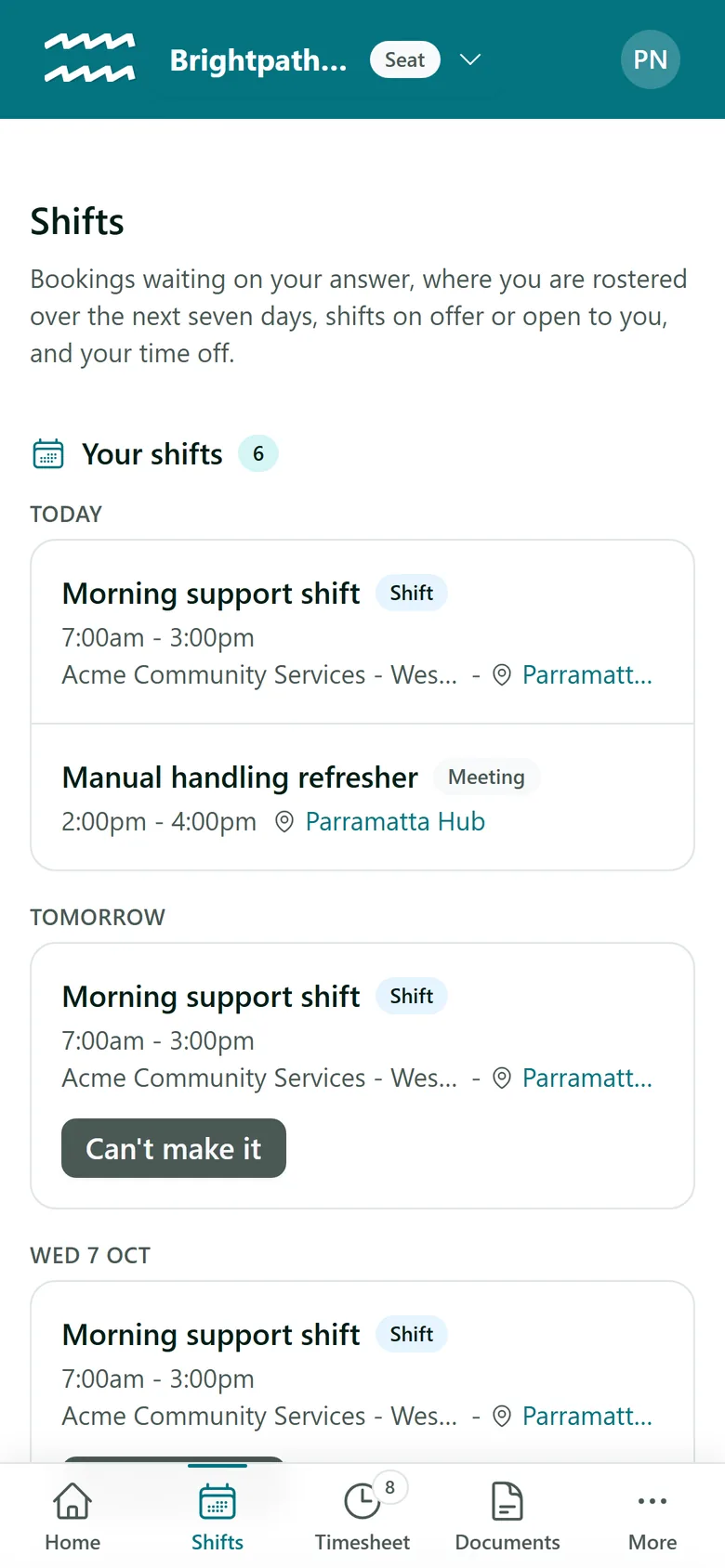
Their shifts
The next seven days with the address as a map link, plus shifts to accept, shifts on offer and open shifts for their roles.
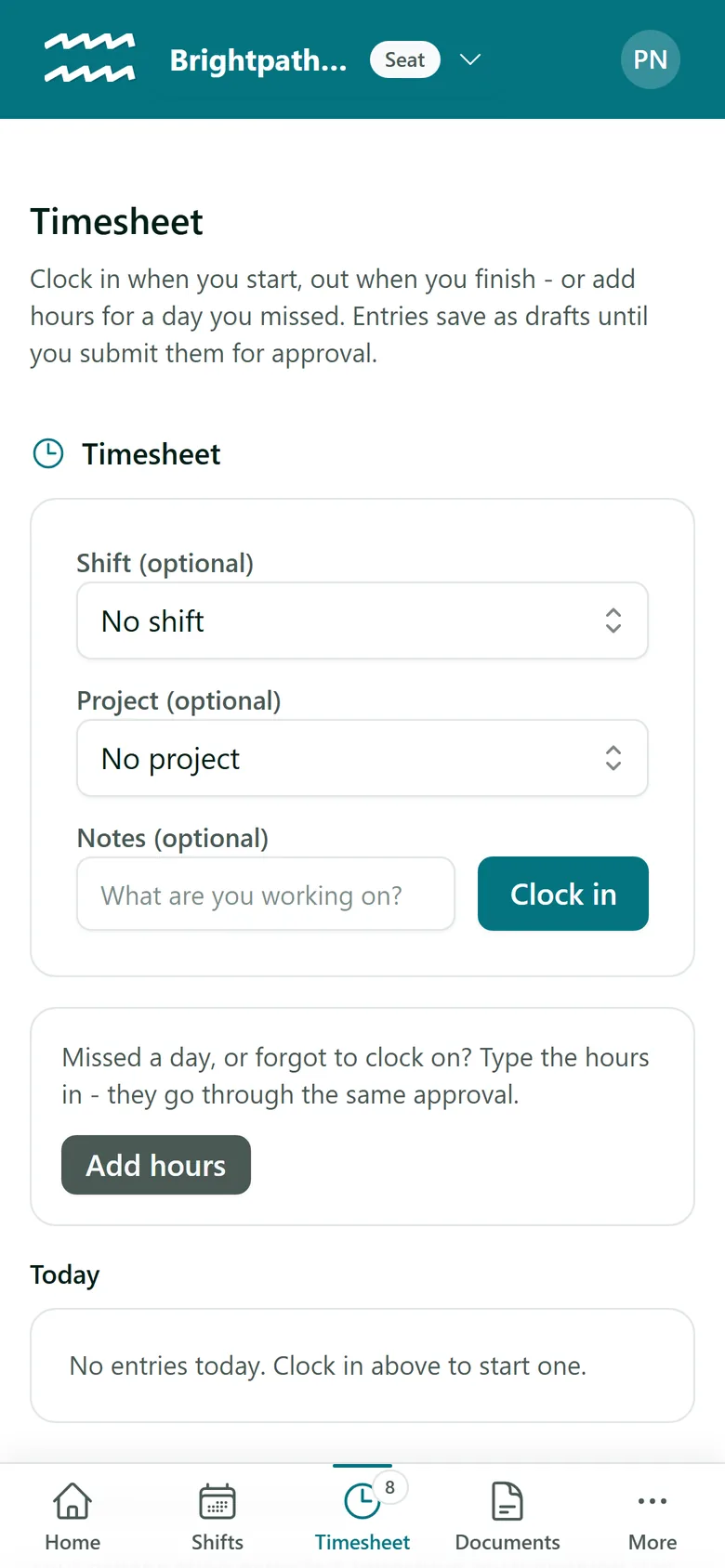
Hours and breaks
Clock in against today's shift, take breaks, add missed hours and submit the week.
Time off
Request time off, or mark themselves unavailable, and see their leave balance as they do it.
Documents and checklist
Sign documents, finish forms and training, and upload a licence for the requirements they still owe.
Claims and reports
Log travel and expenses against a shift, and hand in the shift notes each job asks for.
How your staff get started
- 1
Add them with their email
Create the person in People using the address they will sign in with.
- 2
They create an account
They sign up to AirSign with that email and verify it. AirSign then offers to connect them to your organisation.
- 3
They open their Home
They land on their Home, with Shifts, Timesheet and the rest in a tab bar along the bottom of the phone.
- 4
They work through To do
Whatever you have sent or rostered shows up there, ready to action.
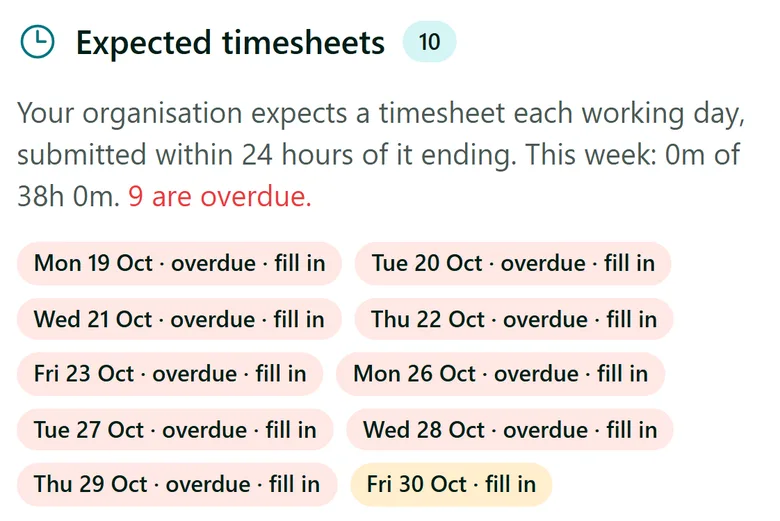
Missed days are one tap from fixed
Staff can see what you expect of them and where each day stands, without a phone call from the office.
- Tap a missing day and Add hours opens on it
- One rostered shift that day fills in the times
- Can't make it records the reason and tells the office
More in AirSign Staff Management
Staff Rostering
A roster that flags clashes, gaps and missing licences as you build it.
Learn moreOnline Timesheets
Clock in, breaks and approvals, with hours that cannot overlap.
Learn moreXero Payroll Timesheets
Approved hours split into pay buckets and pushed to Xero as a draft.
Learn moreEmployee Records
One record per person, with what they do and what they hold.
Learn moreStaff Compliance Tracking
Licences, checks and agreements tracked through to expiry.
Learn moreEmployee Self Service FAQs
No, and there is no iOS or Android app to download. Staff Home runs in the phone browser, and on a computer as well.
No. There are no push notifications or text messages, so staff see the bell and their To do list when they open AirSign. Documents, forms and training invites still arrive by email.
No, staff need a connection to clock in or load their shifts. Hours from a site with no signal can be added afterwards with Add hours, if your settings allow it.
Only their own shifts, hours, documents and requirements. A contractor also sees Get paid. A customer contact or student with no work on file does not see the shifts and timesheet pages at all.
One account can connect to both, and they switch between them at the top of Home. Each organisation only sees its own record.
AirSign Staff Management is part of the AirSign suite - one plan, every app. Book a demo and we will walk you through it.
Run your workforce from one place
Book a demo and see your roster, timesheets and compliance working together.