Roster, pay and keep your people compliant - in one place
Know who is on your books and what they hold, roster shifts that check compliance before they are saved, capture hours on site and send approved weeks to Xero Payroll. Your staff get a phone-friendly Home for shifts, timesheets and documents.
Part of the AirSign suite - one plan, every app.
Staff Management brings together
Compliant before rostered
Schedule checks licences, roles and double-bookings as you build the roster - and can block non-compliant staff.
Hours you can trust
Clock in with location and photo, approve in a click, and send the week to Xero Payroll.
Nothing to install
Staff open AirSign in their phone browser to see shifts, clock on and sign documents.
No surprise expiries
Reminders go out before a document lapses, and renewals go straight back out for signing.
From the roster to the pay run
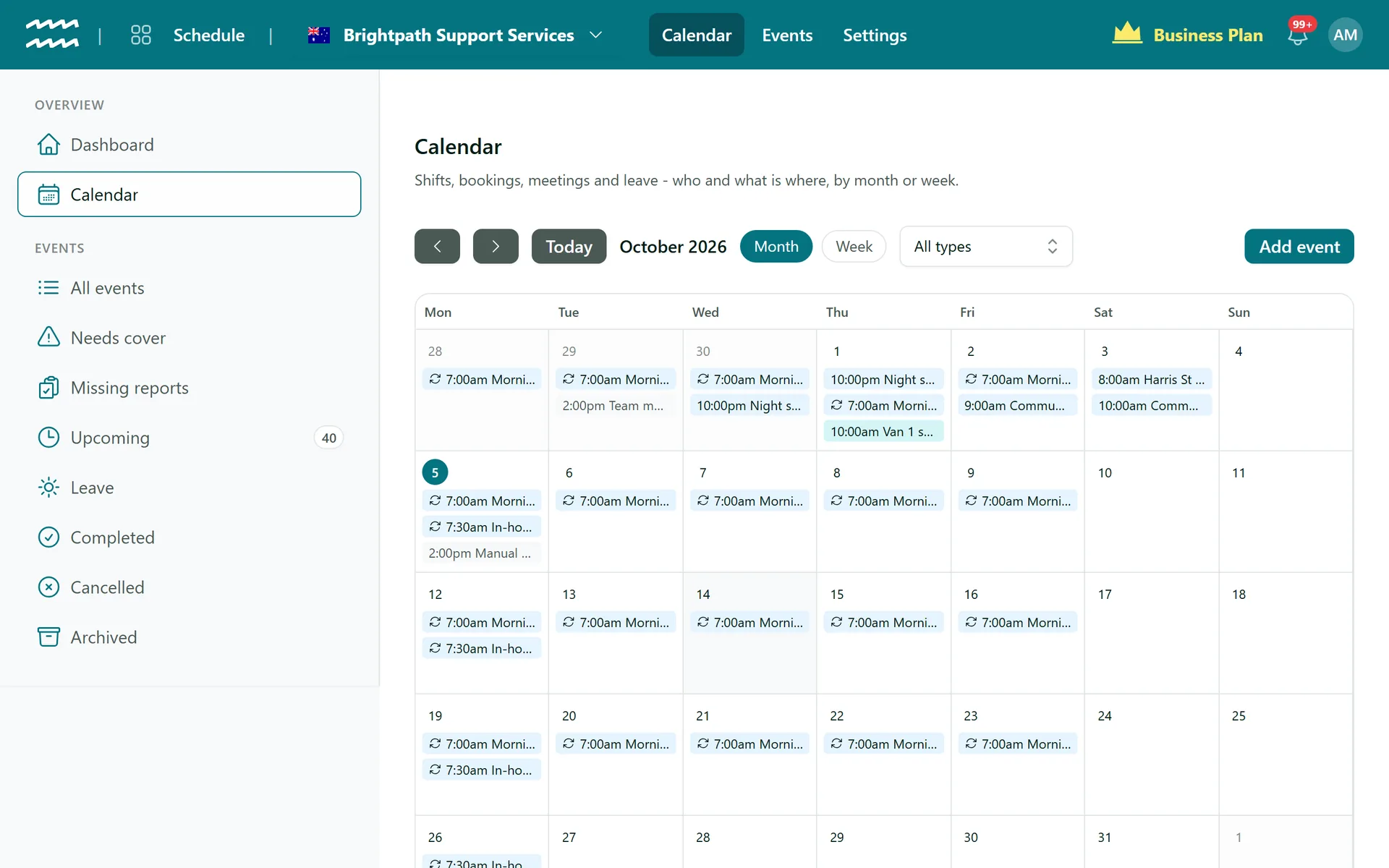
A roster that checks itself
Put shifts, bookings, meetings and leave on one calendar. As you roster, AirSign checks for double-bookings, missing documents and the wrong role, so problems surface before the shift - not after.
- Repeating shifts - edit one or the whole series
- Copy a week to get next week started
- Conflict checks for overlaps, compliance and role
- "Needs cover" offers when someone can't make it
- Shift reports, with a list of the ones still missing
The details that save the most time
Cover in a few taps
When a shift needs cover, offer it to suitable staff and assign whoever accepts.
Leave requests
Staff request leave from their phone; you approve, decline or adjust the hours.
Geofenced clock in
Flag or refuse a clock in from outside the work site.
Contractor payouts
Pay contractors for approved hours through Stripe.
Public holidays
Your public holiday list feeds rate bands, so holiday work is billed at the right price.
Travel and expenses
Per-km, per-minute or dollar claims on shifts, with receipts when you need them.
Who uses AirSign Staff Management
NDIS providers
Roster support workers who hold current screening and first aid, and capture shift notes.
Learn moreAged care
Keep every carer's checks current and the roster honest.
Learn moreConstruction
Crew rostered to sites, hours on the job and tickets that never lapse unnoticed.
Learn moreCleaning and field services
Recurring jobs, clock in on site and a payroll week that adds up.
Works with
AirSign Staff Management shares one database with the rest of AirSign, so nothing needs syncing between apps.
Better together
Every AirSign app is included in the same plan. Here is what pairs best with Staff Management.
Frequently asked questions
No. AirSign works in any phone browser. Staff sign in and get their Home with shifts, timesheet, documents and training.
AirSign prepares the hours, it does not pay wages. Approved weeks are split by your award rules and pushed to Xero Payroll, or exported as CSV for any other payroll system. Contractors can be paid through Stripe.
Yes. Conflict checks flag missing or lapsed requirements as you roster, and you can choose to block non-compliant staff from being saved onto a shift.
You set your own award rules - ordinary hours, overtime and penalty buckets - and AirSign applies them across the week. It does not ship pre-built award packs.
Yes. People, Schedule, Timesheets and Compliance work together but you can switch on what you need. Talk to us about your setup.
It is part of the AirSign suite - one plan, every app. Book a demo and we will set it up for your team size.
Run your workforce from one place
Book a demo and see your roster, timesheets and compliance working together.