A social media approval workflow built on who can publish
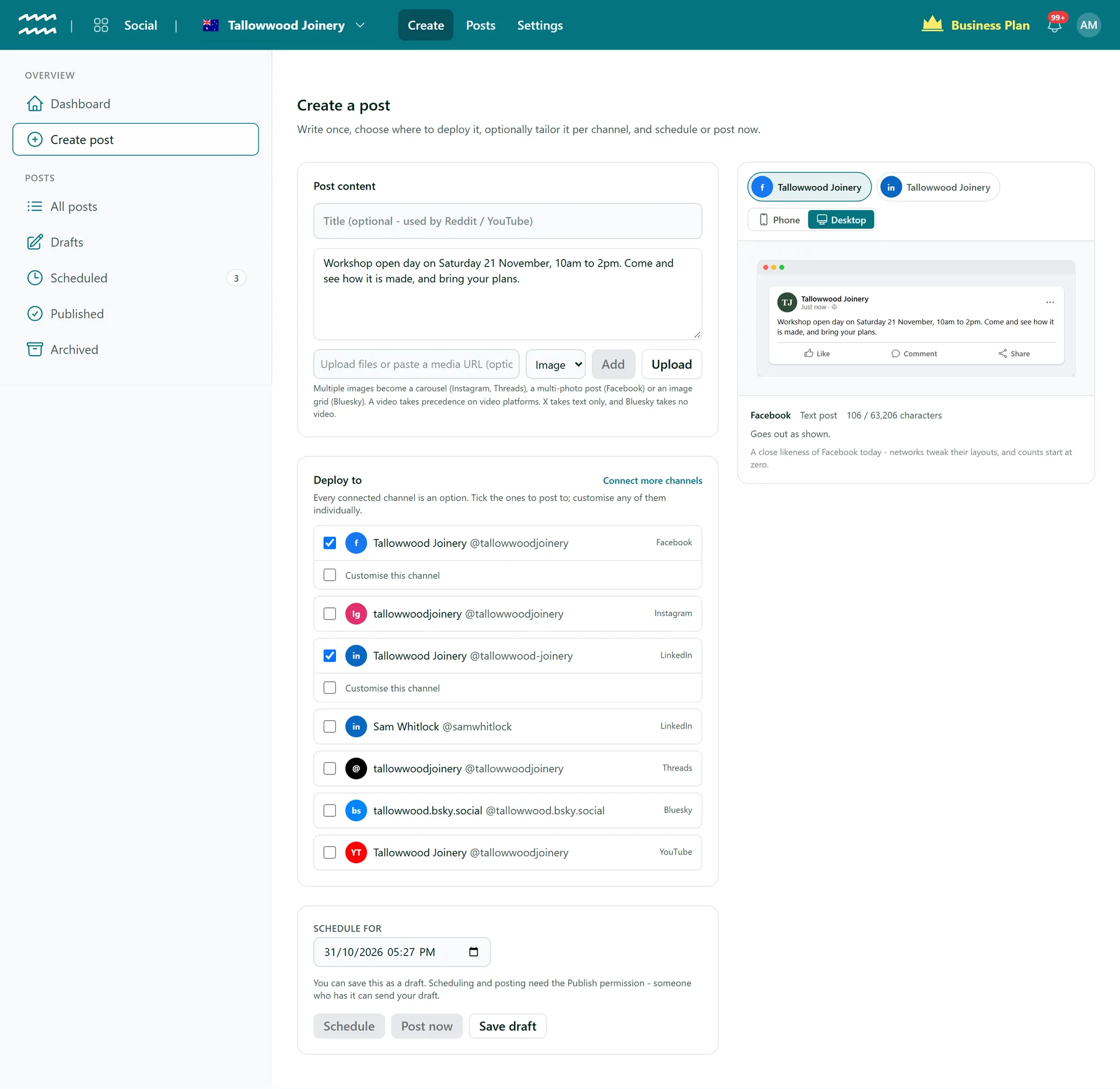
Give someone the right to write posts but not to send them. Their posts wait in Drafts until someone with the Publish permission checks them and sends them out.
Book a demoPart of the AirSign suite - one plan, every app.
Decide who can press publish
Draft without publishing
Without Publish, Schedule and Post now are off and Save draft still works.
Checked on the server
It is more than a greyed-out button. AirSign refuses the request if someone without Publish tries to schedule or post.
One place to review
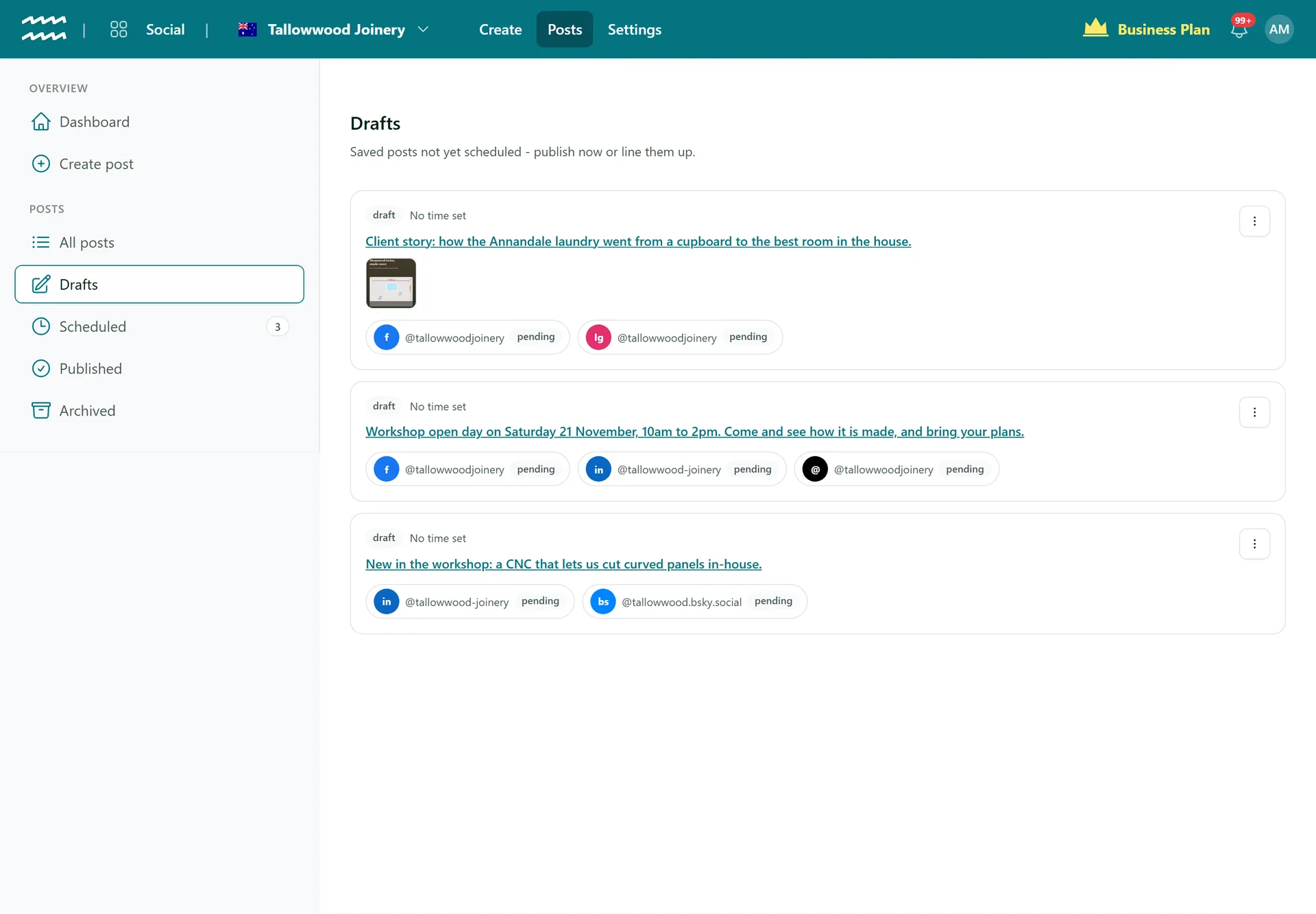
Every draft sits in Drafts, with its media and the channels it is for.
Review on every network
Open a draft to see the preview for each of its channels before you send it.
Channels kept separate
Connecting and disconnecting accounts is its own permission, so writers do not need it.
Drafts from Automate
A workflow in AirSign Automate can create a text post as a draft for someone to review.
How to set up draft and publish roles
- 1
Set the permissions
In your permission groups, give writers Draft and Edit. Give reviewers Publish as well.
- 2
Write and save
A writer composes the post in Create post and chooses Save draft.
- 3
Review
A reviewer opens it from Drafts and checks each channel's preview.
- 4
Send it out
The reviewer chooses Edit, then Schedule, or picks Post now from the menu.
Drafts wait until someone sends them
A draft has no time attached until someone schedules it, and nothing goes out in the meantime.
- Each draft shows its media and channels
- Reviewers can edit the post before sending
- Archive a draft to tidy it away, or restore it later
More in AirSign Social
Compose Once
One post to every network, tailored where you need it.
Learn moreTrue Previews
See how a post will look on each network before it goes.
Learn moreSchedule Ahead
Set a date and time and let the post go out on its own.
Learn morePost Status and Reconnects
See which networks published, then fix and retry the rest.
Learn moreCarousels and Video
Carousels, multi-photo posts, Reels and video, per network.
Learn moreYouTube Uploads
Upload to YouTube with a title, tags and visibility.
Learn moreLinkedIn Company Pages
Schedule posts to the company pages you manage.
Learn moreDraft vs Publish FAQs
No. There is no submit, approve or reject button, and no comments on a draft. Approval means someone with Publish opens the draft and sends it.
No. There are no notifications for drafts, so reviewers check the Drafts list.
Yes. Someone with Edit can change the text of a scheduled post without holding Publish. Moving its time needs Publish.
The limits apply once your permission groups use the Social post permissions. Until then everyone with access to Social can publish, and admins always can.
Only if you set it to. The Create Social Post step saves a draft by default, and can be switched to publish on the next dispatch.
AirSign Social is part of the AirSign suite - one plan, every app. Book a demo and we will walk you through it.
Keep every channel active, without the busywork
Book a demo and see your next post previewed on every network.