Schedule social media posts across every network
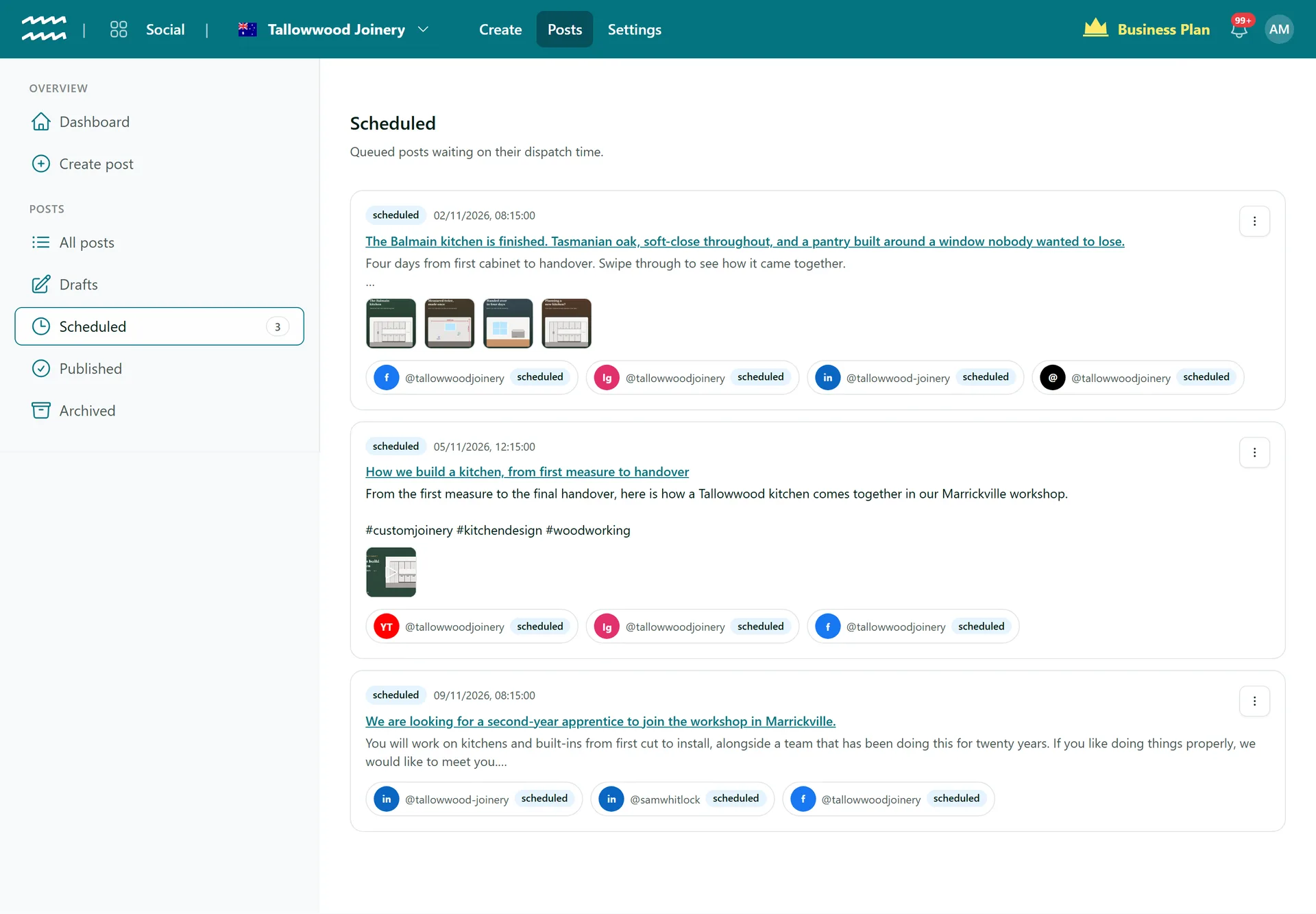
Write a post, pick the date and time, and AirSign sends it to every channel you chose. It stays editable until it goes, and your scheduled posts sit in one list.
Book a demoPart of the AirSign suite - one plan, every app.
Plan the week, then get on with it
Pick a date and time
Set Schedule for in your own local time. The post page shows the time with its time zone.
Goes out on its own
AirSign checks for due posts every minute and publishes them to every channel on the post.
Edit until it goes
Change the text, media, channels or time, or choose Move to drafts to take it out of the queue.
Post it early
Choose Post now from the row menu to send a scheduled post straight away.
Every post in one list
Scheduled shows each post with its time, media and channels, and the menu keeps count of what is waiting.
Media stays ready
Uploaded images and video get a fresh link at publish time, so a post set up weeks ahead still goes out with them.
How to schedule a social media post
- 1
Create the post
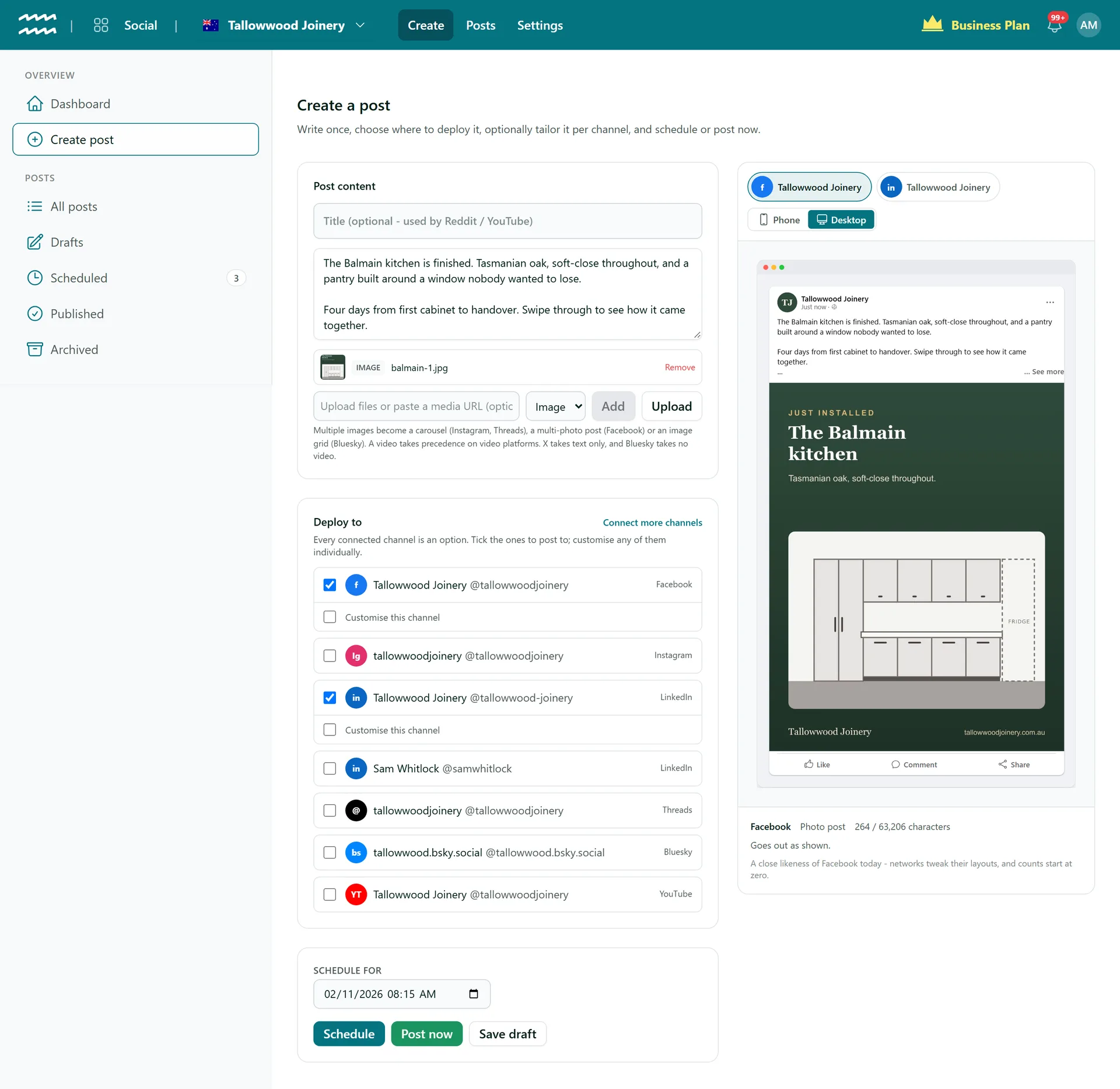
Choose Create post, write it and tick your channels under Deploy to.
- 2
Set the time
Pick the date and time under Schedule for.
- 3
Choose Schedule
The post moves to your Scheduled list.
- 4
Check on it
Open it from Scheduled to preview, edit or post it early.
Set the time right beside the post
The schedule sits at the end of the same page you write on, with the preview still in view.
- Post now and Save draft sit beside Schedule
- Scheduled posts stay editable until they go
- Published posts link through to the network
More in AirSign Social
Compose Once
One post to every network, tailored where you need it.
Learn moreTrue Previews
See how a post will look on each network before it goes.
Learn morePost Status and Reconnects
See which networks published, then fix and retry the rest.
Learn moreCarousels and Video
Carousels, multi-photo posts, Reels and video, per network.
Learn moreYouTube Uploads
Upload to YouTube with a title, tags and visibility.
Learn moreLinkedIn Company Pages
Schedule posts to the company pages you manage.
Learn moreDraft vs Publish
Let people draft posts without being able to publish them.
Learn moreSchedule Ahead FAQs
No. Scheduled posts are in a list, with the most recently created first, and each one shows its date and time.
No, every channel on a post goes out at the same moment. For different times, make a separate post for each slot.
No. There are no repeating posts, queue slots or suggested times, and no spreadsheet import. You pick the time for each post.
That channel fails and the rest still go out. AirSign does not send an email or try again on its own, so check the dashboard, reconnect and choose Retry failed channels.
Which channels published, plus a link on the post where the network gives one. There are no analytics, so engagement stays on each network.
AirSign Social is part of the AirSign suite - one plan, every app. Book a demo and we will walk you through it.
Keep every channel active, without the busywork
Book a demo and see your next post previewed on every network.