Schedule YouTube videos alongside your social posts
Upload a video once and send it to YouTube at a time you choose, with its title, visibility and tags. The same post can carry that video to your other networks.
Book a demoPart of the AirSign suite - one plan, every app.
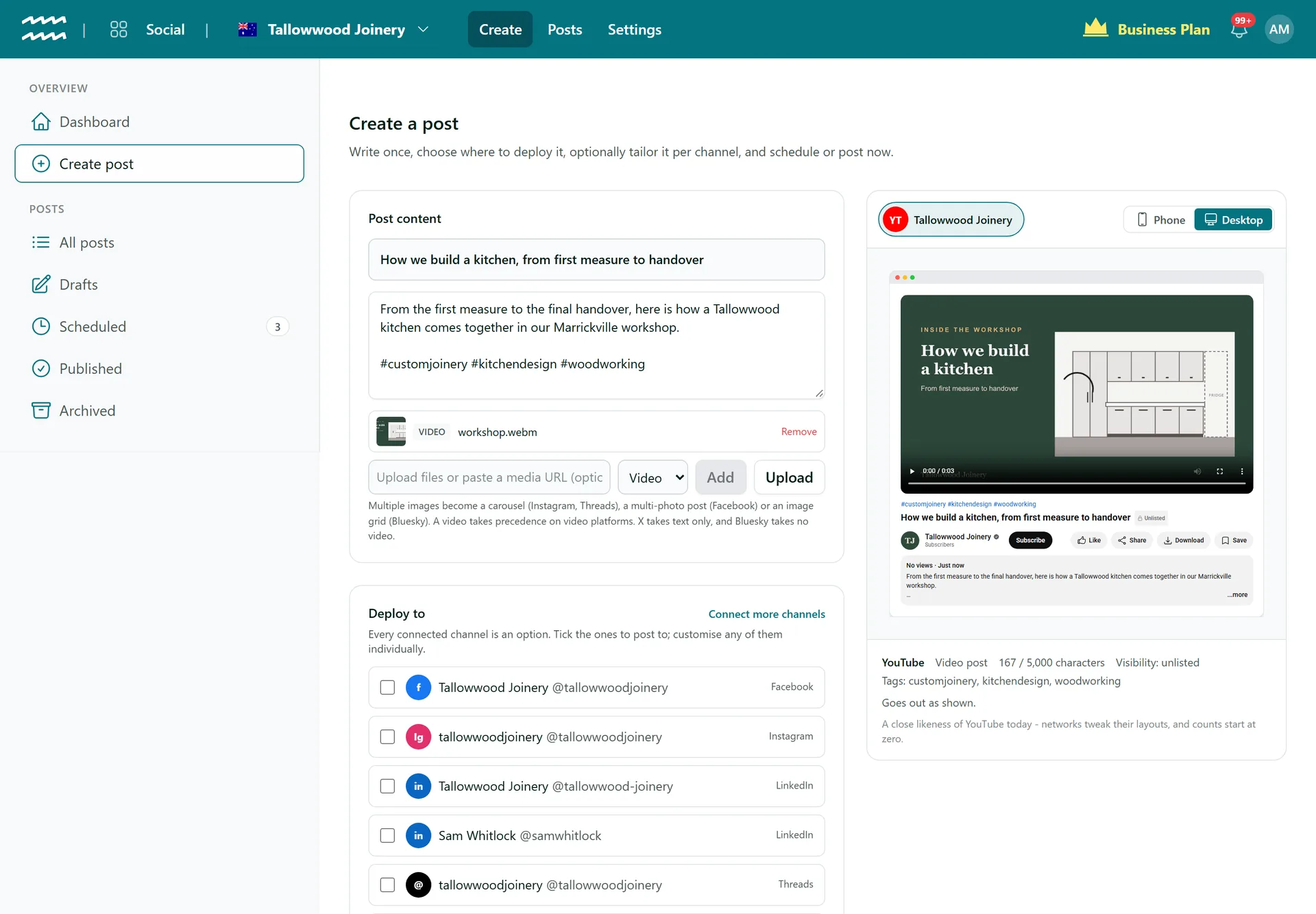
The details YouTube needs, from one post
Your title
Use the Title field. Leave it blank and the first line of your text is used, up to 100 characters.
Description
Your post text becomes the video description, up to 5,000 characters.
Tags from hashtags
Hashtags in your text become the video's tags, with duplicates removed. The preview lists them.
Visibility
Choose Public, Unlisted or Private for each YouTube channel. Public is the default.
Set a time
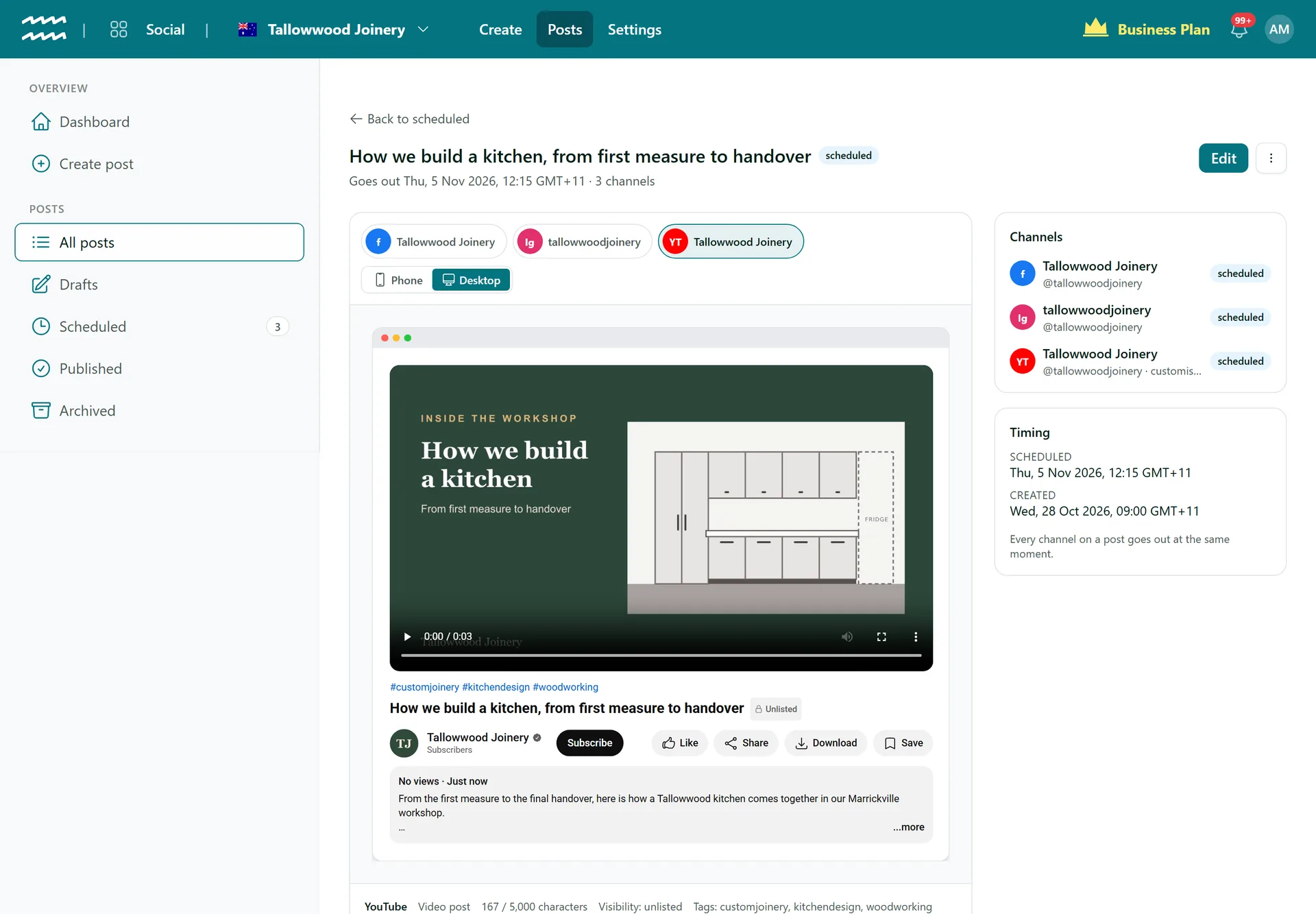
Schedule the upload for later, or choose Post now to send it straight away.
Same video, more networks
Tick Instagram, Facebook, LinkedIn or Threads as well to send the one video to each.
How to schedule a YouTube upload
- 1
Connect YouTube
Open Settings, then Connections, choose Connect on YouTube and sign in with Google.
- 2
Add the video
In Create post, add a title, your description text and the video.
- 3
Set the visibility
Tick your YouTube channel and choose Public, Unlisted or Private under Visibility.
- 4
Schedule it
Set the time and choose Schedule, or choose Post now.
See it on a watch page first
The preview lays your video out like a YouTube watch page, so you can check the title and description before the upload runs.
- Visibility and tags are listed under the preview
- The post page links to the video once it is up
- A customised channel can have its own title and description
More in AirSign Social
Compose Once
One post to every network, tailored where you need it.
Learn moreTrue Previews
See how a post will look on each network before it goes.
Learn moreSchedule Ahead
Set a date and time and let the post go out on its own.
Learn morePost Status and Reconnects
See which networks published, then fix and retry the rest.
Learn moreCarousels and Video
Carousels, multi-photo posts, Reels and video, per network.
Learn moreLinkedIn Company Pages
Schedule posts to the company pages you manage.
Learn moreDraft vs Publish
Let people draft posts without being able to publish them.
Learn moreYouTube Uploads FAQs
Up to 250MB a file, so this suits shorter videos more than long productions.
No. AirSign sends the title, description, tags and visibility. Add the rest in YouTube Studio once the video is up.
No. Every video uploads in the Science and Technology category and is marked as not made for kids. Change them in YouTube Studio if they are wrong for your video.
No. AirSign uploads the video at your chosen time with the visibility you set, so it goes live on YouTube's side from then.
No. There are no analytics or comments in AirSign Social, so use YouTube Studio for those.
AirSign Social is part of the AirSign suite - one plan, every app. Book a demo and we will walk you through it.
Keep every channel active, without the busywork
Book a demo and see your next post previewed on every network.