Policy version control that keeps every revision
When an auditor asks what the policy said in March, open its history. Every save is a numbered revision showing who made it and when, and nothing is overwritten when you go back.
Book a demoPart of the AirSign suite - one plan, every app.
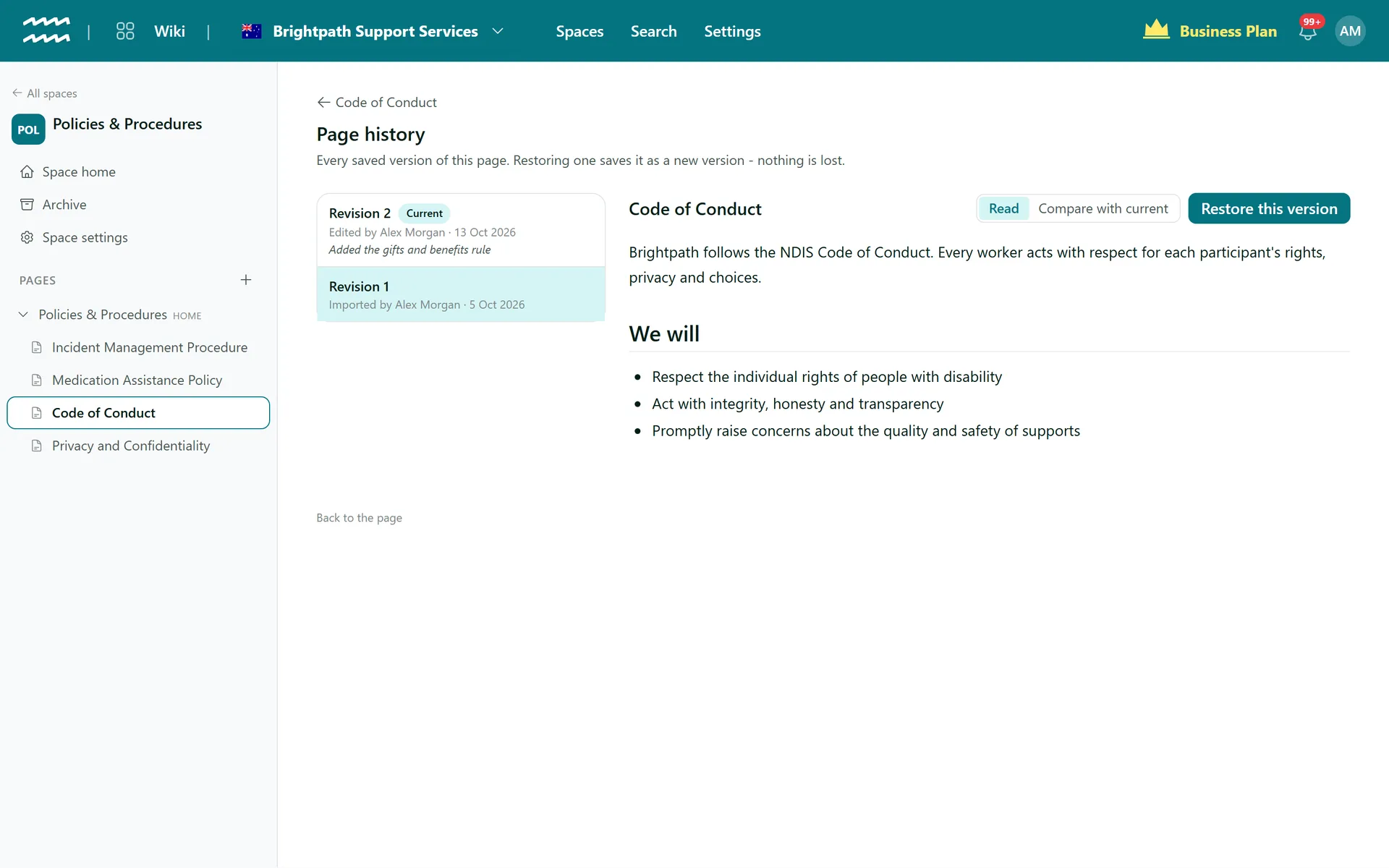
A full record of how each page changed
Every save numbered
Each revision records who saved it, when, and how: edited, imported or restored.
Notes on why
Editors can add a line about what changed, and it shows in the history.
Read any old version
Pick a revision to read the page exactly as it stood.
See what changed
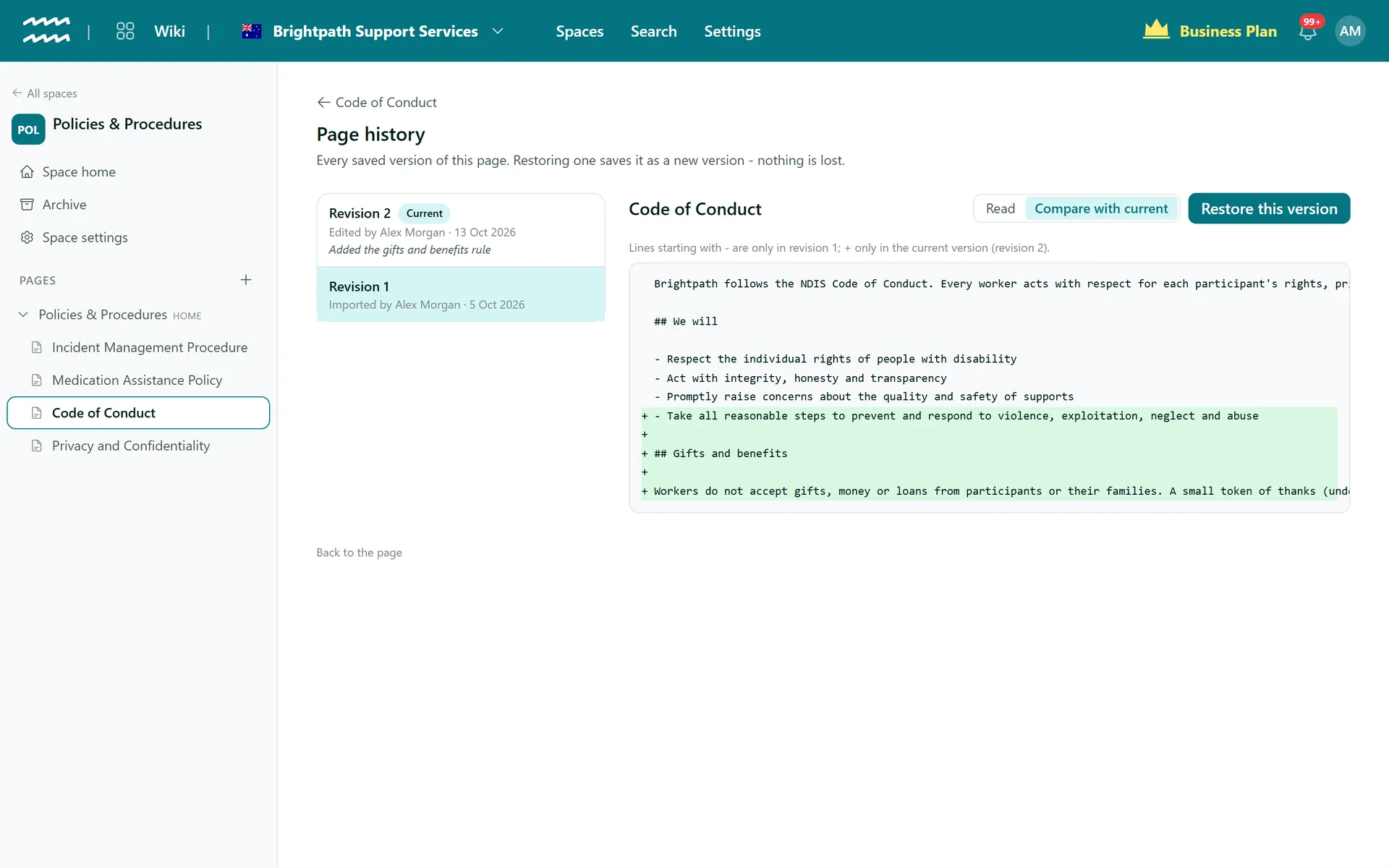
Compare with current marks the lines added and removed since that revision.
Restore without losing anything
A restore is saved as a new revision, so the version you replaced stays in the history.
AI edits are labelled
Changes made by a connected AI assistant carry an AI assistant badge.
How to review and restore a version
- 1
Open the history
Click the revision number under the page title, or choose History from the page menu.
- 2
Pick a revision
Choose one from the list to read it as it stood.
- 3
Check the changes
Switch to Compare with current to see the lines that differ.
- 4
Restore if you need to
Choose Restore this version and confirm. It becomes the newest revision.
Compare a past version with the current one
Lines starting with a minus are only in the old revision, and lines with a plus are only in the current page. A retitled page shows its old title too.
- The comparison covers the page text as Markdown
- Unchanged lines stay in place for context
- Open the same view from any revision in the list
More in AirSign Wiki
Company Wiki Editor
Write procedures with tables, checklists, callouts and diagrams.
Learn moreKnowledge Base Spaces
Spaces, home pages and page trees you can drag into order.
Learn morePolicy Acknowledgement
Turn a page into a document staff read and sign.
Learn moreKnowledge Base Search
Search titles and text across every space you can see.
Learn morePolicy Version Control FAQs
No. Each past version compares with the current page only.
Whoever saves second is told someone else saved first. They can keep editing or choose Overwrite with mine, and the other version stays in the history.
No. A save is live straight away. To have changes reviewed, use comments on the page.
Not while the page exists. Deleting an archived page deletes its history with it, and that cannot be undone.
No. An identical save is ignored, so the history only shows real changes.
AirSign Wiki is part of the AirSign suite - one plan, every app. Book a demo and we will walk you through it.
Give your team one place for how things are done
Book a demo and we will set up your first space with you.