Knowledge base search that gets staff to the right page
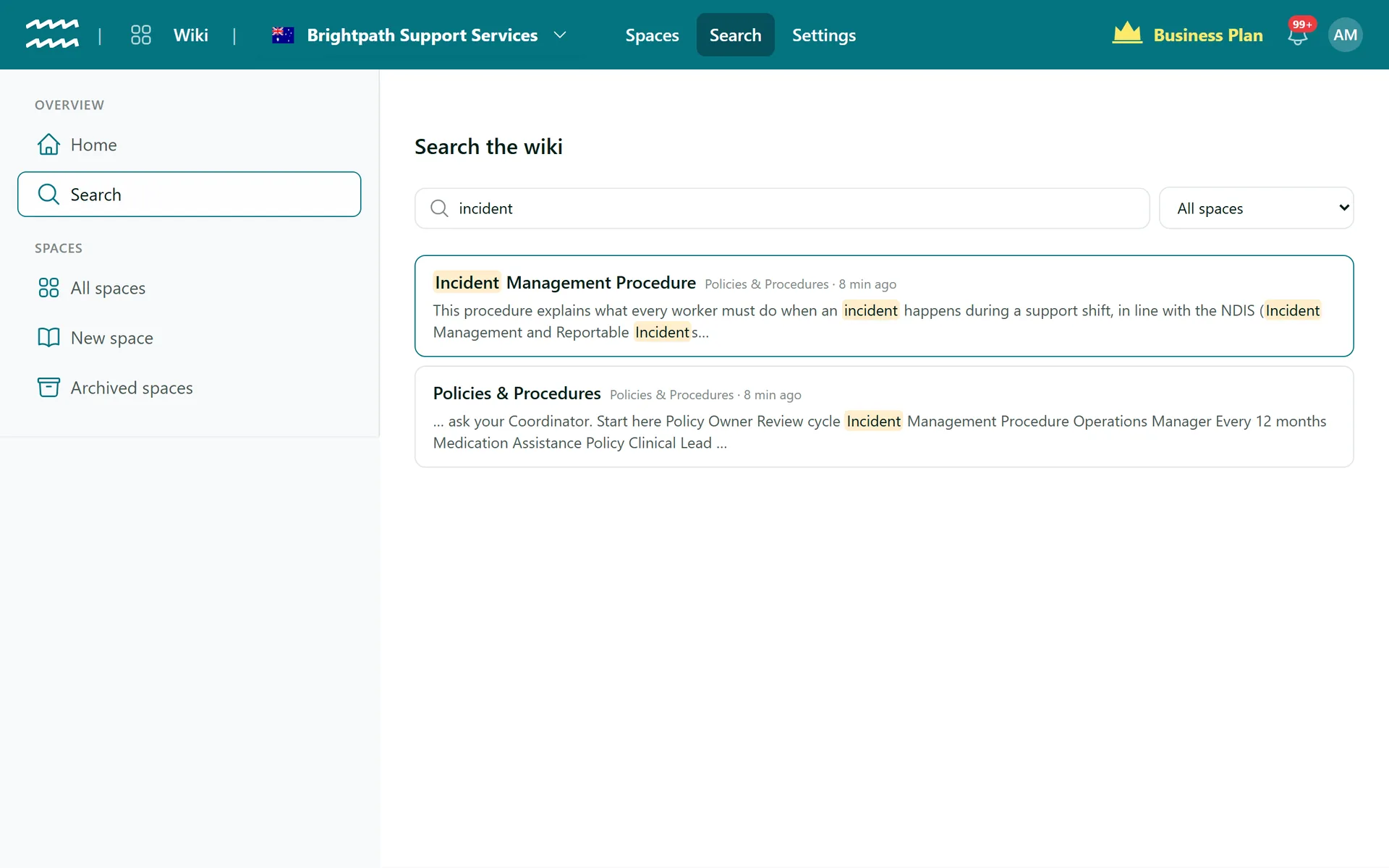
Staff should not have to ask where the incident form lives. Type a word from the title or the page itself, and AirSign lists the matching pages with the words highlighted in context.
Book a demoPart of the AirSign suite - one plan, every app.
Answers without a trip to the page tree
Titles and page text
Search covers both, and pages matching on title come first, then the most recently updated.
Snippets in context
Each result shows the text around the match, with your words highlighted.
One space or all
Search everything by default, or use the dropdown to narrow it to one space.
Only what you can see
Results follow your permission groups, so hidden spaces stay hidden.
Share a search
The search is in the page address, so you can send a colleague the same results.
Recently updated
The wiki home lists the pages changed most recently, and who changed them.
How to search the wiki
- 1
Start from the wiki home
Type in the box at the top, or choose Search in the menu.
- 2
Press Enter
Results appear with their space and when they last changed.
- 3
Narrow it down
Change All spaces to a single space if there are too many results.
- 4
Open the page
Click a result to go straight to the page.
Start from the wiki home
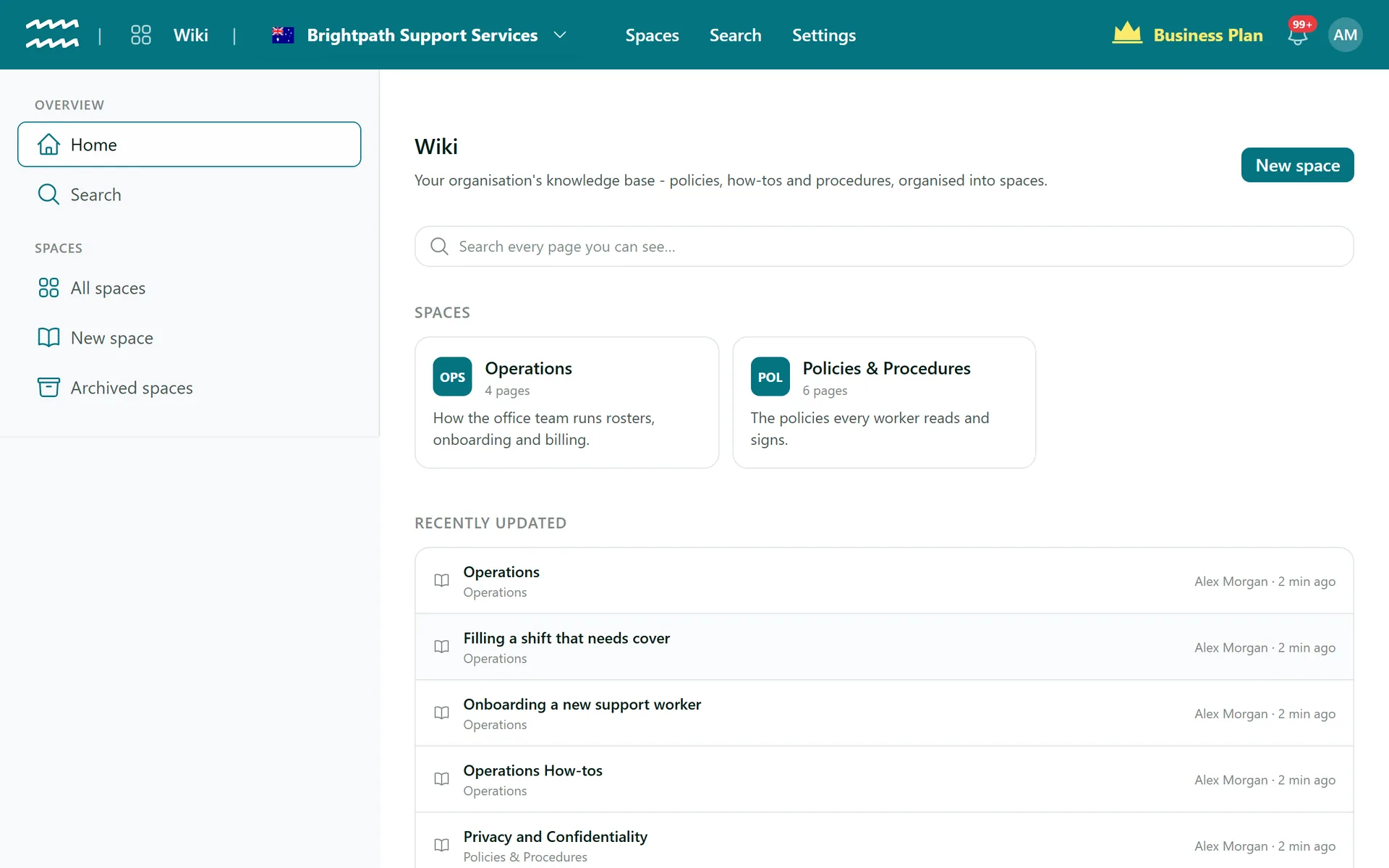
The first screen in the app has the search box, your spaces and what changed most recently.
- Search every page you can see from one box
- Spaces shown as cards with page counts
- The 12 most recently updated pages, with who changed them
More in AirSign Wiki
Company Wiki Editor
Write procedures with tables, checklists, callouts and diagrams.
Learn moreKnowledge Base Spaces
Spaces, home pages and page trees you can drag into order.
Learn morePolicy Version Control
Every save kept, with who, when and what changed.
Learn morePolicy Acknowledgement
Turn a page into a document staff read and sign.
Learn moreKnowledge Base Search FAQs
It finds the words you type, in that order, ignoring capitals. There is no full-text ranking, spell correction or synonym matching, so a short word often works best.
No. Search covers page titles and page text, not attached files or comments.
Not in the app. If you connect an AI assistant that supports MCP, it can search the wiki and read pages for you, within the same permissions.
No. Archived pages are left out of search until they are restored.
The top 20 for each search. If you do not see the page, try a more specific phrase or narrow it to one space.
AirSign Wiki is part of the AirSign suite - one plan, every app. Book a demo and we will walk you through it.
Give your team one place for how things are done
Book a demo and we will set up your first space with you.