Knowledge base software that gives every topic its own space
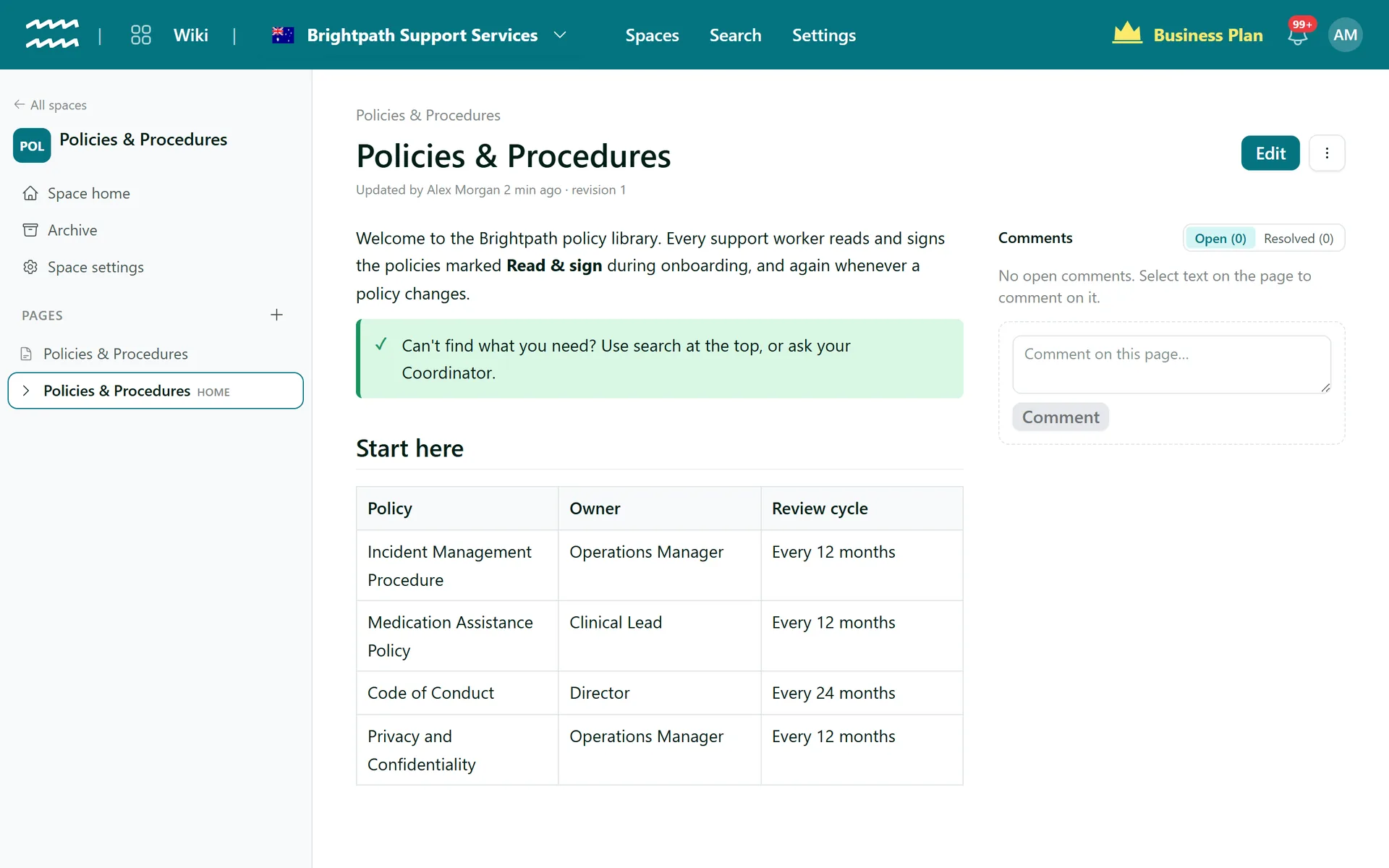
Policies in one space, operations in another, onboarding in a third. Each space opens on a home page with a tree of pages beside it, so people can find their way around without asking.
Book a demoPart of the AirSign suite - one plan, every app.
Structure that stays tidy as you grow
Spaces
One area of knowledge each, shown as a card on the wiki home with its page count.
A home page in each
A new space starts with one. Pick any other page later with Make space home page.
Pages inside pages
Nest sub-pages as deep as the topic needs. Breadcrumbs show readers where they are.
Drag to rearrange
Drop a page between two others to reorder it, or onto a page to make it a sub-page.
Access by space
Tag a space, and permission groups decide who can view, create, edit, delete and comment.
Archive, then restore
Out-of-date pages leave the tree and search but stay in the space Archive.
How to set up your knowledge base
- 1
Create a space
Choose New space and name it. AirSign suggests a short key, like HR for Human Resources.
- 2
Add your pages
The home page is already there. Choose New page, or + beside a page for a sub-page.
- 3
Put them in order
Drag pages around the tree in the sidebar until the structure makes sense.
- 4
Decide who sees it
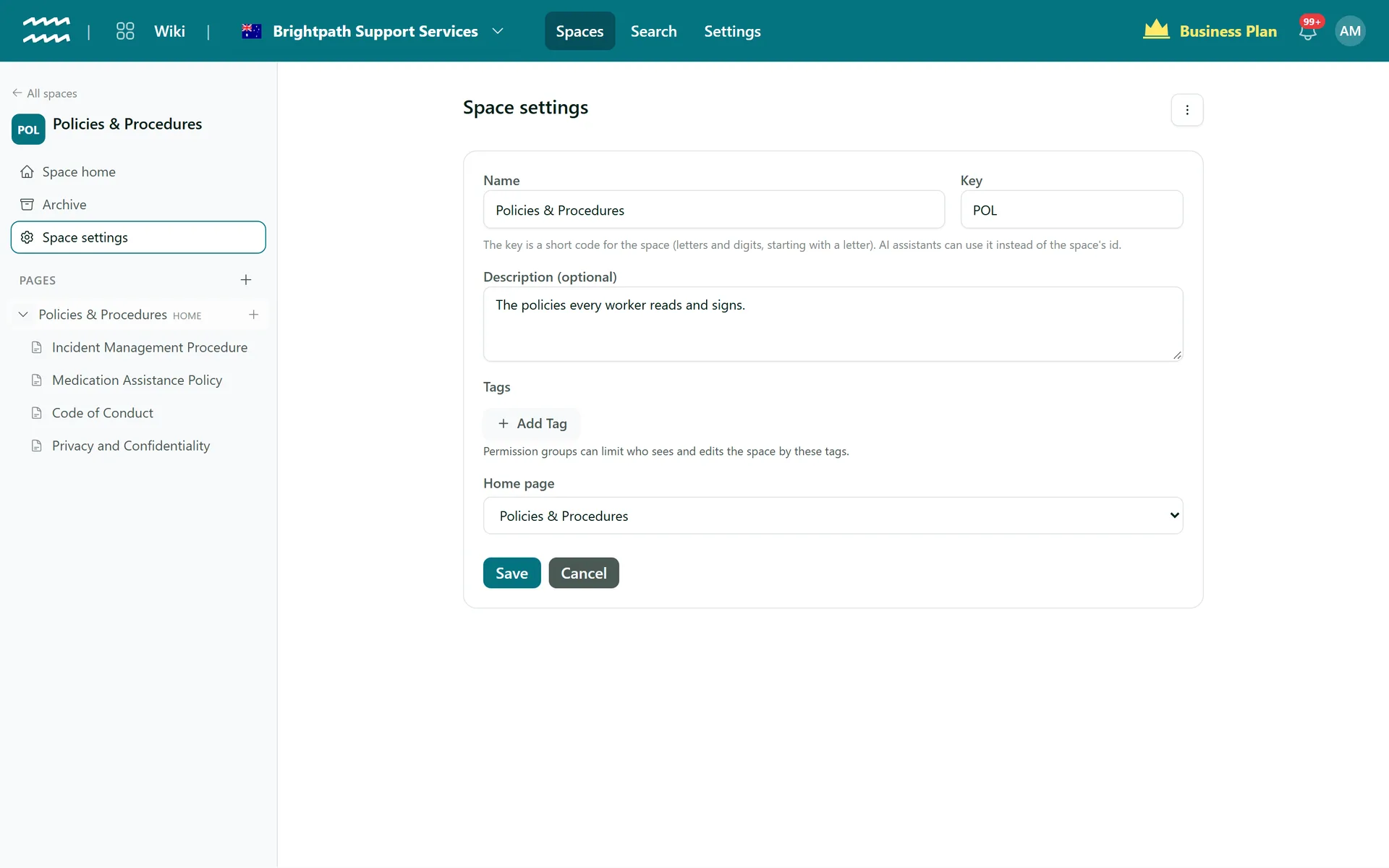
Open Space settings and add tags, then point your permission groups at those tags.
Each space has its own settings
Space settings holds the name, key, description, tags and home page. Its menu is where you archive or restore a space.
- A key of up to 10 letters and digits, which AI assistants can use too
- Archived spaces are read-only until restored
- Only an archived space can be deleted
More in AirSign Wiki
Company Wiki Editor
Write procedures with tables, checklists, callouts and diagrams.
Learn morePolicy Version Control
Every save kept, with who, when and what changed.
Learn morePolicy Acknowledgement
Turn a page into a document staff read and sign.
Learn moreKnowledge Base Search
Search titles and text across every space you can see.
Learn moreKnowledge Base Spaces FAQs
No. Access is set per space, and a page is as visible as its space. Put restricted pages in their own space.
Everyone with access to the Wiki app, until a permission group in your organisation is given a wiki permission. After that the groups decide, and admins can always see everything.
No. There is no public wiki. Pages are for people signed in to your organisation.
Dragging works within a space. An AI assistant connected to AirSign can move a page and its sub-pages to another space.
The page and its sub-pages move to the space Archive, out of the tree and search. You can restore them, or delete them for good along with their history, comments and attachments.
AirSign Wiki is part of the AirSign suite - one plan, every app. Book a demo and we will walk you through it.
Give your team one place for how things are done
Book a demo and we will set up your first space with you.