Company wiki software anyone on your team can write in
Open a page, use the toolbar and write. Tables, checklists, callouts and flowcharts all sit in the one editor, so your procedures get written by the people who actually know them.
Book a demoPart of the AirSign suite - one plan, every app.
What you can put on a page
A toolbar, not a manual
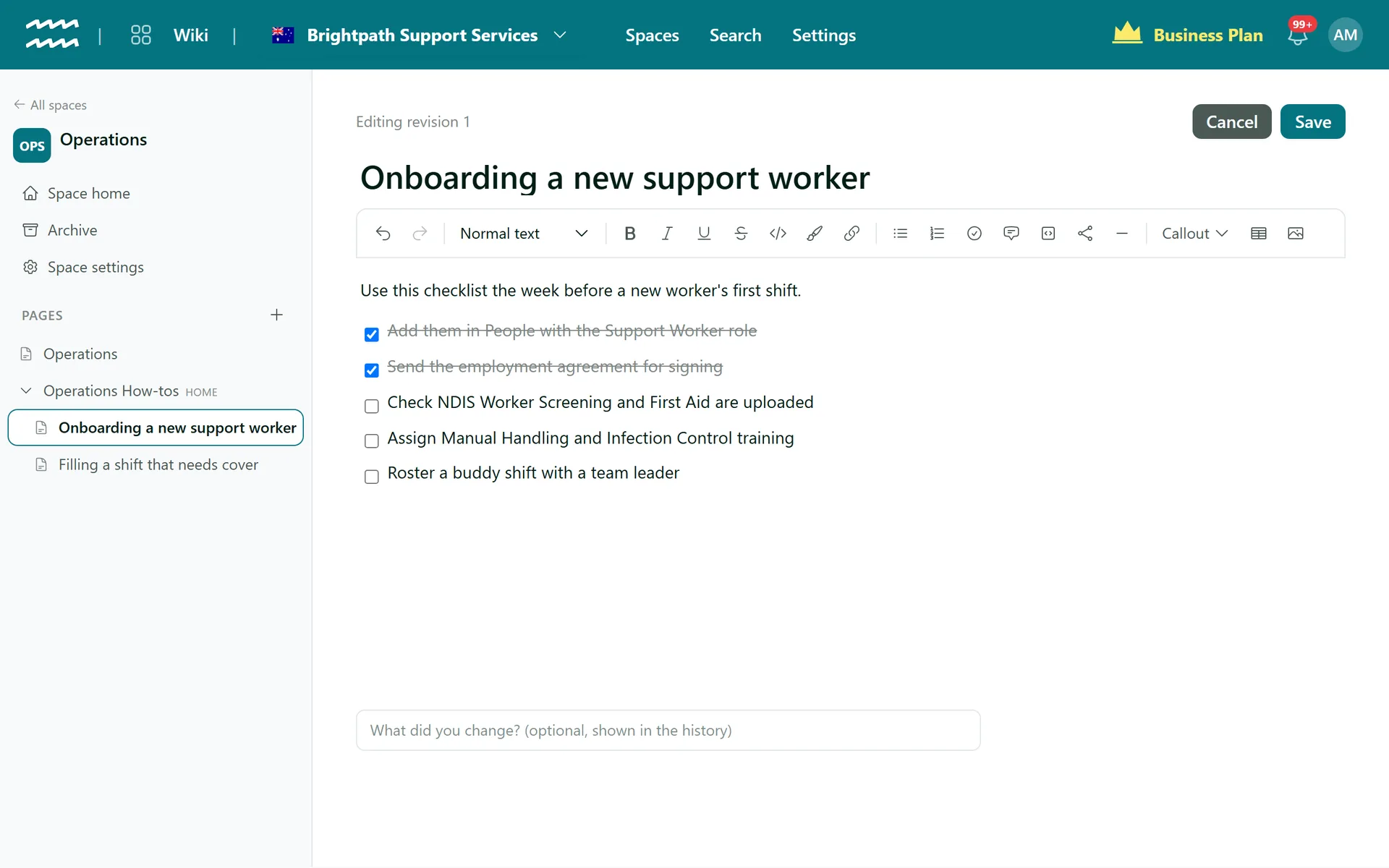
Three heading levels, bold, italic, links, lists and quotes, all one click away.
Checklists and tables
Tick-off task lists for onboarding steps, and tables with header rows for who owns what.
Callouts that stand out
Note, Tip, Important, Warning and Caution boxes for the lines nobody should miss.
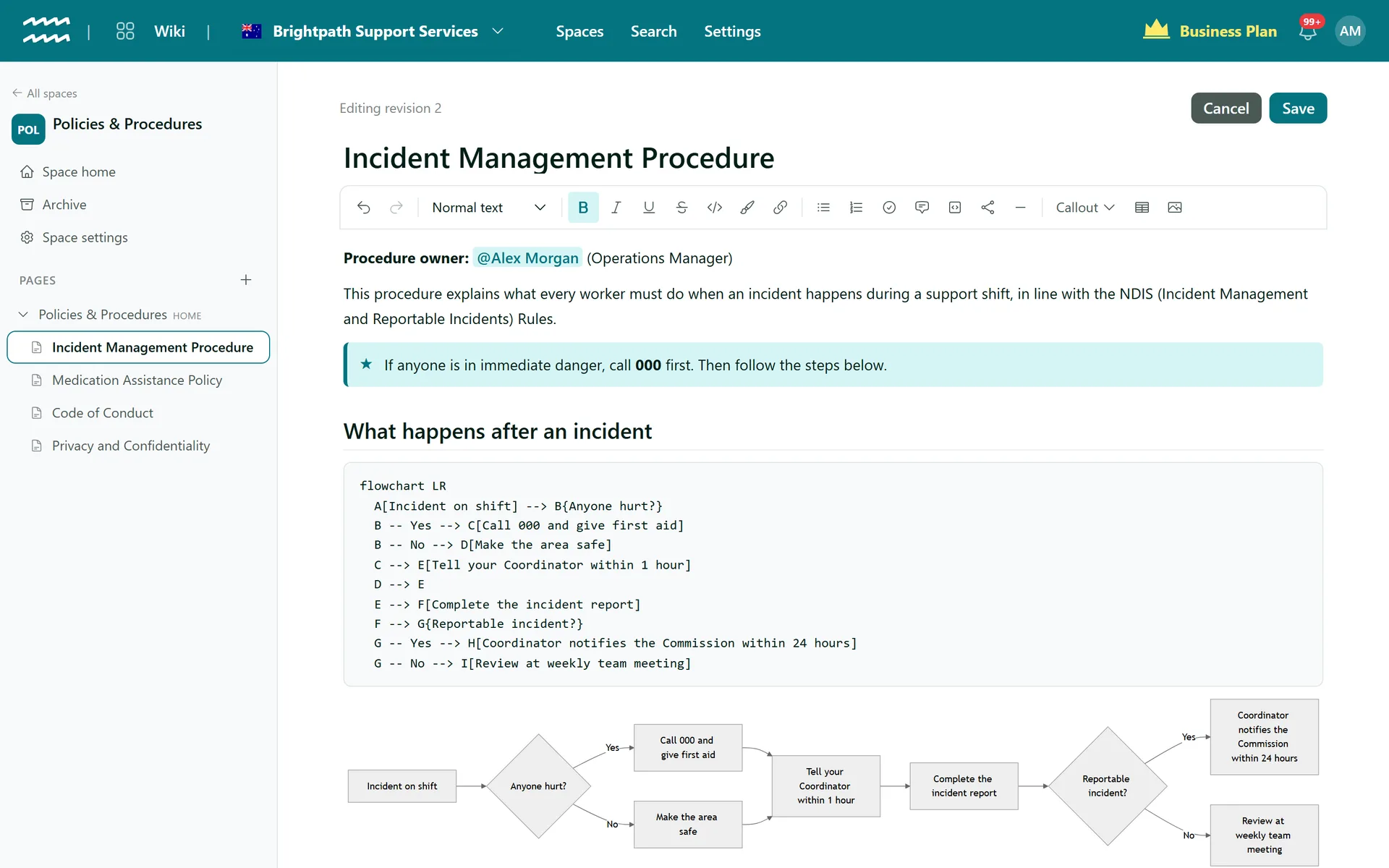
Diagrams written as text
The Diagram button adds a Mermaid flowchart. Edit the text and watch the preview redraw underneath.
@mention people and records
Type @ to link a teammate, person, customer, project or asset. Teammates get a bell notification the first time.
Files kept with the page
Attach any file type, up to 250 MB each, and keep images in the same place.
How to write your first page
- 1
Start the page
Inside a space, choose New page, or the + beside a page to add a sub-page.
- 2
Write or import
Give it a title and start typing, or choose Import Markdown to create the page from a .md file.
- 3
Create the page
Choose Create page. Images can be added from the toolbar once the page exists.
- 4
Keep it current
Choose Edit, make your change, add an optional note about what changed and Save.
Flowcharts that live on the page
A process is easier to follow as a picture. In AirSign Wiki the picture is text, so anyone can change a step without opening a drawing tool.
- Readers see the diagram, editors see the text and a live preview
- If the text has a mistake, the code shows with the error
- Diagrams survive a Markdown export as text
More in AirSign Wiki
Knowledge Base Spaces
Spaces, home pages and page trees you can drag into order.
Learn morePolicy Version Control
Every save kept, with who, when and what changed.
Learn morePolicy Acknowledgement
Turn a page into a document staff read and sign.
Learn moreKnowledge Base Search
Search titles and text across every space you can see.
Learn moreCompany Wiki Editor FAQs
No. You save with the Save button or Ctrl+S, and each save becomes a version. If you try to leave with unsaved changes, AirSign asks first.
Not live, and there are no shared cursors. If someone saved while you were editing, you are told before anything is overwritten.
Not directly. The import takes one Markdown file at a time (.md, .markdown or .txt), and the first # heading becomes the page title.
No. Export Markdown is on every page. Underline and highlight are not kept, as Markdown has no equivalent.
No, not today. Each page starts blank.
AirSign Wiki is part of the AirSign suite - one plan, every app. Book a demo and we will walk you through it.
Give your team one place for how things are done
Book a demo and we will set up your first space with you.