Managing Leave
Your staff ask for time off from the AirSign staff app, and you approve or decline it in AirSign Schedule. Approved leave goes on the calendar, takes the person off any shifts in that window so they can be covered, and comes off their leave balance.
Where to find it
Step 1: Your staff request time off
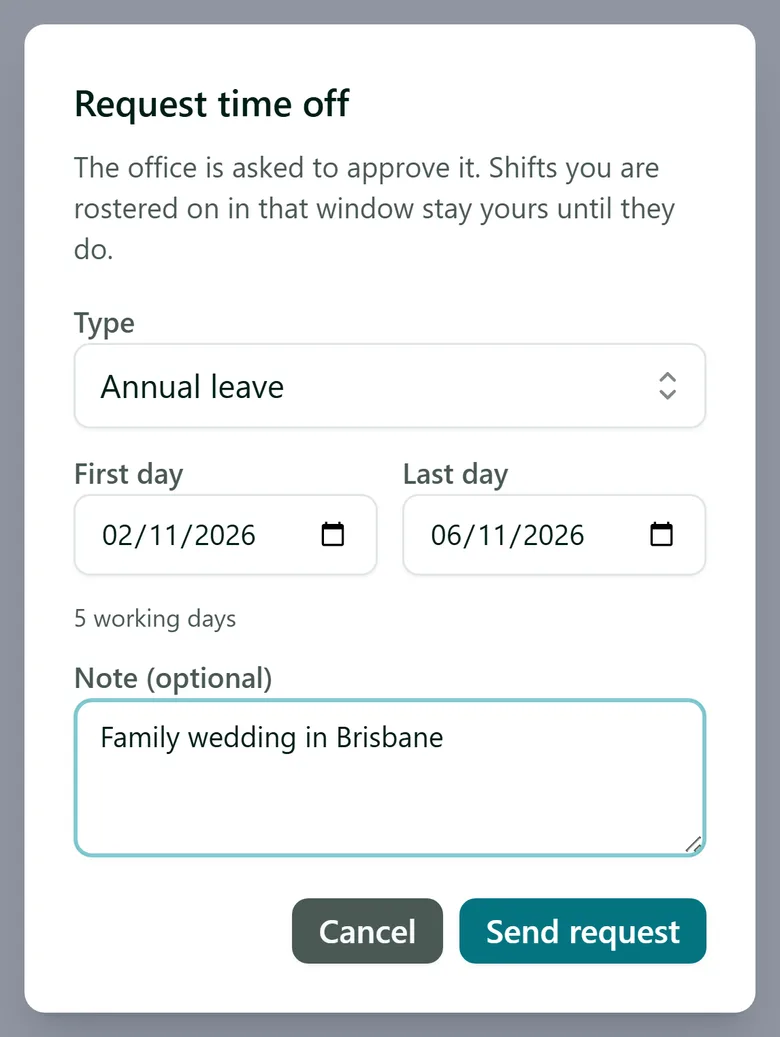
In the staff app, staff open Shifts and, under Time off, tap Request time off. They pick the Type (for example annual, sick or personal leave), the First day and Last day, add an optional note and tap Send request. Their balance is shown above the button, in hours with the days it equals.
Contractors and volunteers do not ask for approval - they tap Mark unavailable instead, and it takes effect straight away. Which kinds of people ask and which just log it is set under Settings > Scheduling > Leave and availability.
Step 2: Review the request
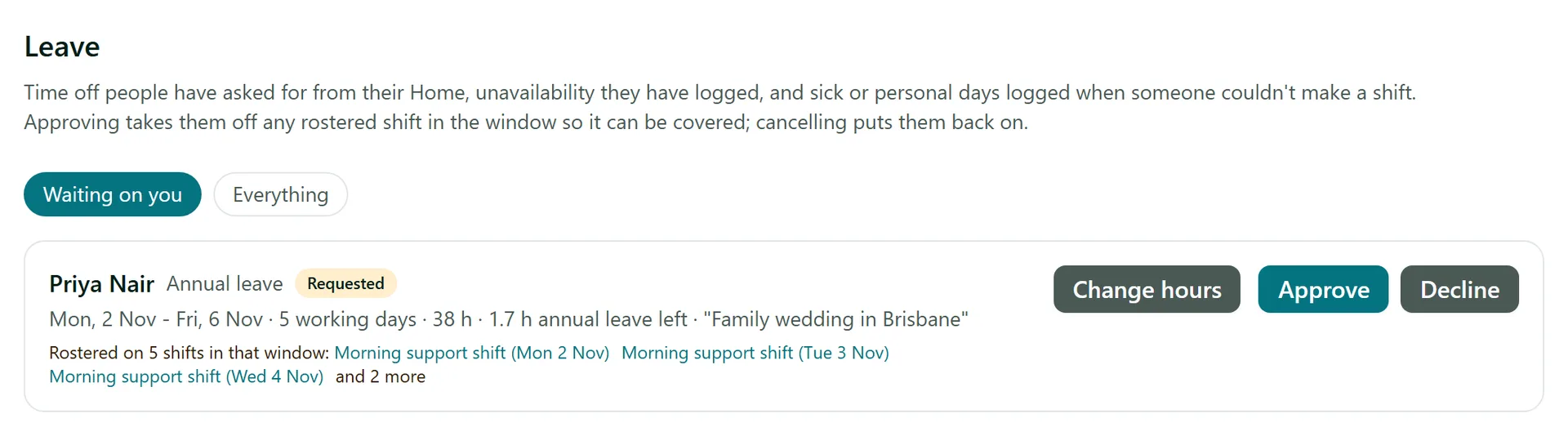
You get a notification, and the request appears under Leave on Waiting on you. Each row shows the type, the dates, how many working days and hours it takes, how much leave the person has left, and their note. If they are rostered in that window you see which shifts, so you know what will need covering before you decide. Switch to Everything to see past and upcoming leave.
Step 3: Approve or decline
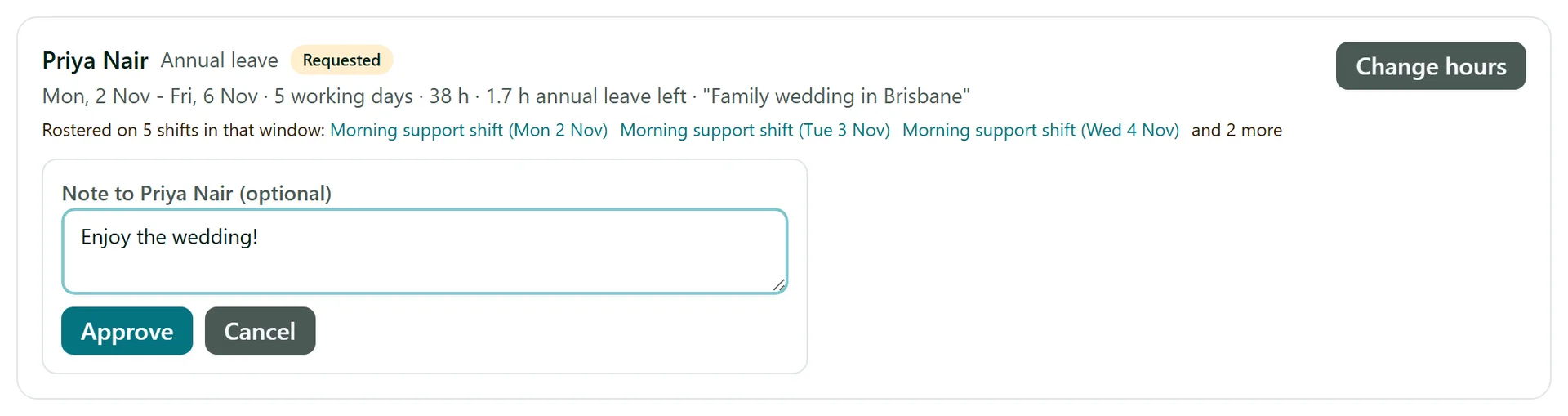
Click Approve or Decline, add an optional note to the person, and confirm. They are told in their staff app either way. Approving takes them off every shift they are rostered on in that window; any shift marked as needing cover then shows under Needs cover, ready for you to fill.
Step 4: Adjust or cancel leave
Change hours lets you set exactly how many hours a leave takes off the balance (by default it is the shifts it took them off, or their working days times their ordinary day). Cancel leave cancels approved leave that has not finished and puts the person back on every shift it took them off that has not happened yet. Staff can withdraw a request themselves while it is still waiting.
Tips
- When someone taps Can't make it on a shift because they are sick, AirSign logs a sick day for them automatically - it shows on the Leave page too.
- Leave balances build up from approved timesheets and carry over. Set someone's starting balance or their own entitlement on the Staff tab of their page in AirSign People.
- Requested leave shows on the calendar marked Requested, but only counts as time off once you approve it.
Need More Help?
Related guides: Open Shifts and Finding Cover, Rostering Shifts, The Staff App. See our FAQ section or email support at [email protected].