Job management that flags what each job is missing
Every job or build sits in one list with its customer, site, current stage and crew numbers. Open seats and missing documents show on the row, so you can see which job needs you first.
Book a demoPart of the AirSign suite - one plan, every app.
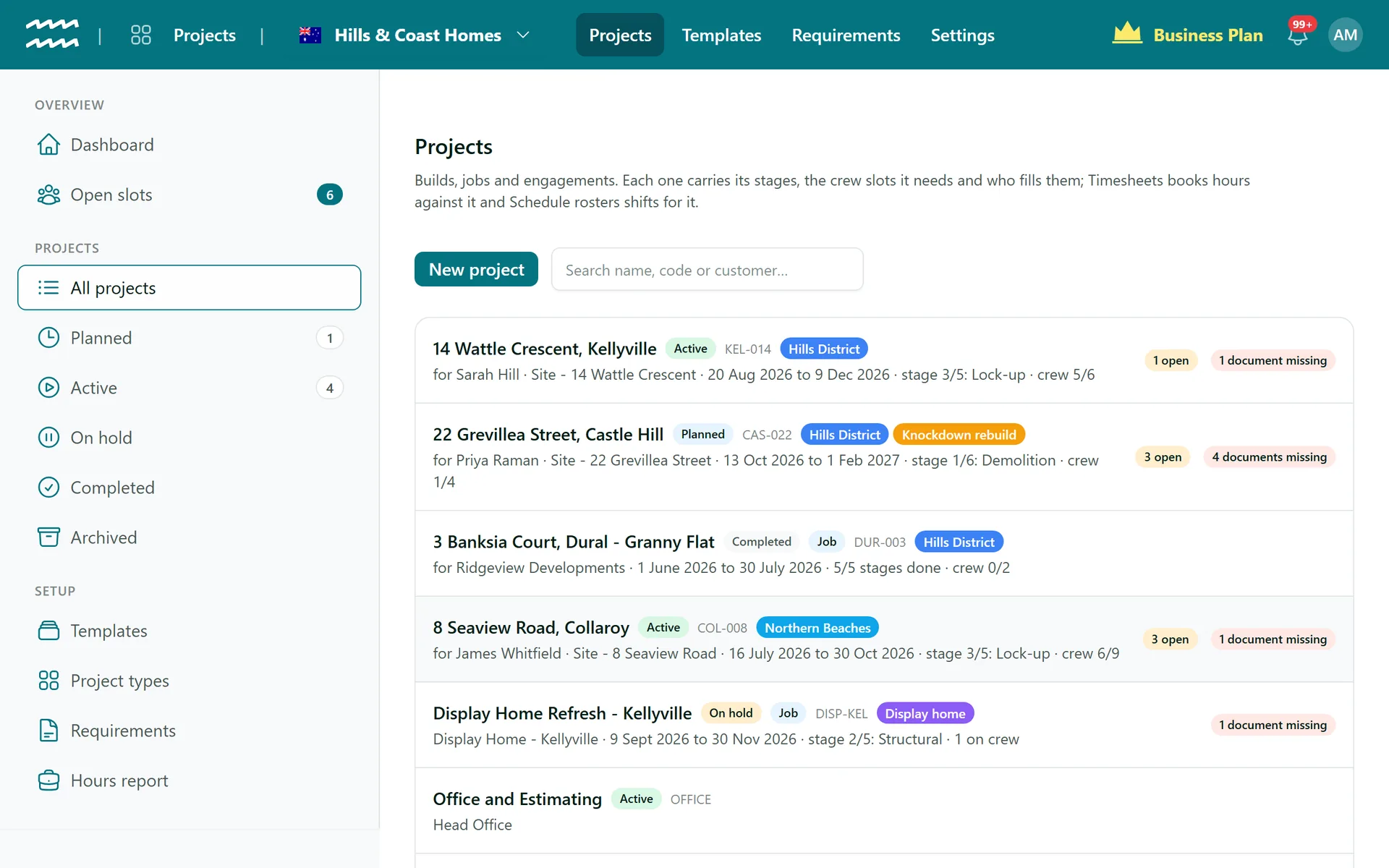
The whole workload in one place
Lists by status
Planned, Active, On hold, Completed and Archived each have a list of their own.
Flags on every row
See how many crew seats are open and how many documents are missing without opening the job.
Start from a template
Pick a template and its stages and crew slots are copied onto the new job.
Find any job
Search by name, code or customer.
Your words
Call them jobs, builds or events, and the menus and pages follow.
Reuse what worked
Save as template turns any job into a starting point for the next one.
How to set up a job
- 1
Start a new job
Open All projects and choose New project.
- 2
Pick a template
Choose one under Start from a template, or Blank to build it by hand.
- 3
Add the details
Enter the name, customer, site, start date and budget hours, and save.
- 4
Get it moving
Open the job and choose Start when work begins.
- 5
Close it out
Choose Complete when it is done, then Archive it when you no longer need it in the list.
A dashboard for the start of the day
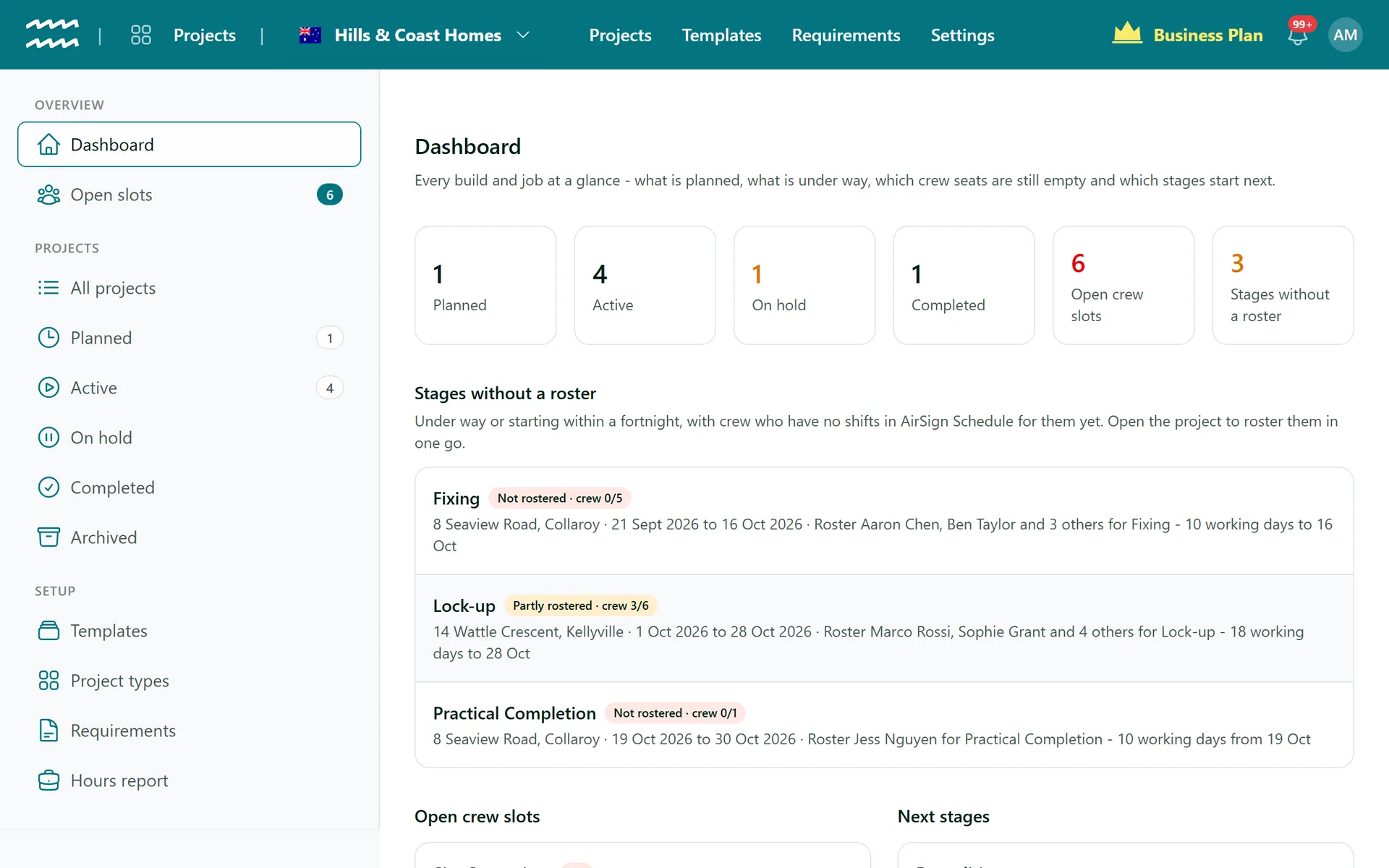
The Projects dashboard gathers what needs doing across every job, so you do not have to open them one at a time.
- Counts by status, each opening the matching list
- Stages without a roster that are under way or start within a fortnight
- Open crew slots and the next stages coming up
Job Management FAQs
No. Projects starts once the job is won. Pricing lives in your price list and rate cards.
Not from Projects. Invoicing lives in AirSign CRM, where a customer's completed scheduled work can become a draft invoice.
No. There are no materials, cost lines or profit figures on a job.
No, there is no client portal. Customers receive documents to sign by email.
Very little. Both hold stages, crew and documents. Kind simply labels one as a build or engagement and the other as a unit of work at a site.
Only one with no history. A job with booked hours, shifts, documents or files has to be archived instead.
AirSign Projects is part of the AirSign suite - one plan, every app. Book a demo and we will walk you through it.
Staff every job with the right people
Book a demo and we will build your first project template with you.