Crew scheduling that shows who is ready before you commit
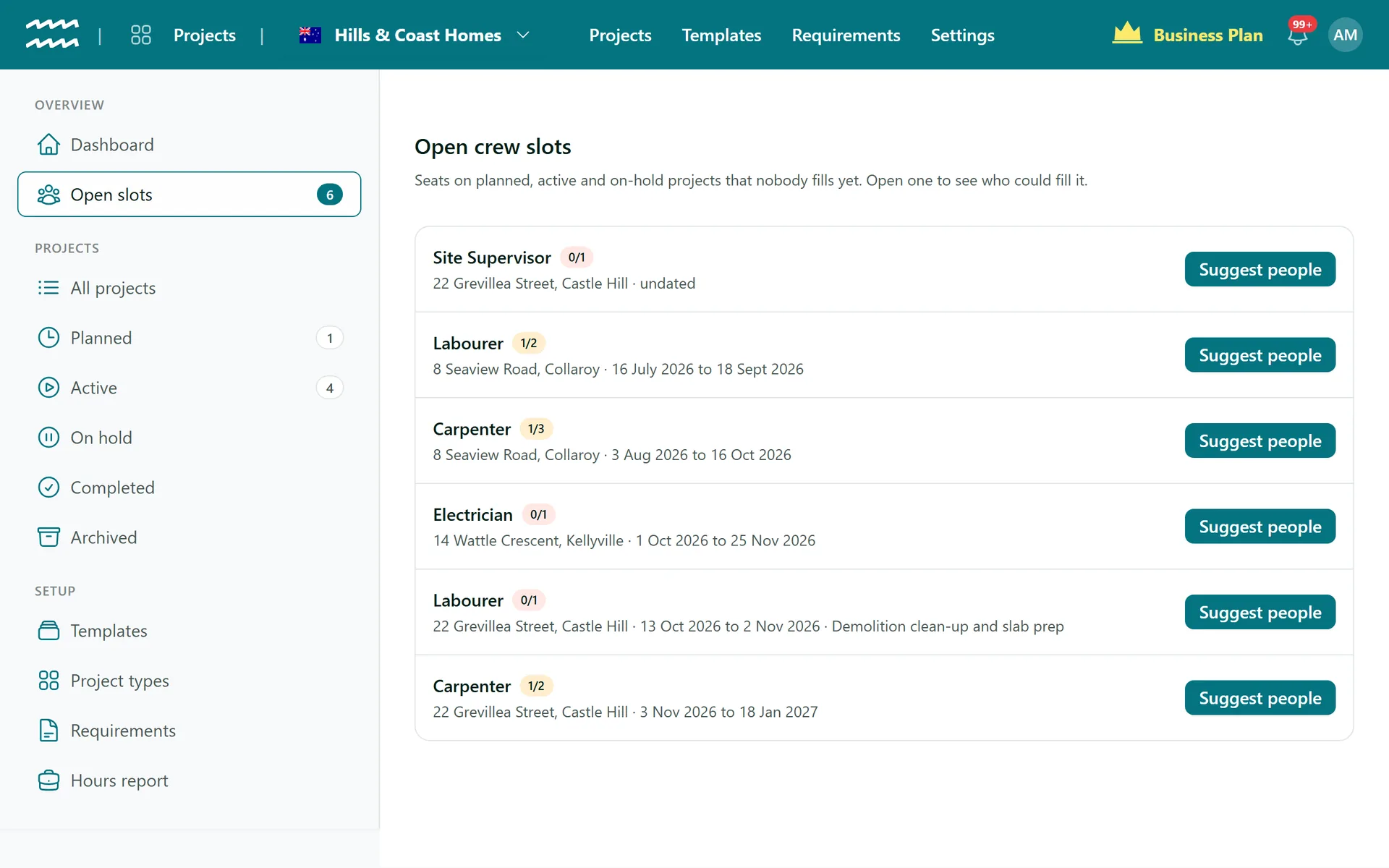
Each stage says what crew it needs. For every open seat, AirSign sorts your people by who holds the role, whose documents are current and who is free, and shows you why. Then you roster the whole stage in one step.
Book a demoPart of the AirSign suite - one plan, every app.
From an empty seat to a rostered crew
Seats by role
Set the role, how many and the stages it covers. The seat's dates follow those stages.
Four groups
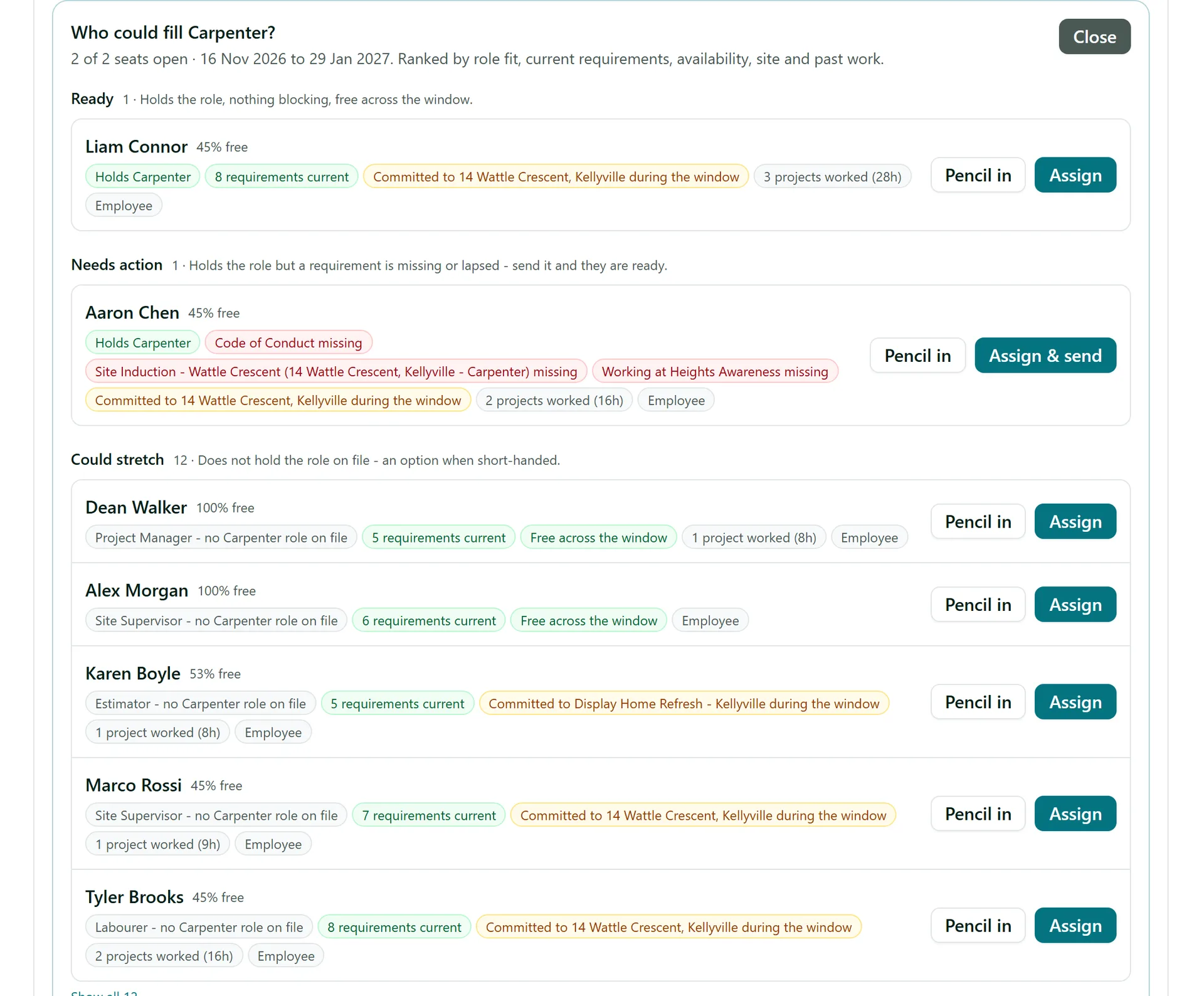
Ready, Needs action, Could stretch and Unavailable, so the best options are at the top.
The reasons, not just a rank
Each person shows what they hold, what is missing or expiring and what else they are committed to.
Pencil in
Hold a seat for someone without sending them anything, then confirm it later.
Assign & send
If someone is missing a requirement, assigning them sends it straight out.
Roster a stage
Turn a stage's crew into one series of shifts in AirSign Schedule, with clashes shown as warnings.
How to staff and roster a stage
- 1
Add the crew slots
On the Crew tab, choose Add slot and set its Role, How many and the stages it runs between.
- 2
Ask who could fill it
Choose Suggest on the slot, or Suggest people on the Open slots page.
- 3
Pick someone
Choose Assign, Assign & send or Pencil in beside their name.
- 4
Confirm anyone pencilled in
Choose Confirm on their row in the crew list when it is locked in.
- 5
Roster the stage
On the Stages tab, choose Roster stage, tick the crew and days, set the times and choose Roster.
See why each person is ranked where they are
The panel lays out what you would otherwise check in three different places: their role, their paperwork and their week.
- Spot a licence or induction that is missing or lapsed
- See what share of the seat's dates each person has free
- Hours already worked for this customer count in their favour
Crew Scheduling FAQs
No. The ranking follows fixed rules you can read on screen, and nobody is put on a crew unless you choose them.
No. Assign puts them on the crew. Roster stage is what creates their shifts in AirSign Schedule.
Yes. Turn on the setting under Settings > Scheduling, and those people show as Rostering blocked.
On their AirSign Home in a phone browser. There is no native app, push notification, SMS or Google or Outlook calendar sync.
You still get suggestions, but availability is not checked until the seat has dates.
They are listed unticked with the reason, so the series does not double them up. Fill those gaps in AirSign Schedule.
AirSign Projects is part of the AirSign suite - one plan, every app. Book a demo and we will walk you through it.
Staff every job with the right people
Book a demo and we will build your first project template with you.