Every job, every stage, every seat filled
Start builds and jobs from templates, break them into stages, set the crew each stage needs and see who could fill every seat - with their licences and inductions already checked.
Part of the AirSign suite - one plan, every app.
Start from a template
Stages, crew and documents set up in seconds - or save any project as a template.
Crew by role
Each stage says who it needs. Open slots show what is still unfilled.
Staffing suggestions
A ranked list of who could fill a slot, and why.
Roster in one go
Send a whole stage to Schedule as shifts.
Plan the job, staff it, track the hours
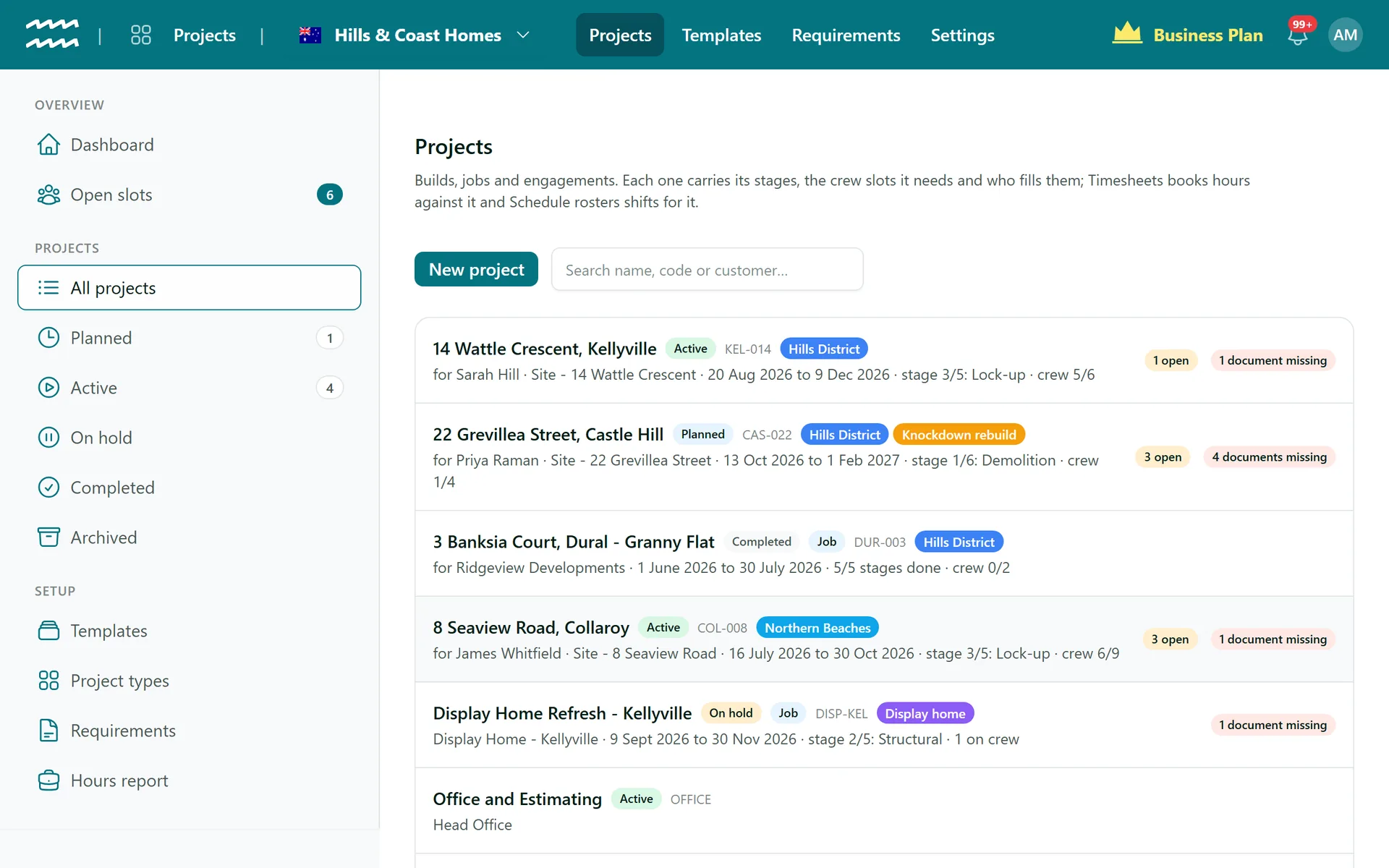
All your jobs at a glance
See every project with its status, open crew slots and missing documents, so you know where to look first.
- Planned, active, on hold and completed
- Project types and your own word for "project"
- Open slots and missing documents flagged on each job
Built for crews and sites
Templates
Create, duplicate, or save a finished project as a template.
Roster a stage
Turn a stage's crew into shifts in Schedule in one step.
Project requirements
Site inductions and agreements required for everyone on the job.
Dashboard
Stages without a roster and open crew seats, at a glance.
Who uses AirSign Projects
Residential builders
Each build from template, staged from slab to handover, with trades checked.
Learn moreCabinet makers and joiners
Jobs from measure to install, with the right crew on each stage.
Event companies
Bump-in to bump-out, with licensed security and RSA-trained bar staff.
NDIS and home services
Ongoing engagements with a consistent team of workers.
Learn moreWorks with
AirSign Projects shares one database with the rest of AirSign, so nothing needs syncing between apps.
Better together
Every AirSign app is included in the same plan. Here is what pairs best with Projects.
Frequently asked questions
No. Projects is about stages, crew, documents and hours. Pricing lives in your price list and rate cards, and invoicing lives in AirSign CRM.
Yes. AirSign uses your organisation's own word, so Projects can show as Jobs or Events throughout the app.
For an open slot, AirSign sorts people into ready, needs action, stretch and unavailable - looking at whether they hold the role, their documents, leave and other commitments, where they are based and the hours they have worked for this customer - and shows the reasons for each so you can decide.
Projects is part of the AirSign suite - one plan, every app. Book a demo and we will set it up around your jobs.
Staff every job with the right people
Book a demo and we will build your first project template with you.