Construction project management, stage by stage
Give each build a page for its stages, crew, documents and files. Dates lay themselves out from the start date in working days, and the real start and finish dates move everything after them.
Book a demoPart of the AirSign suite - one plan, every app.
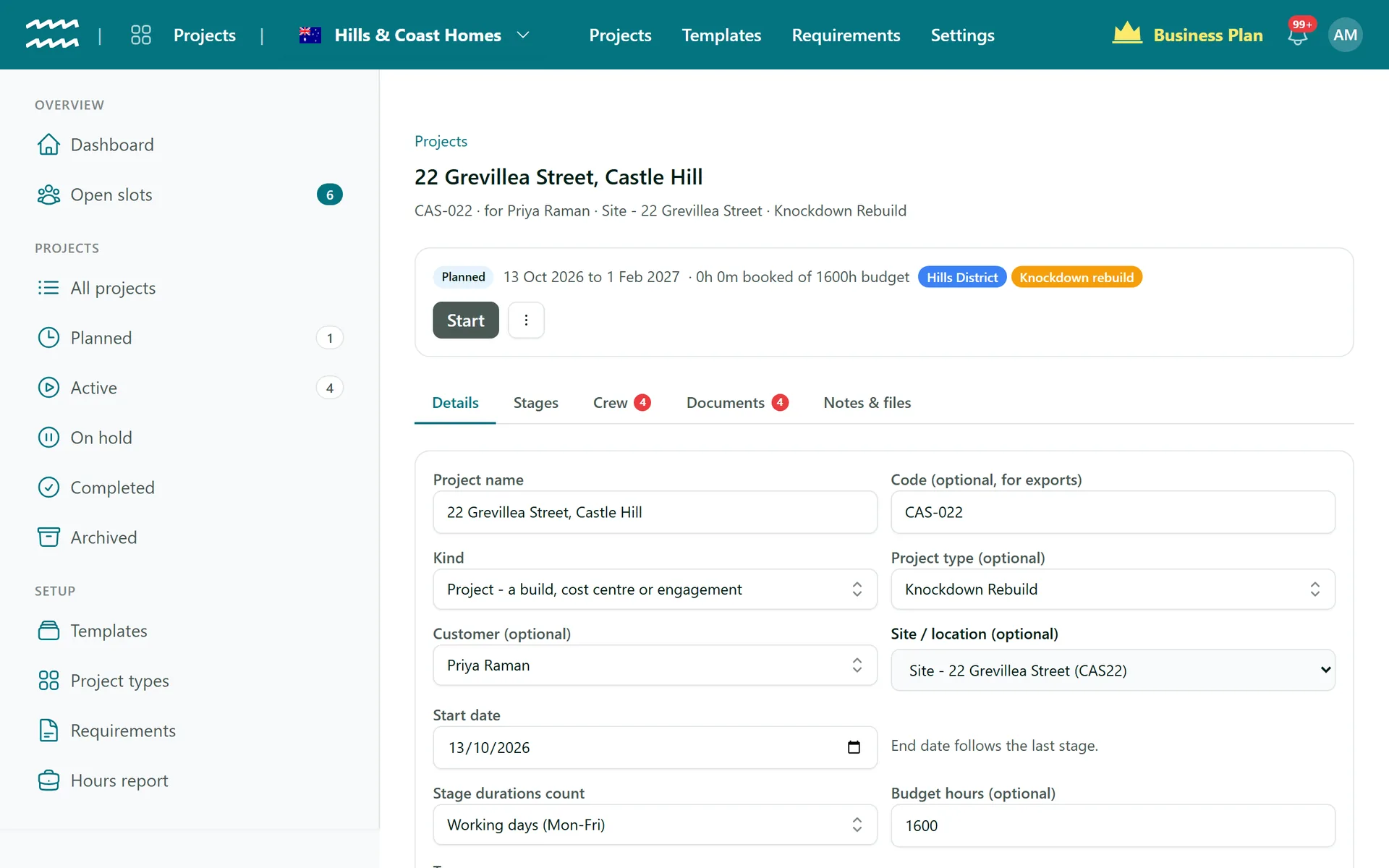
What a builder needs on one page
Dates that lay themselves out
Set the working days for each stage and AirSign skips the weekends, or count every day if you work through them.
Actual dates carry forward
Completing a stage starts the next, and later stages move to match what really happened.
A document checklist
Set what every house build must hold, like a DA or insurance, and each project shows what is missing.
Contracts out for signature
Send Document sends a signing template to the customer's primary contact, with Recall if the details are wrong.
Plans and site photos
Drop in files up to 250MB each and group them in folders like Plans or Site photos.
Templates for each design
Stages with their durations and crew slots tied to them, ready for the next build of the same design.
How to run a build by stage
- 1
Create the build
Choose New project, pick a template and set the Start date. The stages lay out from there.
- 2
Adjust the stages
On the Stages tab, use Add stage, or the row menu to move or edit one.
- 3
Sort the paperwork
On Documents, use Upload or Send Document on the checklist, or Upload document for anything else.
- 4
Work through it
Choose Start and Complete on each stage as it happens. The next one starts by itself.
- 5
Keep the files
Add plans, photos and quotes under Notes & files.
Each stage shows where it is up to
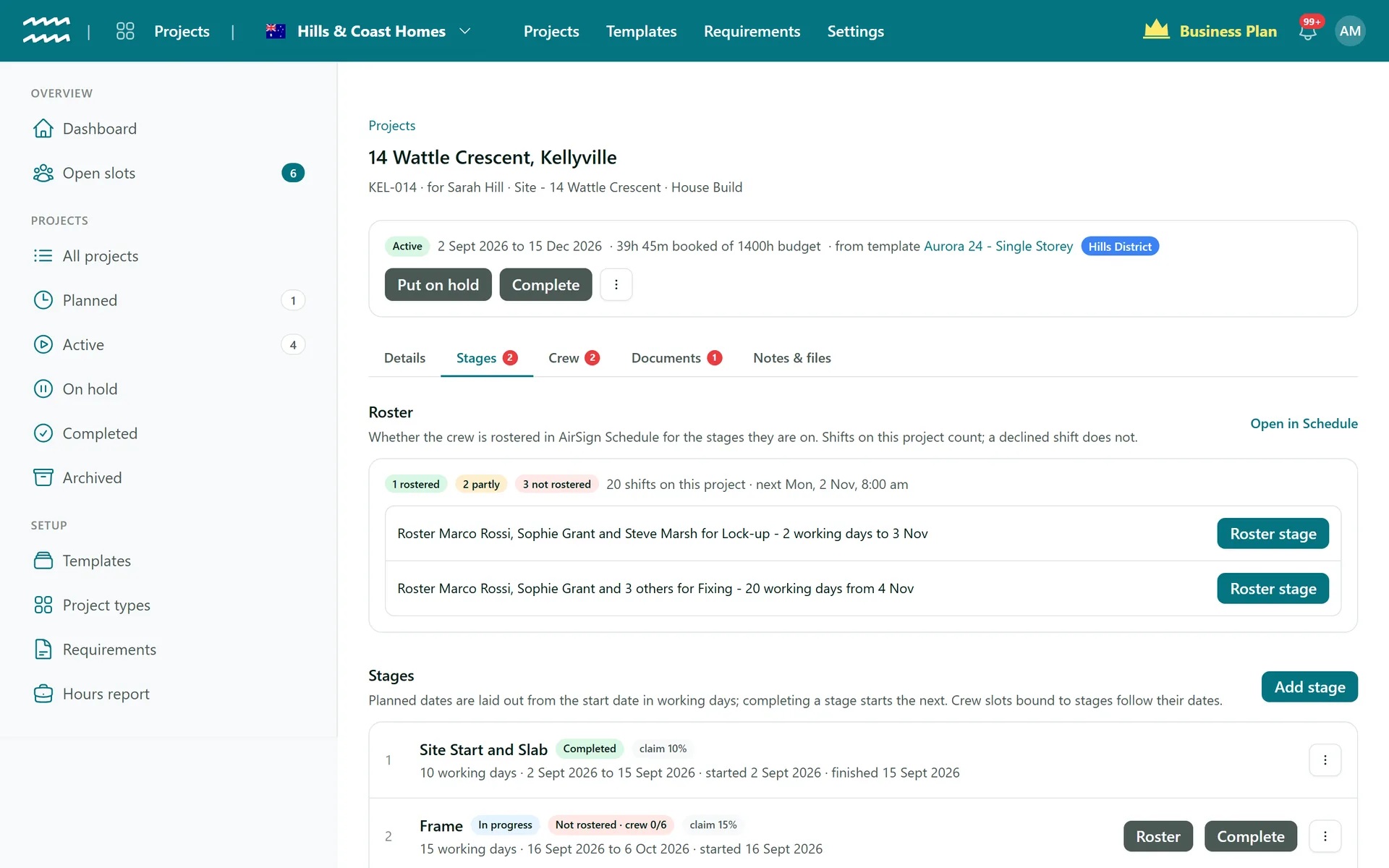
The Stages tab shows the plan against what happened, along with whether the crew is rostered for what is coming next.
- Planned dates, actual dates and status on each stage
- A roster pill on each stage, with a Roster button while it is short
- Skip or Reset a stage from its menu, which undoes a mis-tapped Complete
Construction Project Management FAQs
No. There is no Gantt chart and no dependencies between stages. Stages run in order, one after the other.
No. You can record a Claim % on each stage, but AirSign does not raise claims or invoices from it.
No. A stage can start with documents missing. The checklist shows the gap, but it does not stop the work.
Not yet. Customer details fill in from the record, but project details like the site are not available as template variables, so you type those in when sending.
Not yet. Forms cannot be a project requirement, so inspections go to a person, customer or asset instead.
Anything that expires or has to be signed belongs in Documents. Everything else worth keeping, like blueprints and site photos, is a File.
AirSign Projects is part of the AirSign suite - one plan, every app. Book a demo and we will walk you through it.
Staff every job with the right people
Book a demo and we will build your first project template with you.