Inspections and checklists, done on site, with the photos to prove it
Build pre-starts, site inspections and audits with pass/fail checks, photos and meter readings. Assign them as requirements, redo them on a cadence and see exactly which questions keep failing.
Part of the AirSign suite - one plan, every app.
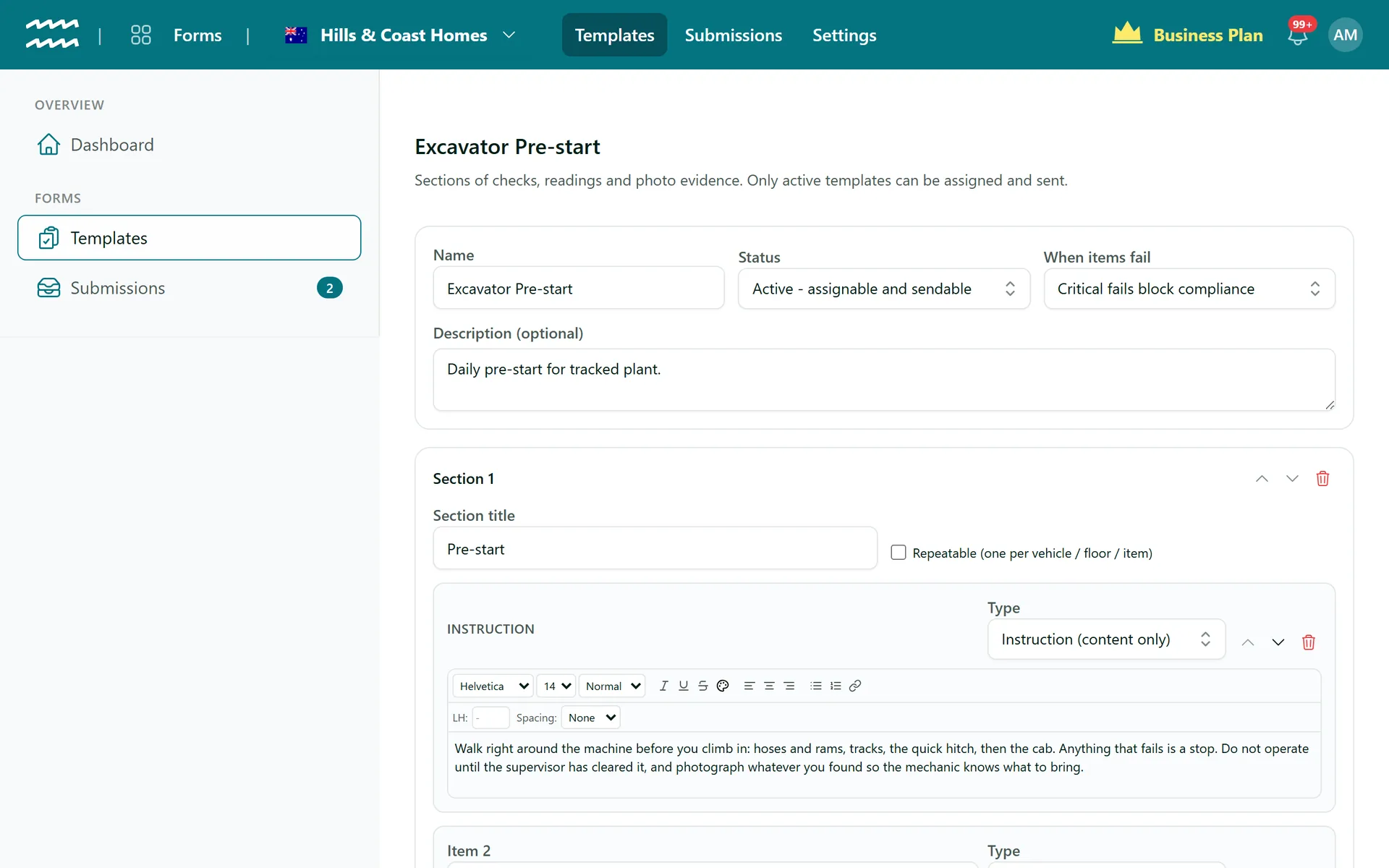
Photo evidence
Require a photo always, or only when a check fails.
Critical checks
A critical fail can block compliance until it is fixed.
On a cadence
Daily, weekly or monthly checks that go back out on their own.
Pass rates
Analytics per template and per question, with a report download.
Build it, send it, act on it
A checklist builder made for the field
Sections of checks, readings and photo evidence. Make a section repeatable - one per vehicle, one per floor - and set what happens when an item fails.
- Pass/fail, yes/no, select, rating, number, date, text and photo items
- Meter readings that update the asset
- Required, N/A allowed, critical, note or photo on fail
- Flag a fail, or block compliance until it is fixed
Assign it to anyone - or anything
People
Inductions and competency checks for staff.
Customers
Intake forms and site checklists for customer accounts.
Assets
Pre-starts done by whoever holds the vehicle or machine.
On the phone
Filled in the browser on site - nothing to install.
Who uses AirSign Forms
Construction
Pre-starts, scaffold inspections and toolbox talks.
Learn moreCleaning and facilities
Site audits with photos for every room.
NDIS providers
Participant intake and home safety checks.
Learn moreFleet and plant
Daily vehicle checks with odometer and engine hours.
Works with
AirSign Forms shares one database with the rest of AirSign, so nothing needs syncing between apps.
Better together
Every AirSign app is included in the same plan. Here is what pairs best with Forms.
Frequently asked questions
Forms open in the phone browser and need a connection to submit. There is nothing to install.
You choose per template: flag it, or block it so the person, customer or asset stays non-compliant until it is fixed. Each item can require a note or photo.
Yes. Assign the form to the asset and it goes to whoever holds it, or to anyone in a role you choose.
Forms is part of the AirSign suite - one plan, every app. Book a demo and we will build your first checklist with you.
Turn paper checklists into proof
Book a demo and bring the checklist you use today.