Training Matrix and Certificates
Once training is out, AirSign Training shows you who has done it, who has not, and what has been certified. The matrix is the view an auditor asks for; the invites list is where you follow up; certificates are the numbered credentials people earn.
Where to find it
Step 1: Check the training matrix
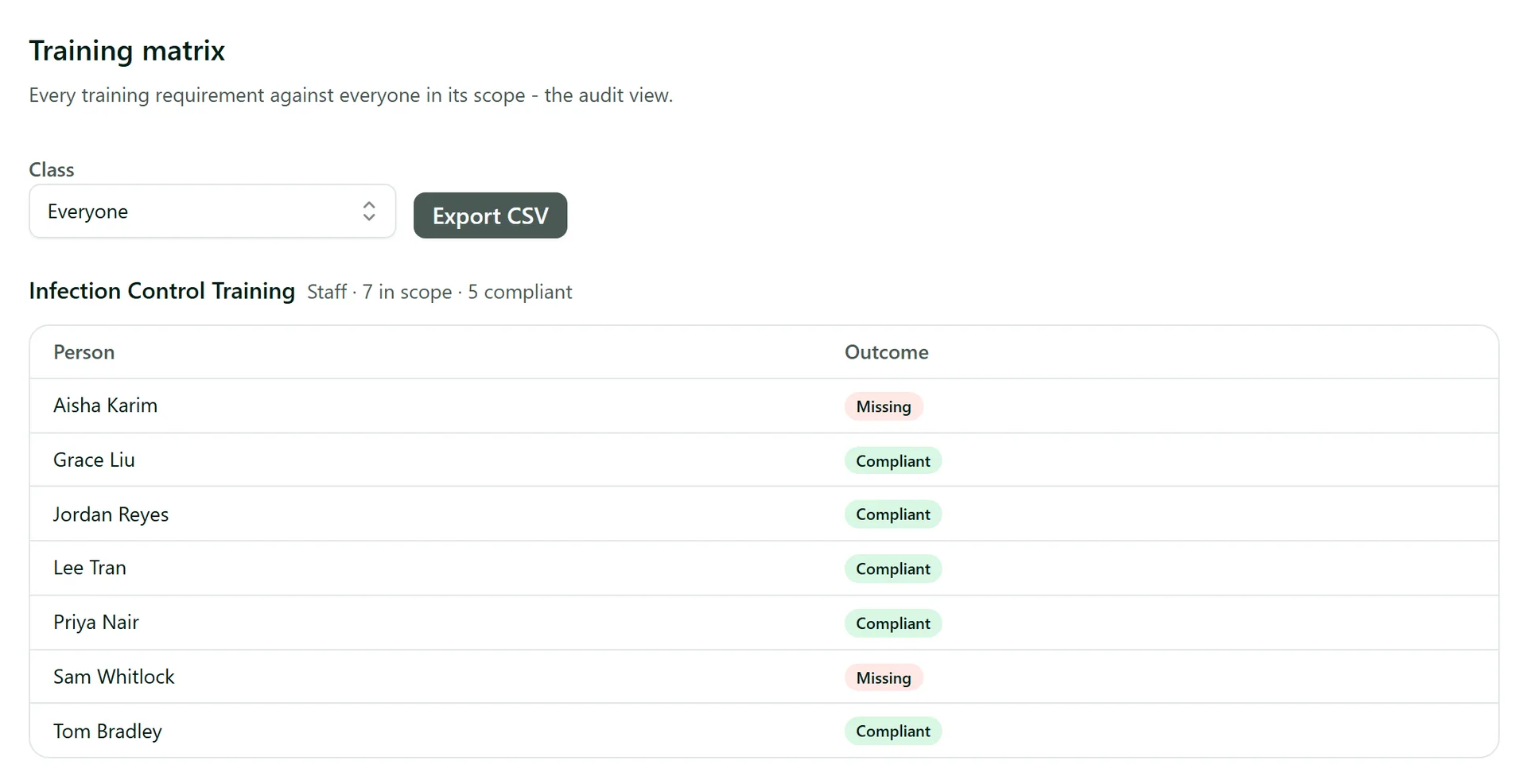
Matrix lists every training requirement against everyone it applies to, with a count of how many are compliant. Each person shows an outcome such as Compliant, Missing or an expiring status. Use the Class filter to see one class on its own, click a name to open that person, and press Export CSV to hand the whole matrix to an auditor.
Step 2: Follow up open invites
Invites shows every training link that has been sent and how it went: pending, completed (with the date and score), or failed once all attempts are used. Filter by status, or open the person with the view link. On a pending invite, Revoke link stops the link working - for example if it went to the wrong person.
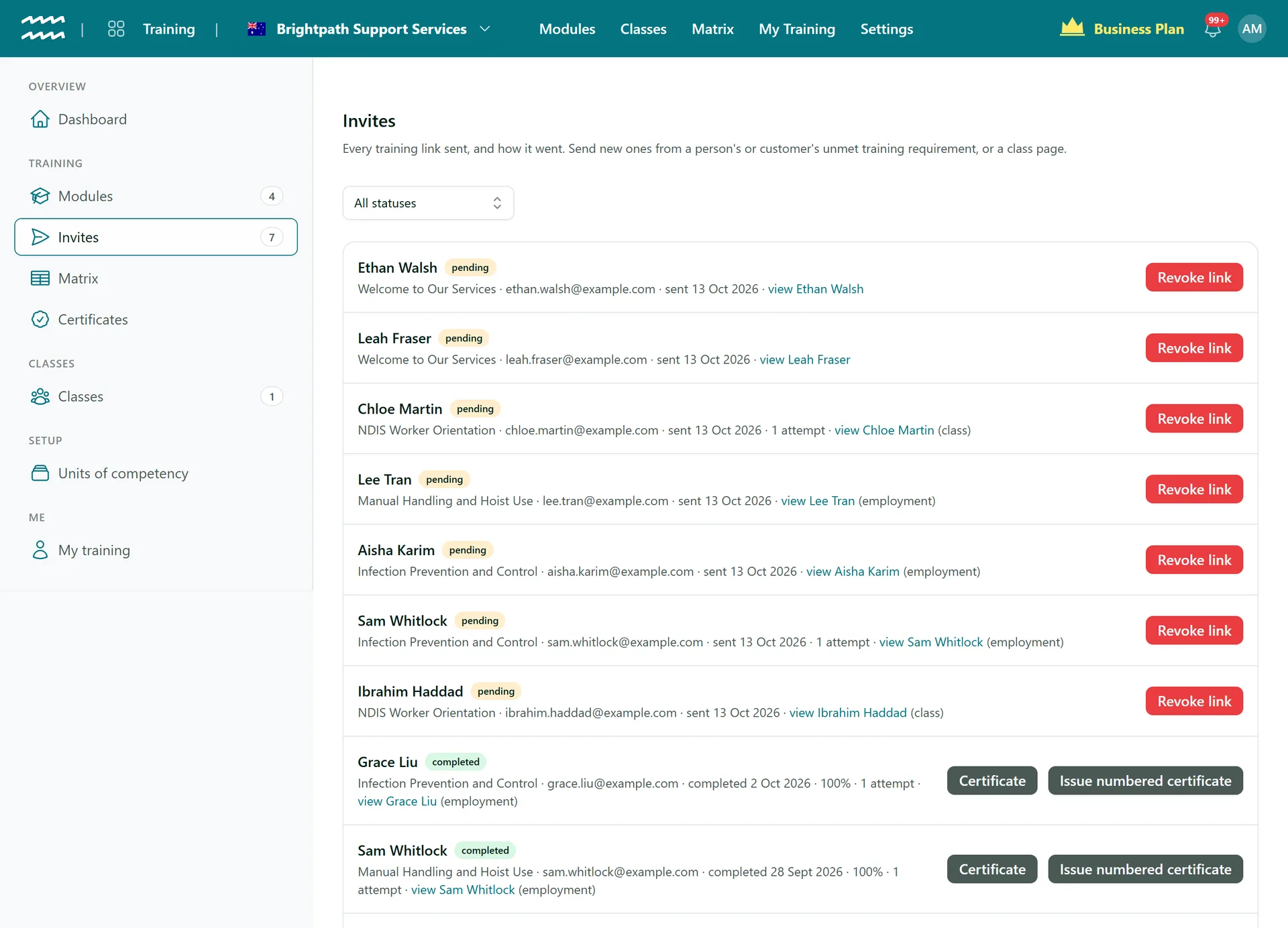
On a completed invite, Certificate downloads the completion certificate, and Issue numbered certificate gives the person a numbered certificate for that pass if the module does not issue them automatically.
Step 3: Find and download certificates
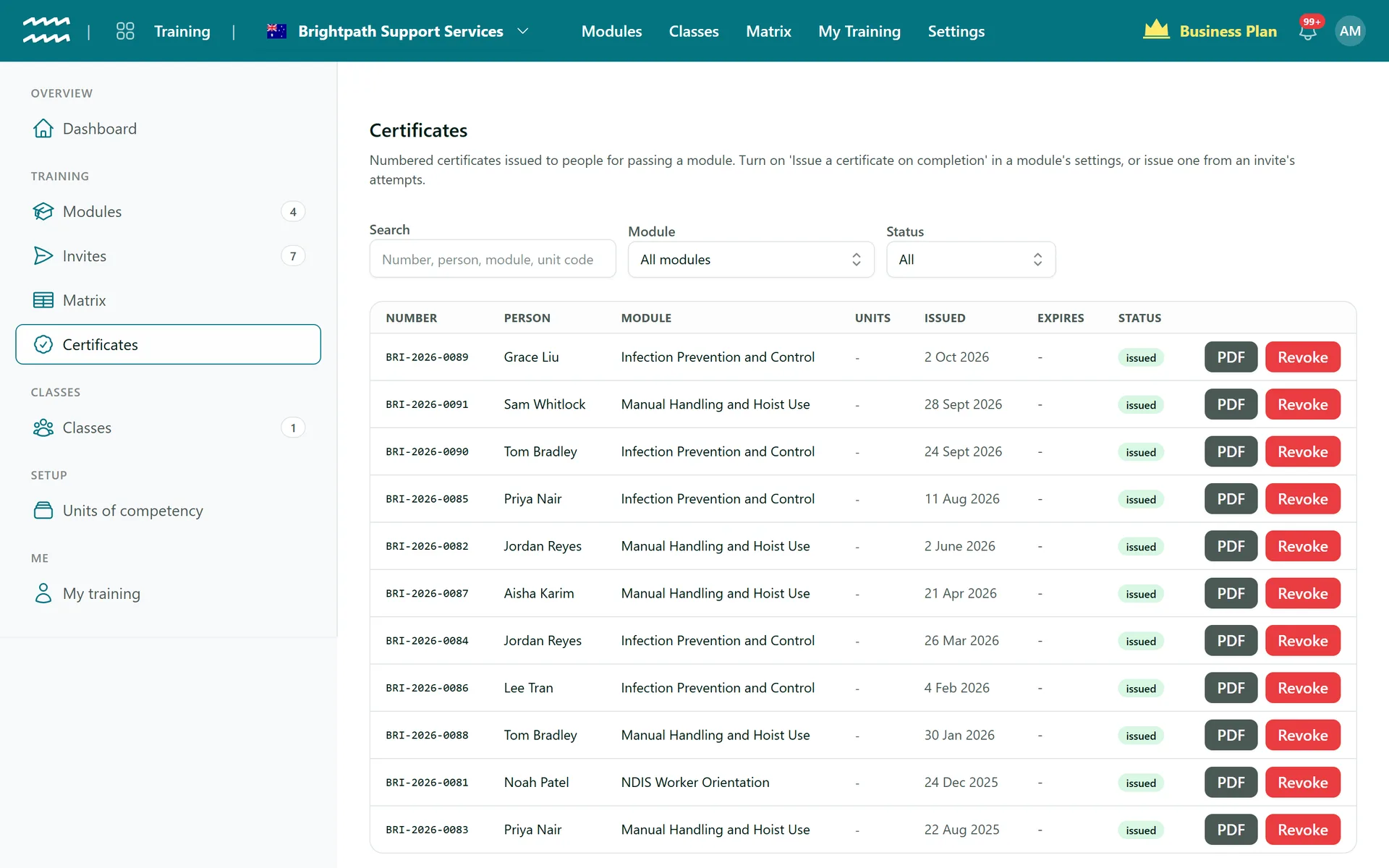
Modules with Issue a certificate on completion turned on give everyone who passes a numbered certificate (for example BRI-2026-0089). Certificates lists them with the person, module, units of competency, issue date and expiry. Search by number, person, module or unit code, filter by Module or Status, and press PDF to download one. People can download their own from My training.
Step 4: Revoke a certificate
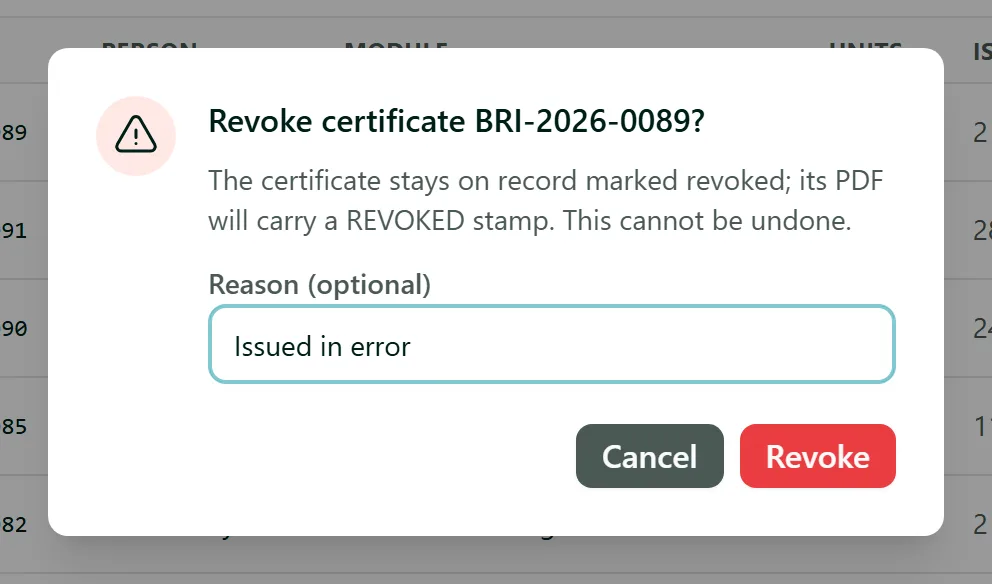
If a certificate was issued in error, press Revoke, add an optional Reason and confirm. The certificate stays on record marked revoked and its PDF carries a REVOKED stamp. This cannot be undone.
Tips
- A class page has its own matrix for just that class's students.
- Completions also appear on each person's Requirements tab in AirSign People, and as documents in AirSign Compliance.
- A certificate's details are fixed when it is issued, so later changes to the module never alter a certificate someone already holds.
Need More Help?
Related guides: Sending Training and Running Classes, Creating a Training Module. See our FAQ section or email support at [email protected].