A training matrix that updates itself as people pass
Stop keeping a spreadsheet of who has done what. Each training requirement lists everyone it covers and where they stand, and the moment someone passes, their line changes.
Book a demoPart of the AirSign suite - one plan, every app.
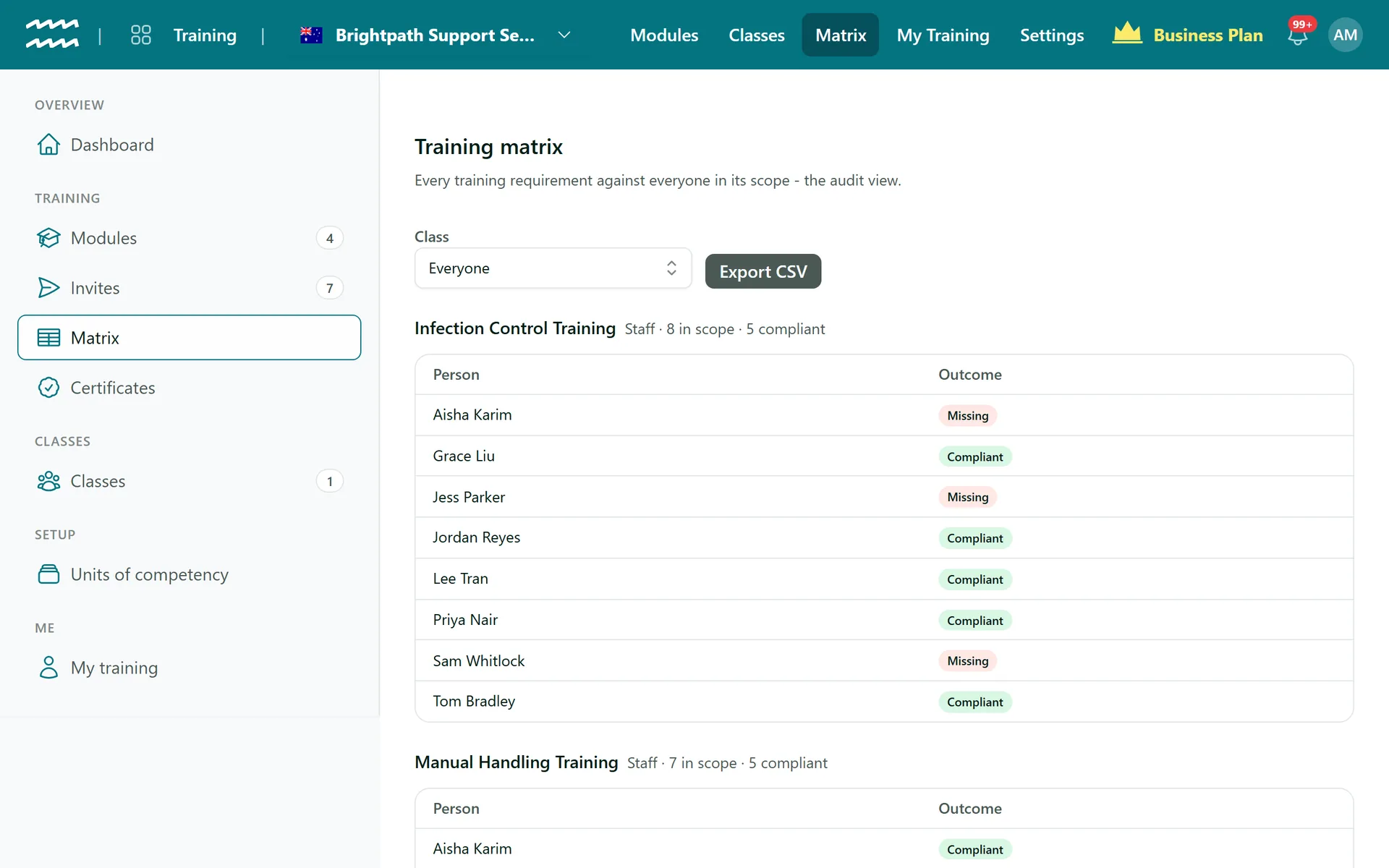
The view auditors ask for
One table per requirement
Each shows who is in scope and how many are compliant, so gaps stand out.
A clear outcome per person
Compliant, Expiring soon, In grace period, Non-compliant or Missing.
Nothing to update by hand
A passed module creates the completion record, and the outcome changes with it.
Per role or per class
When each role or class needs its own completion, a person gets a line for each.
Filter by class
Switch from Everyone to one class to see that group alone.
Export CSV
Download the view you are looking at for an auditor or a board report.
How to set up your training matrix
- 1
Have an active module
Build it in Modules and set its status to Active.
- 2
Add a requirement
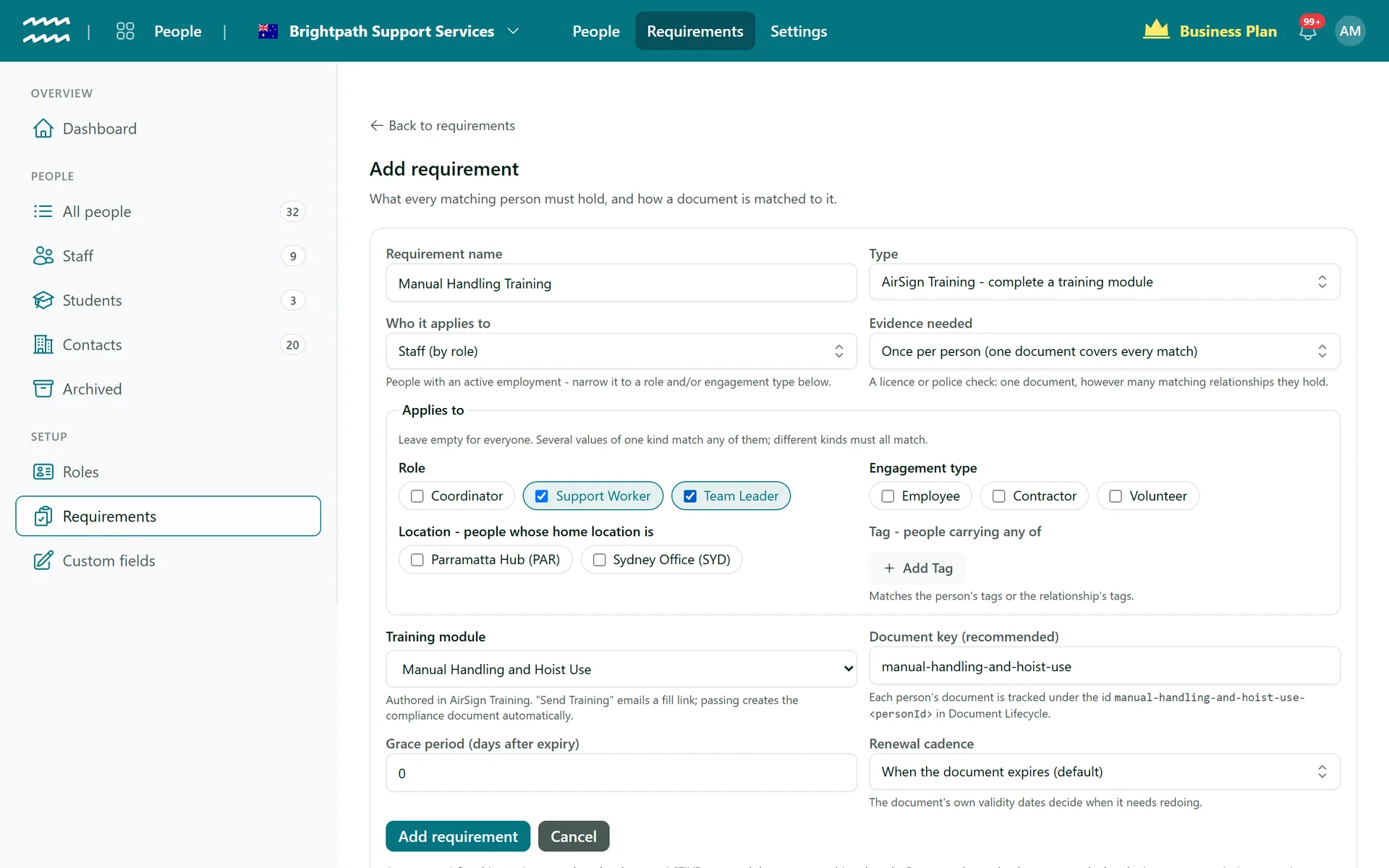
In People, under Requirements, choose Add requirement, set the type to AirSign Training and pick the module.
- 3
Send it
Choose Send to everyone missing, check the count and confirm.
- 4
Open the matrix
Choose Matrix in Training. Everyone in scope is listed with their outcome.
The matrix comes from your requirements
You never add people to the matrix. A requirement says who must complete a module, and everyone who fits appears.
- Scope by role, engagement type, location or tag
- New starters who match are added automatically
- Use a renewal cadence to bring refreshers round on time
Training Matrix FAQs
No, only modules with a training requirement. The matrix is built from requirements, so a module nobody is required to do does not appear.
No. It is a separate table for each requirement. If you want a single grid, the CSV export gives you the data to build one.
No. The matrix shows the outcome, so someone part way through still reads Missing. The Invites page lists every link sent and how it went.
Class is the only filter on the matrix. The CSV has requirement, scope, person, relationship and outcome, so you can sort it further there.
Yes. A training requirement set up in the CRM lists customers in the matrix alongside your staff requirements.
AirSign Training is part of the AirSign suite - one plan, every app. Book a demo and we will walk you through it.
Know everyone is trained - and prove it
Book a demo and we will build your induction module with you.