Training certificates, numbered and issued on a pass
Turn on one setting and every person who passes that module gets a numbered certificate, with no one in the office making it. Find it later by name, number, module or unit code.
Book a demoPart of the AirSign suite - one plan, every app.
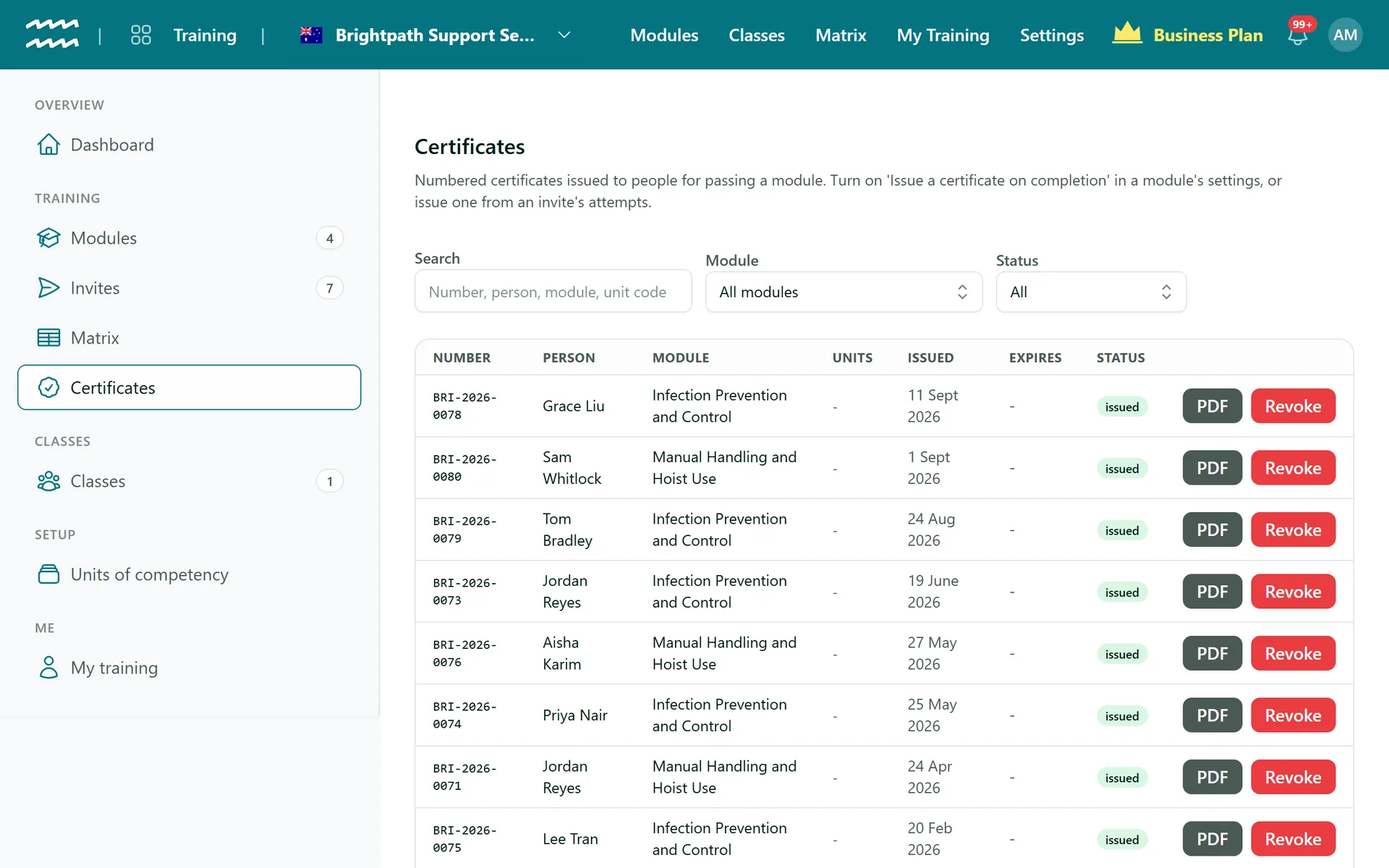
Proof of completion you can stand behind
Issued on a pass
Tick one box on the module, and a passing attempt creates the certificate.
Numbered in sequence
A prefix from your organisation name, the year and a number, restarting each year.
A PDF when you need it
An A4 certificate with the person, module, score, dates, unit codes and USI.
Units of competency
Map units to a module, and their codes print on the certificate and can be searched.
Frozen at issue
Later edits to the module or the person never change a certificate already issued.
Theirs to keep
People linked to their account can download their own from My training.
How to issue training certificates
- 1
Turn it on
In the module, tick Issue a certificate on completion and choose Save module.
- 2
Add units if you use them
Add codes under Units of competency, then pick them in the module.
- 3
Send the training
Send it as normal. The certificate appears under Certificates when someone passes.
- 4
Download or revoke
Search the list, then choose PDF or Revoke on the row.
Revoking actually does something
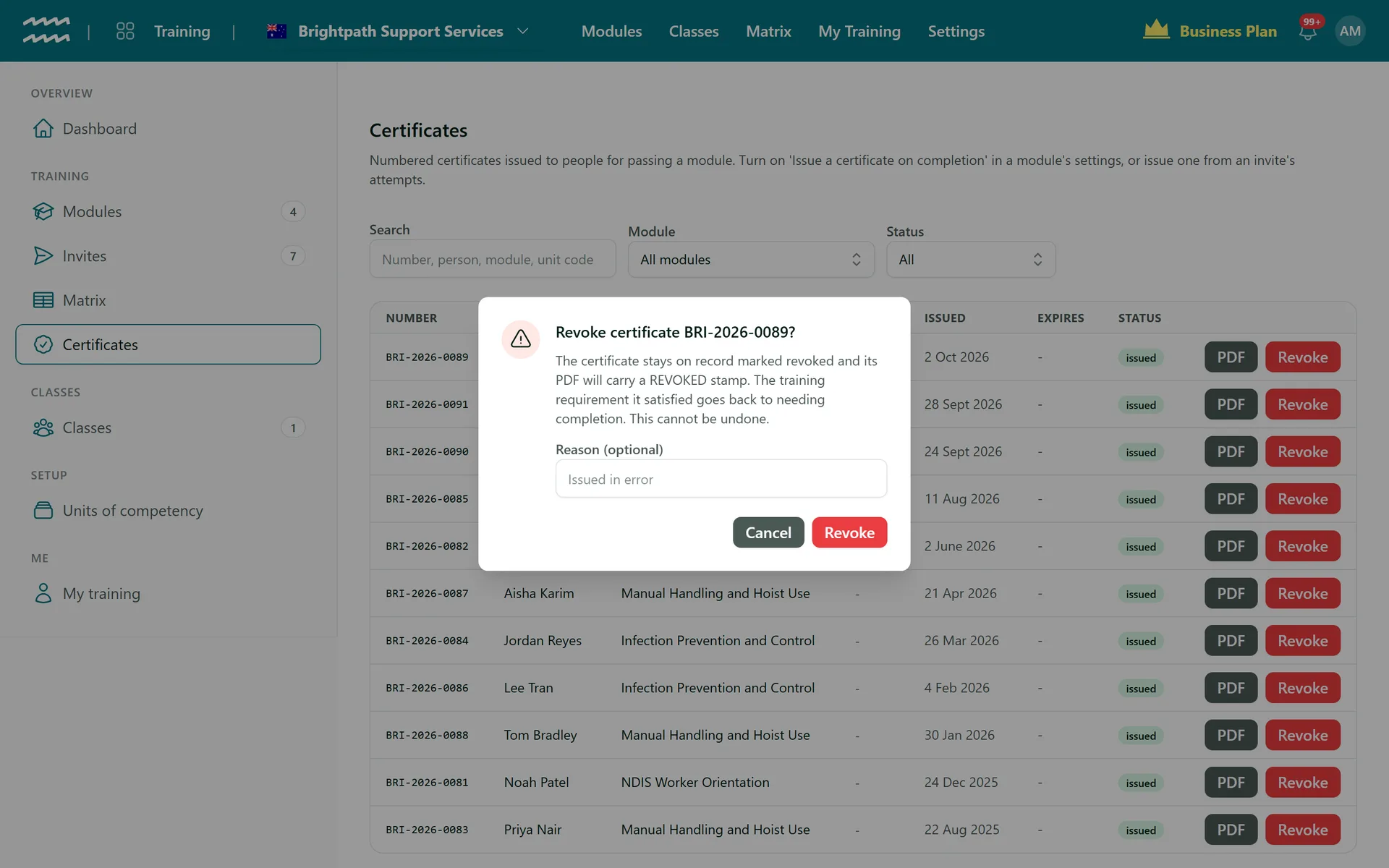
If a certificate should not stand, Revoke takes effect everywhere, not just on a list.
- It stays on record, marked revoked, with an optional reason
- The PDF carries a REVOKED stamp
- The training requirement goes back to needing completion, with no grace period
Training Certificates FAQs
No, each module has its own setting. For a completion that did not get one, use Issue numbered certificate on the Invites page.
No, numbered certificates are for people in your organisation. Anyone who passes can still download a simple completion certificate.
You can issue a new number from the Invites page, but revoking cannot be undone. The requirement stays unmet until the person retrains.
No. Every certificate uses the same A4 layout, with your organisation name in text.
No, there is no public verification page. Your team can look up any number under Certificates.
Partly. Units and USIs are recorded, but there is no AVETMISS reporting and USIs are not checked against the registry.
AirSign Training is part of the AirSign suite - one plan, every app. Book a demo and we will walk you through it.
Know everyone is trained - and prove it
Book a demo and we will build your induction module with you.