Online induction software your own team can build with
Your induction already exists, in a folder of PDFs and someone's head. Turn it into sections of text, video, files and quizzes, try it as a trainee, and send it to everyone who needs it.
Book a demoPart of the AirSign suite - one plan, every app.
Everything a good induction needs
Blocks you drag into place
Text, images, callouts, tables, accordions, dividers and side-by-side columns.
Video they must watch
Upload or embed a video, and hold the next section until it has been watched.
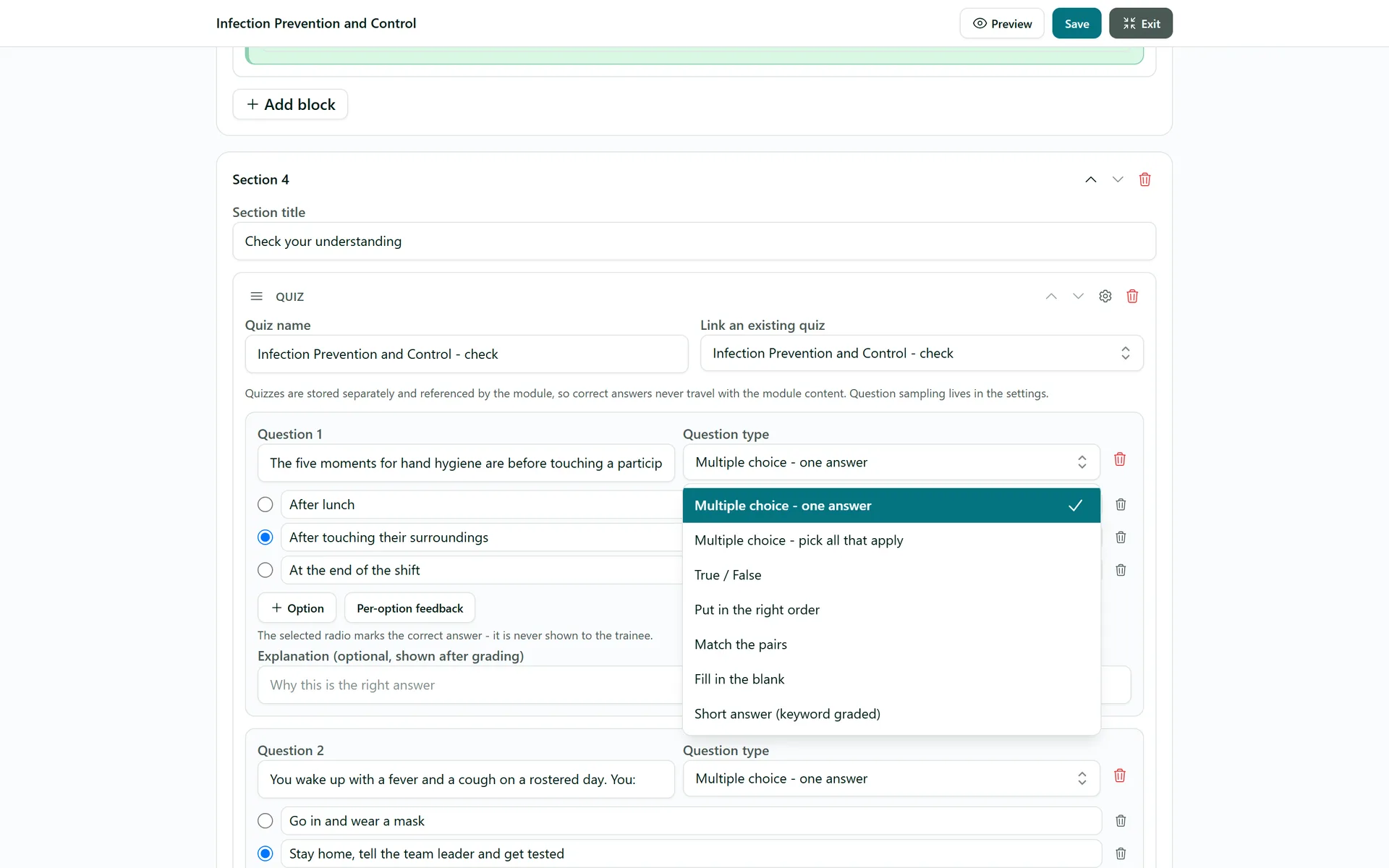
Seven question types
From multiple choice and true or false to ordering, matching and fill in the blank.
Question banks
Reuse a quiz across modules and draw a random set of questions for each person.
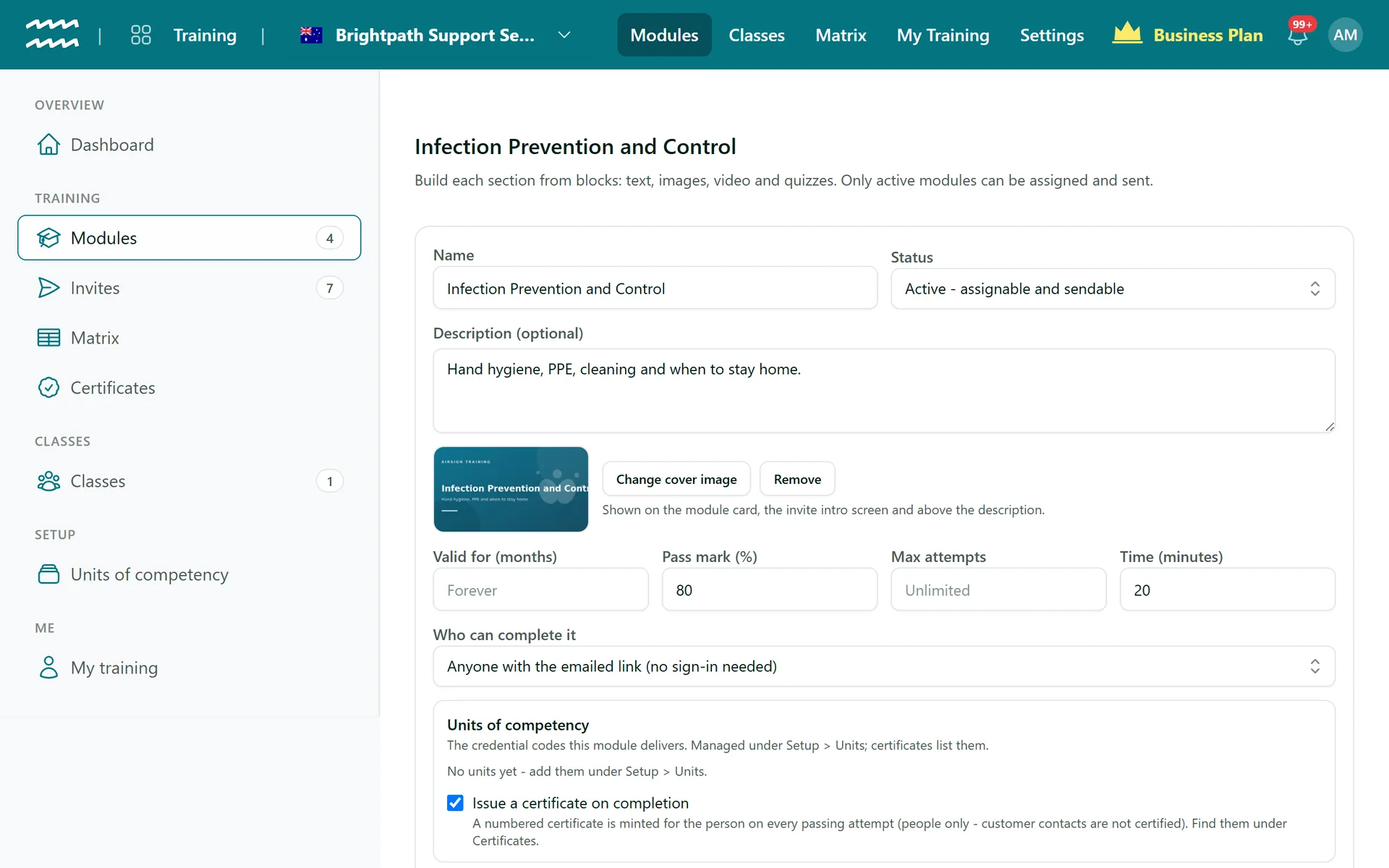
Pass mark and attempts
Set the mark, cap the attempts, and say how many months a completion stays valid.
Preview as a trainee
Run the whole module, unsaved changes included. Nothing is recorded.
How to build an online induction
- 1
Start a module
In Modules, choose New module, then add a name, description and pass mark.
- 2
Build the sections
Title each section and use Add block for content. Add section for the next part.
- 3
Add a quiz
Add a Quiz block, write your questions and mark the right answers.
- 4
Preview and publish
Choose Preview, set Status to Active and choose Save module.
Quizzes that hold up
Questions are graded on the server, and the right answers are never sent to the trainee's browser while they work.
- Single answer, pick all that apply, true or false, order, match, fill in the blank, short answer
- Options are shuffled for each trainee
- Add an explanation to show after grading
Online Induction Builder FAQs
No. There is no SCORM or xAPI support, and no ready-made course library. You build your own modules.
Upload MP4, WebM or MOV up to 250 MB, or embed YouTube, Vimeo or Loom. Attachments are PDF, PNG or JPG up to 10 MB. Embedded videos use an "I have watched" tick, as those players do not report back.
They see a review, then redo the module from section 1. If you set Max attempts, the link locks once they run out and you send a new one.
The content does not. Each invite keeps a copy of the module as it was sent. The pass mark and validity period do come from the current module.
Your own staff and students sign in, so completions land on their record. Customer contacts can use the emailed link unless you set Who can complete it to require an account.
Yes. Once people have attempted it, the module shows attempts, average score, first attempt pass rate and average attempts to complete.
AirSign Training is part of the AirSign suite - one plan, every app. Book a demo and we will walk you through it.
Know everyone is trained - and prove it
Book a demo and we will build your induction module with you.