Training class management with a join code for every class
A class is any group trained together: a term intake, an apprentice year, this month's new starters. Give them a code to enrol themselves, and their training goes out as they join.
Book a demoPart of the AirSign suite - one plan, every app.
Run a group without the admin
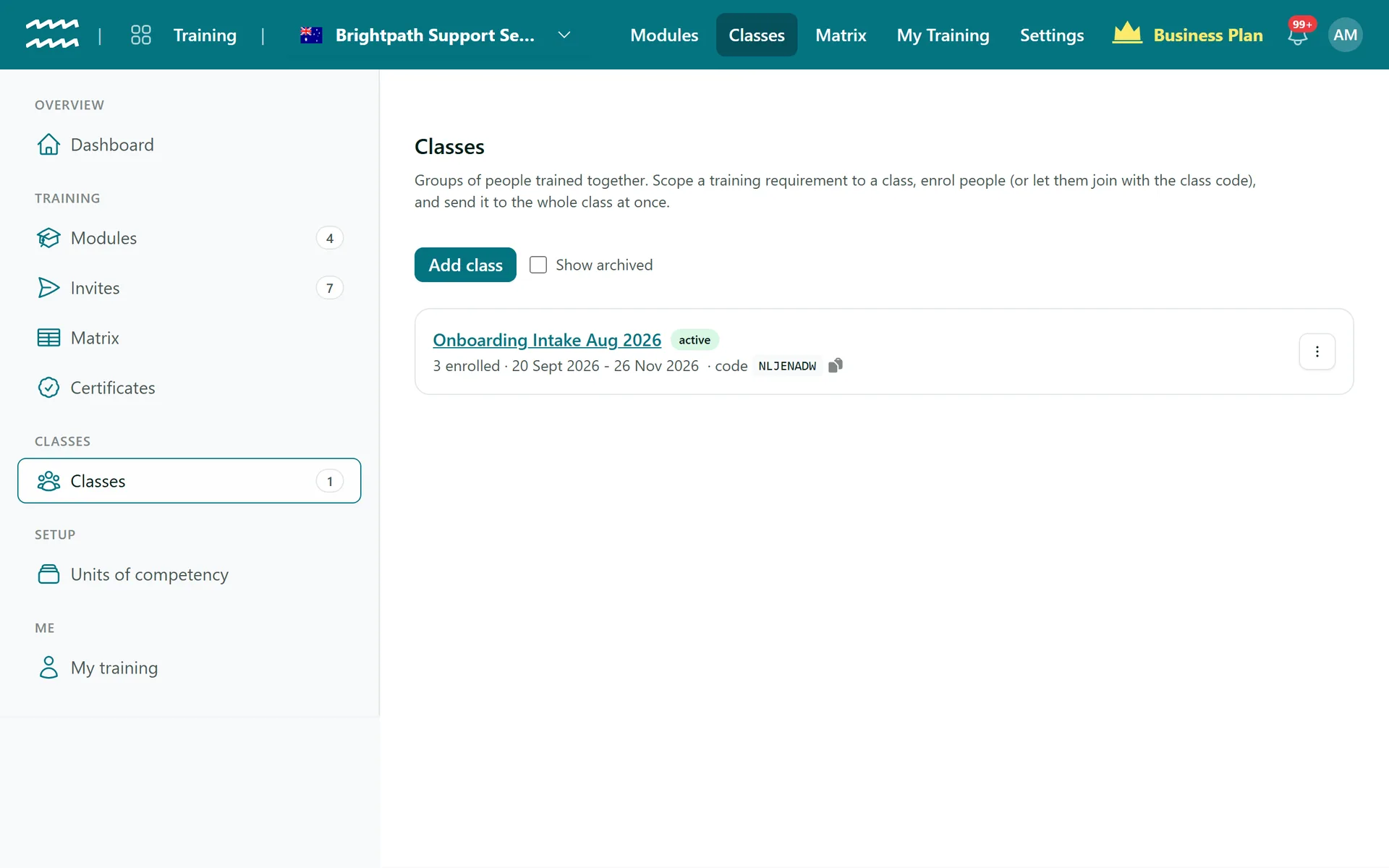
A code for every class
Each class gets an eight-character code, without look-alike characters, that is easy to read aloud.
Or a join link
Copy a link that opens AirSign with the code already filled in.
Enrol by hand too
Add an existing person, or a new one with just a name.
Training goes out on joining
A new enrolment automatically sends what that class must complete.
Send to the whole class
Everyone enrolled who is still missing a requirement gets a link in one go.
A matrix for each class
The class page shows every requirement with an outcome per student.
How to run a training class
- 1
Add the class
In Classes, choose Add class, name it and add dates if you want them.
- 2
Link the training
In People, add a requirement with the type AirSign Training, and choose Students (by class).
- 3
Share the code
Copy the class code or join link from the class page, or Enrol people yourself.
- 4
Follow progress
Use the send button on the class page to catch anyone missed, and watch the class matrix fill in.
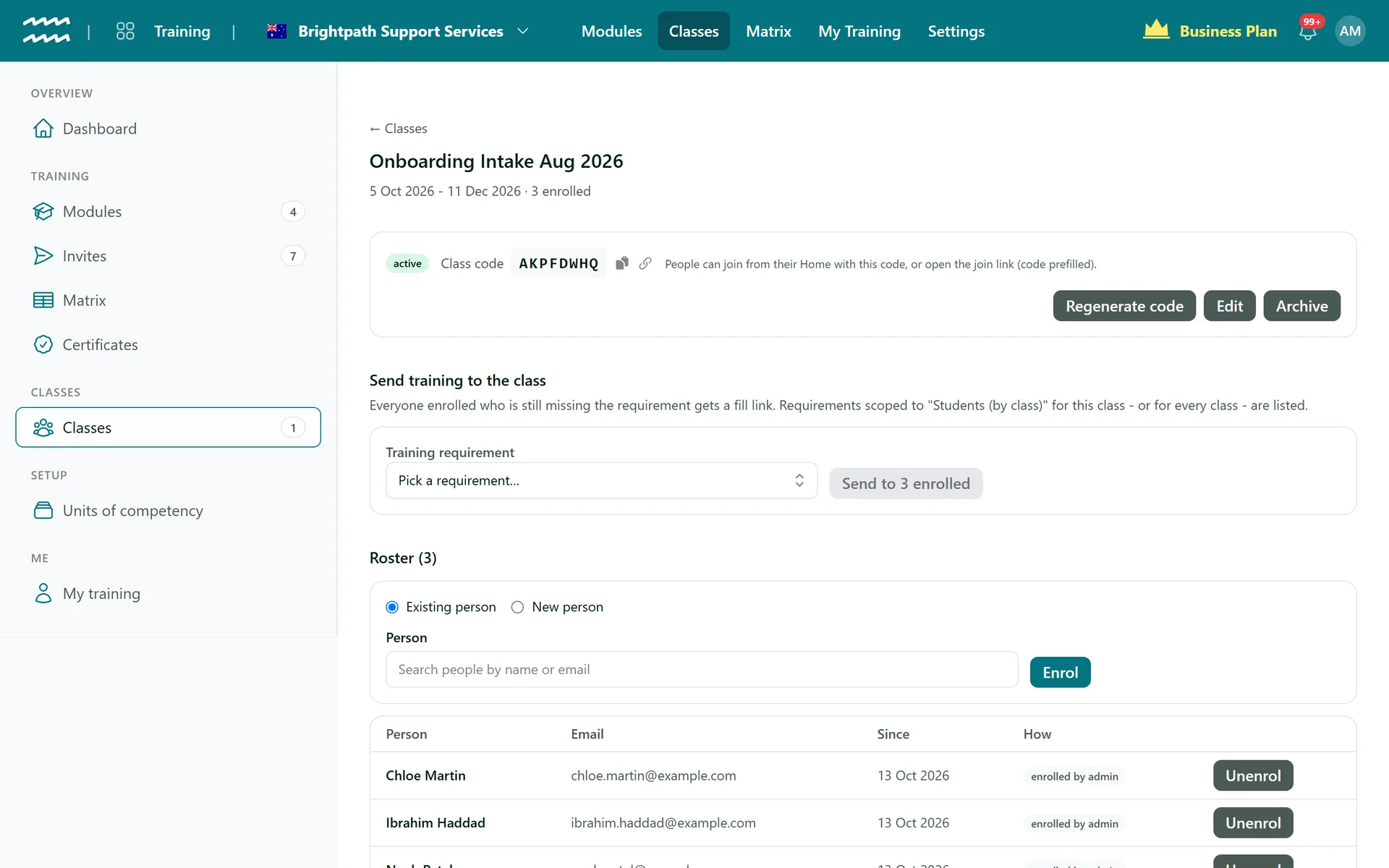
Everything about a class on one page
The class page holds the code, the send button, the roster and the outcomes, so a trainer does not need to go anywhere else.
- See who was enrolled by an admin and who joined by code
- Regenerate a code and the old one stops working
- Past enrolments stay listed after someone leaves
Training Classes FAQs
To use a code, yes: an AirSign account with a verified email. They then join from their Home. Admins are notified when someone joins.
No, there is no CSV import. Enrol people one at a time, or have them join with the code.
No. A class is a group of learners with optional dates. There are no timetables, video sessions or attendance records.
Yes. You can rename Class and Student for your organisation, for example to Course and Participant.
Their completed training stays on their record, and requirements for that class stop applying to them.
Yes. Only active classes accept a code, so archive a class when it finishes, or regenerate the code.
AirSign Training is part of the AirSign suite - one plan, every app. Book a demo and we will walk you through it.
Know everyone is trained - and prove it
Book a demo and we will build your induction module with you.