Inspection analytics that show which checks keep failing
A single failed check is a job to fix. The same check failing every month is a problem to solve. Each template shows the pass rate for every question, and the Forms dashboard keeps count of what is waiting and what needs a look.
Book a demoPart of the AirSign suite - one plan, every app.
Patterns you cannot see one report at a time
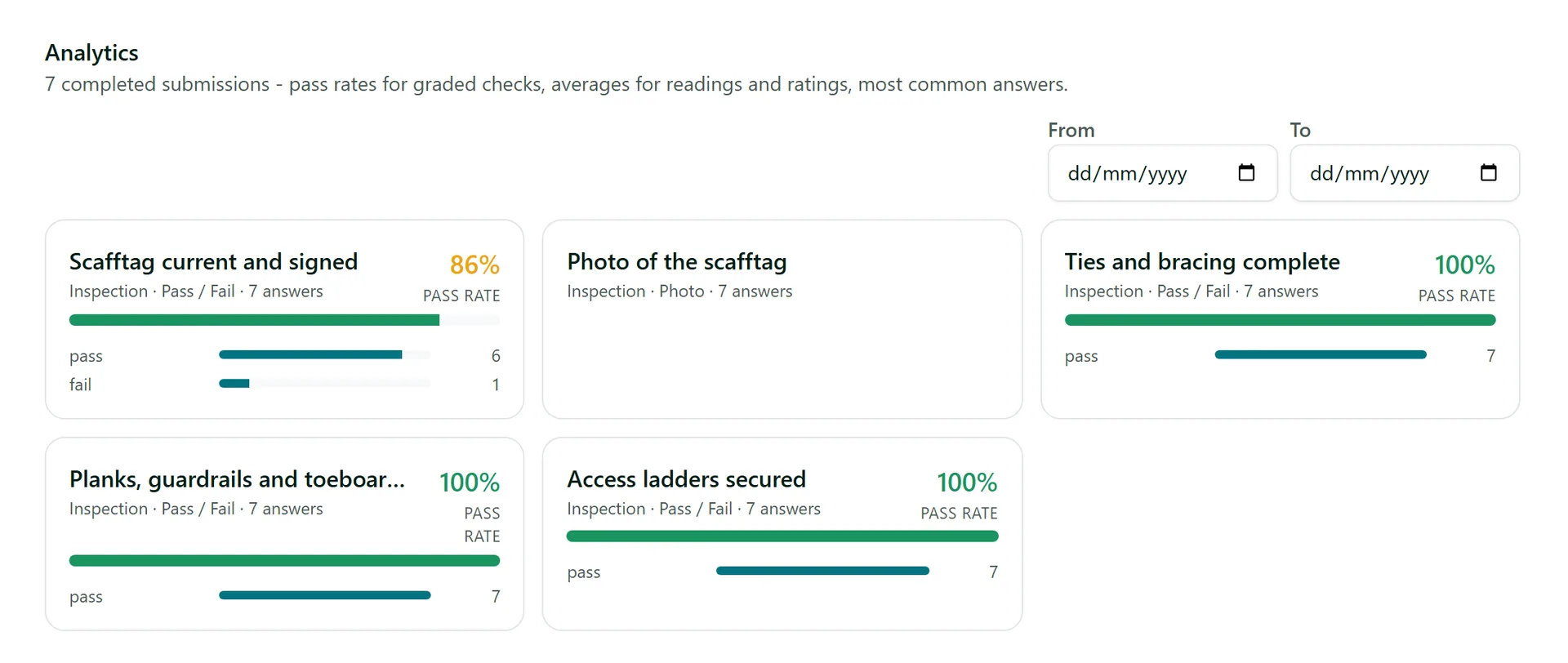
Pass rate per question
Every pass/fail check and ranged reading has its own rate, coloured so the weak ones stand out.
Averages
Readings and ratings show their average across every completed submission.
Most common answers
See the top five answers to each choice, rating or reading, with how many people gave them.
Pick the dates
Set From and To to look at one month, one quarter or the time since a process changed.
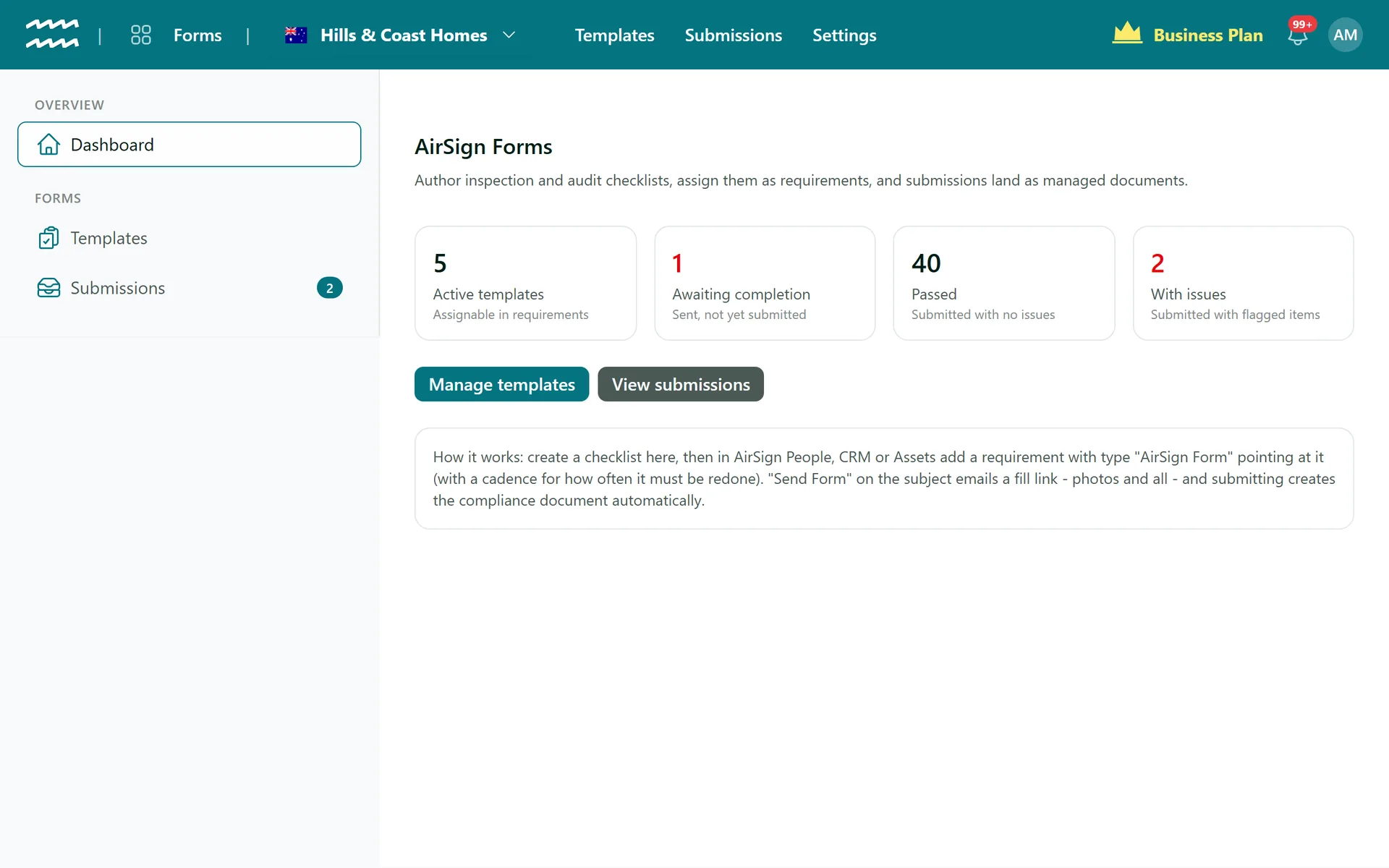
A dashboard of four counts
Active templates, Awaiting completion, Passed and With issues, each opening the matching list.
History stays
Remove a question from a template and its past answers still appear in the analytics.
How to find the checks that keep failing
- 1
Start on the dashboard
Open AirSign Forms and check With issues and Awaiting completion.
- 2
Open a template
Go to Templates and choose the checklist you want to look at.
- 3
Scroll to Analytics
Below the builder, each question has a card of its own.
- 4
Set your dates
Use From and To to narrow the period, or leave them blank for everything.
- 5
Check the detail
Open Submissions and read the reports behind a low pass rate.
One card for each question
Analytics sit on the template, so the numbers are always about one checklist and read in the order it was written.
- Green at 90% and above, amber from 70%, red below that
- Built from completed submissions only
- Job report forms from AirSign Schedule count too
Inspection Analytics FAQs
No. Analytics are per template, so there is no rollup across checklists or sites.
No, they stay on screen. The PDF reports are per submission, not per template.
No. There are no weights or percentage scores. A submission passes or comes back with issues, and analytics report the pass rate per question.
No. It shows four current counts. Date ranges are on each template's Analytics section.
Yes. Viewing submissions, reports and analytics is a separate permission you can give to a permission group.
AirSign Forms is part of the AirSign suite - one plan, every app. Book a demo and we will walk you through it.
Turn paper checklists into proof
Book a demo and bring the checklist you use today.