Online invoicing with a Pay now link on every invoice
Build invoices from your price list or straight from completed jobs, then email a branded PDF with a Pay now link. Customers pay by card with no login, through a Stripe account you connect in settings.
Book a demoPart of the AirSign suite - one plan, every app.
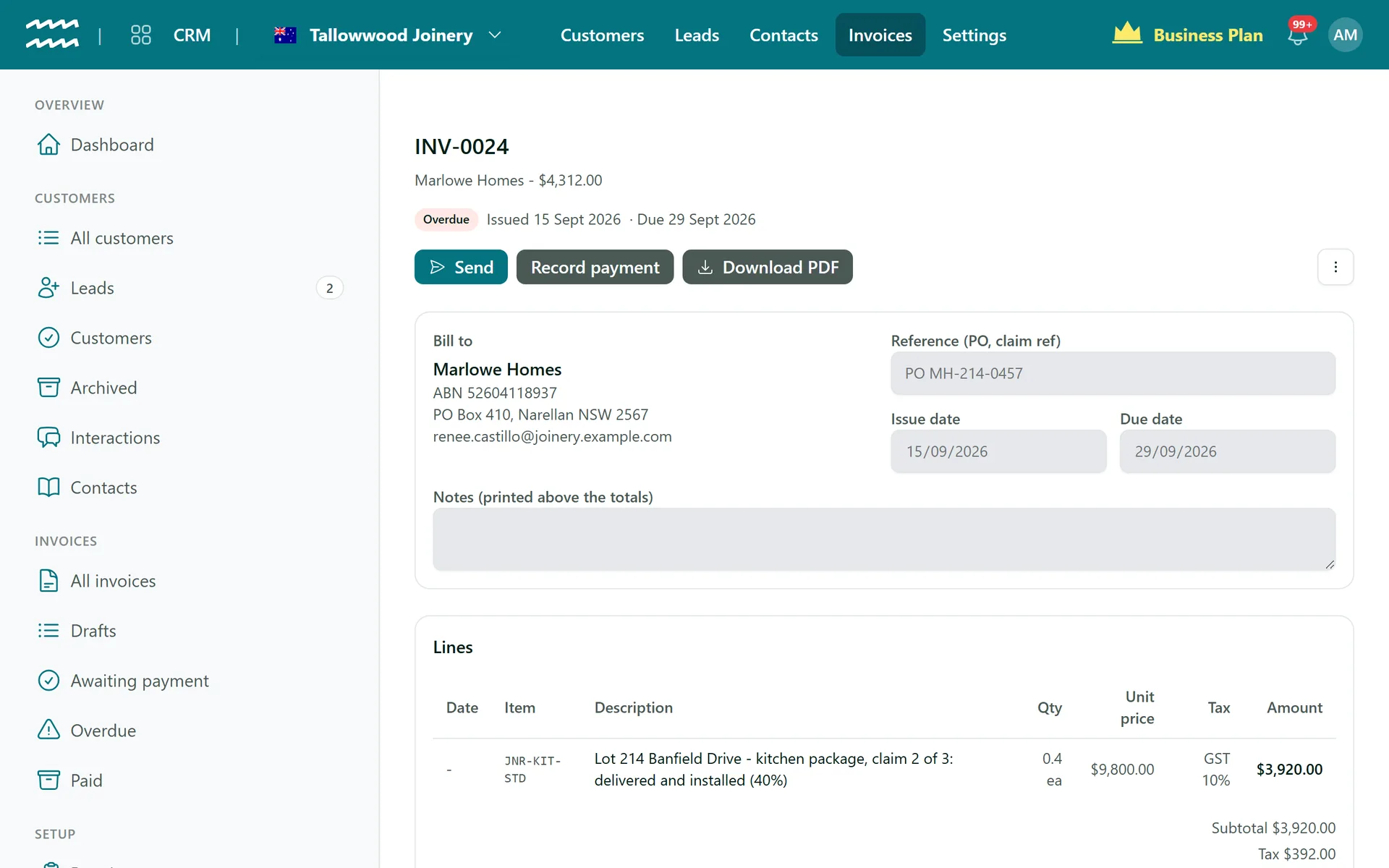
From finished job to paid invoice
Invoice completed jobs
Turn a customer's completed scheduled jobs into a draft invoice, ready to check and issue.
Items and prices
Keep one price list, with rate cards for customer-specific pricing like commercial or NDIS rates.
Time-of-day pricing
Rate bands price work by the time of day it was done.
Pay now, no login
Every invoice can carry a Pay now link in the email and a link you can copy and share.
Every payment recorded
Record cash, transfer and part payments. Overpayments are refused, so balances stay right.
Tax invoices
Invoices show TAX INVOICE automatically when tax is charged.
How to send an invoice
- 1
Connect Stripe
Set up payments in Settings, under Finance, so invoices can be paid online.
- 2
Create the invoice
Open the customer's Invoicing tab and invoice their jobs, or choose New invoice.
- 3
Issue it
Check the draft and issue it. The PDF is then locked to those details.
- 4
Send it
Choose Send and email the invoice, with its Pay now link.
See what is outstanding
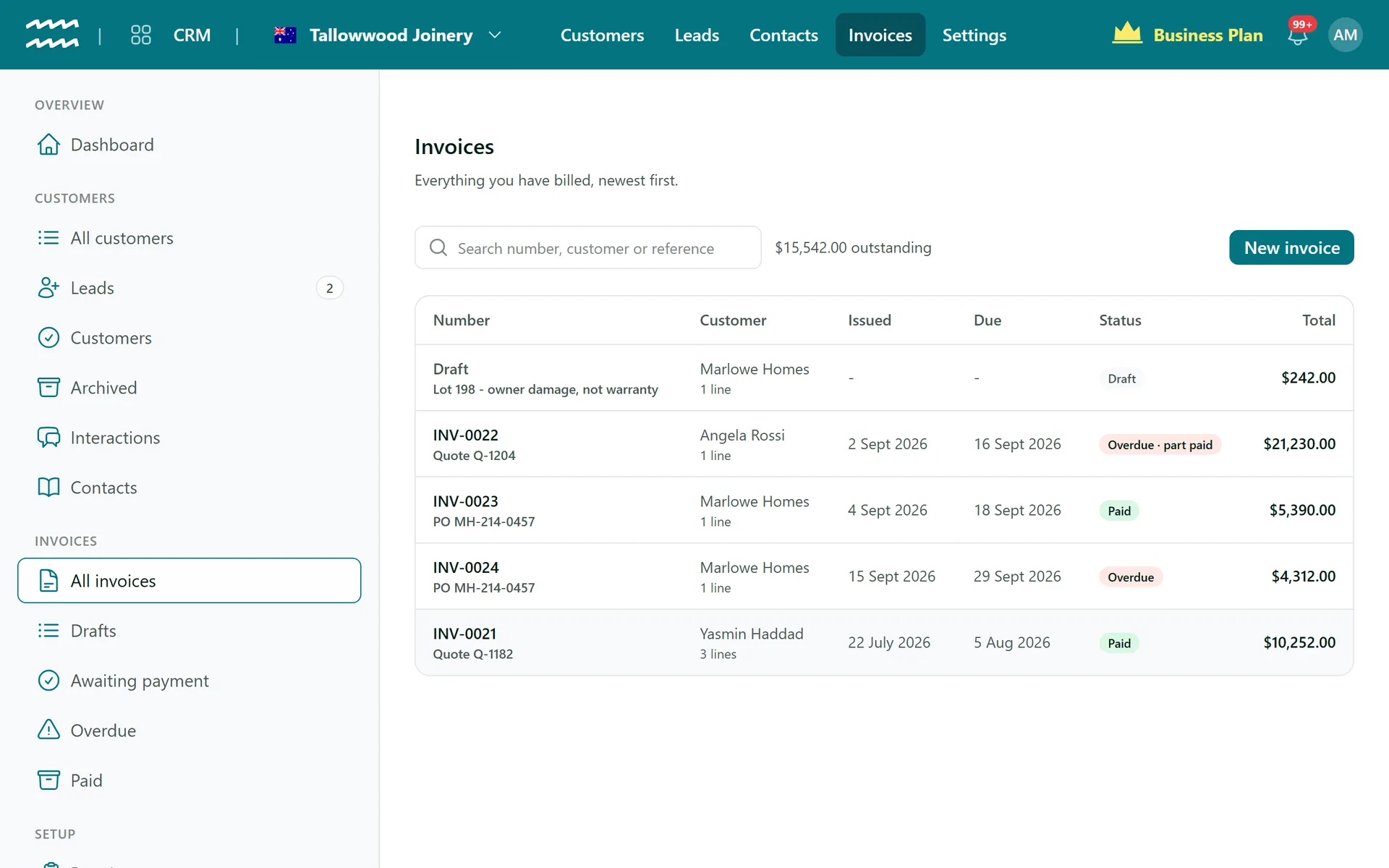
Drafts, invoices awaiting payment, overdue and paid are all in one list, with your outstanding total at the top.
- Part-paid invoices are badged
- A refund made in Stripe updates the invoice for you
- Issued invoices stay as issued, so your records hold up
More in AirSign CRM
Lead Pipeline
Every lead on a board, from enquiry to signed agreement.
Learn moreCustomer Management
Organisations and individuals, with contacts and history.
Learn moreRequired Documents
See which customers are missing paperwork, and send it.
Learn moreCRM Dashboard
Leads, customers and recent activity at a glance.
Learn moreOnline Invoicing FAQs
No. Invoices are created, sent and paid in AirSign. Xero is connected for payroll timesheets and for filing signed documents, not invoices.
No. An issued invoice cannot be edited, so void it and issue a new one.
Refund the payment in Stripe and AirSign updates the invoice for you.
No, neither is built. Overdue invoices show in your list so you can follow them up. There are also no quotes or credit notes.
AirSign CRM is part of the AirSign suite - one plan, every app. Book a demo and we will walk you through it.
Bring leads, customers and invoices together
Book a demo and we will show you the path from enquiry to paid invoice.