A CRM dashboard that shows what needs a look today
Open the CRM and see where things stand: how many leads and customers you have, which accounts changed most recently, and any budgets at risk. Every tile and row takes you straight to the detail.
Book a demoPart of the AirSign suite - one plan, every app.
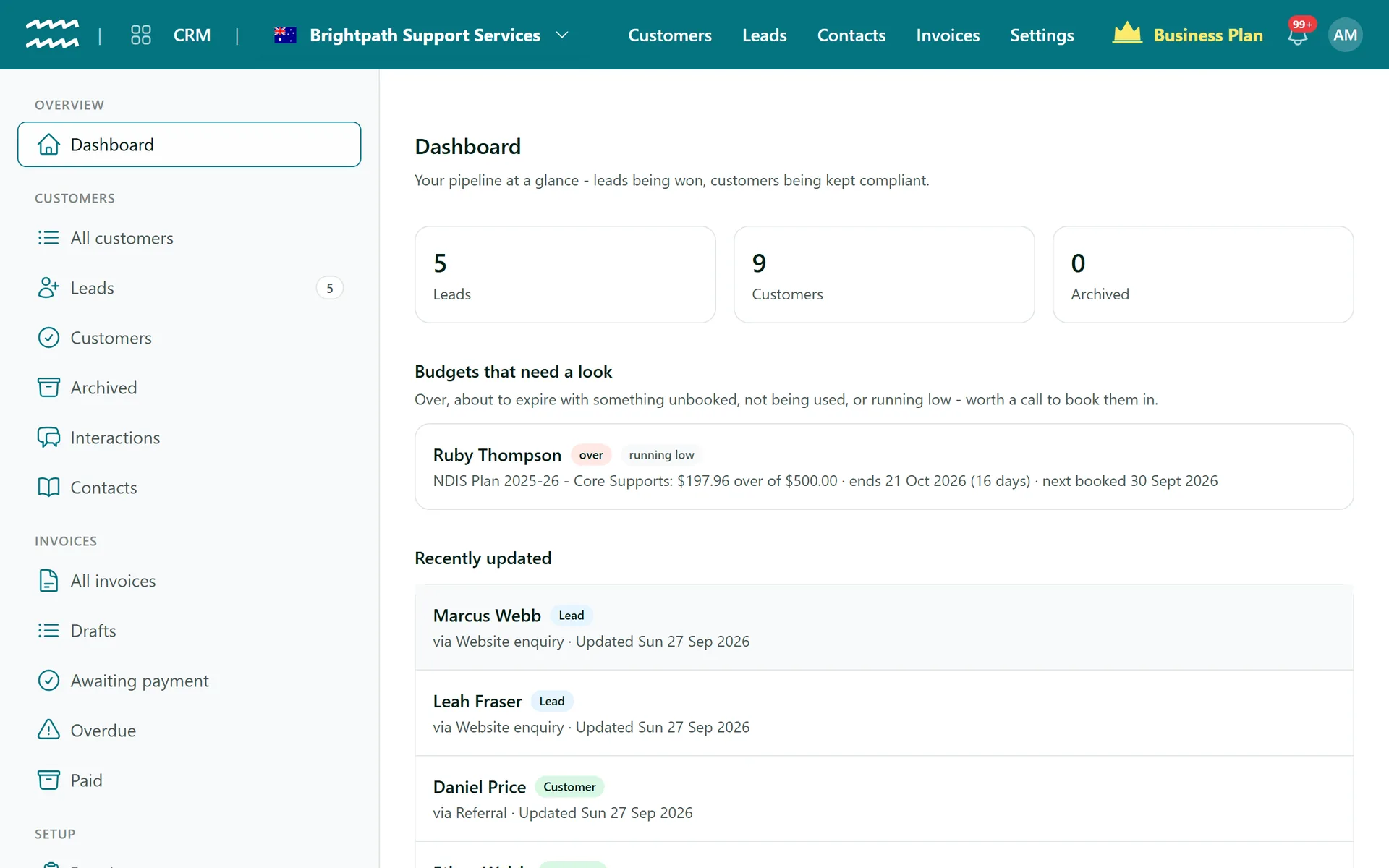
Where your day in the CRM starts
Lead and customer counts
See your leads, customers and archived accounts as soon as you open the CRM.
Tiles that link through
Each tile opens the matching list, so a number is never a dead end.
Recently updated
The 10 accounts changed most recently, with their stage, source and date.
Budgets at risk
Customers whose budgets need attention are flagged on the dashboard.
How to use the CRM dashboard
- 1
Open the CRM
The dashboard is the first thing you see.
- 2
Check the counts
See where your leads and customers stand.
- 3
Open what changed
Click a recently updated account to go to its record.
More in AirSign CRM
Lead Pipeline
Every lead on a board, from enquiry to signed agreement.
Learn moreCustomer Management
Organisations and individuals, with contacts and history.
Learn moreRequired Documents
See which customers are missing paperwork, and send it.
Learn moreOnline Invoicing
Invoices with a Pay now link, from jobs or your price list.
Learn moreCRM Dashboard FAQs
No. There are no invoice, compliance or pipeline value figures on it. Invoices has its own outstanding total.
No. The dashboard shows your current totals, not a chosen period.
Not today. There is no CSV export in the CRM.
AirSign CRM is part of the AirSign suite - one plan, every app. Book a demo and we will walk you through it.
Bring leads, customers and invoices together
Book a demo and we will show you the path from enquiry to paid invoice.