Customer management for organisations and individuals
Keep businesses and individual clients side by side, with their contacts, addresses, notes and files on one record. When a contact moves on, they stay on file as a former contact.
Book a demoPart of the AirSign suite - one plan, every app.
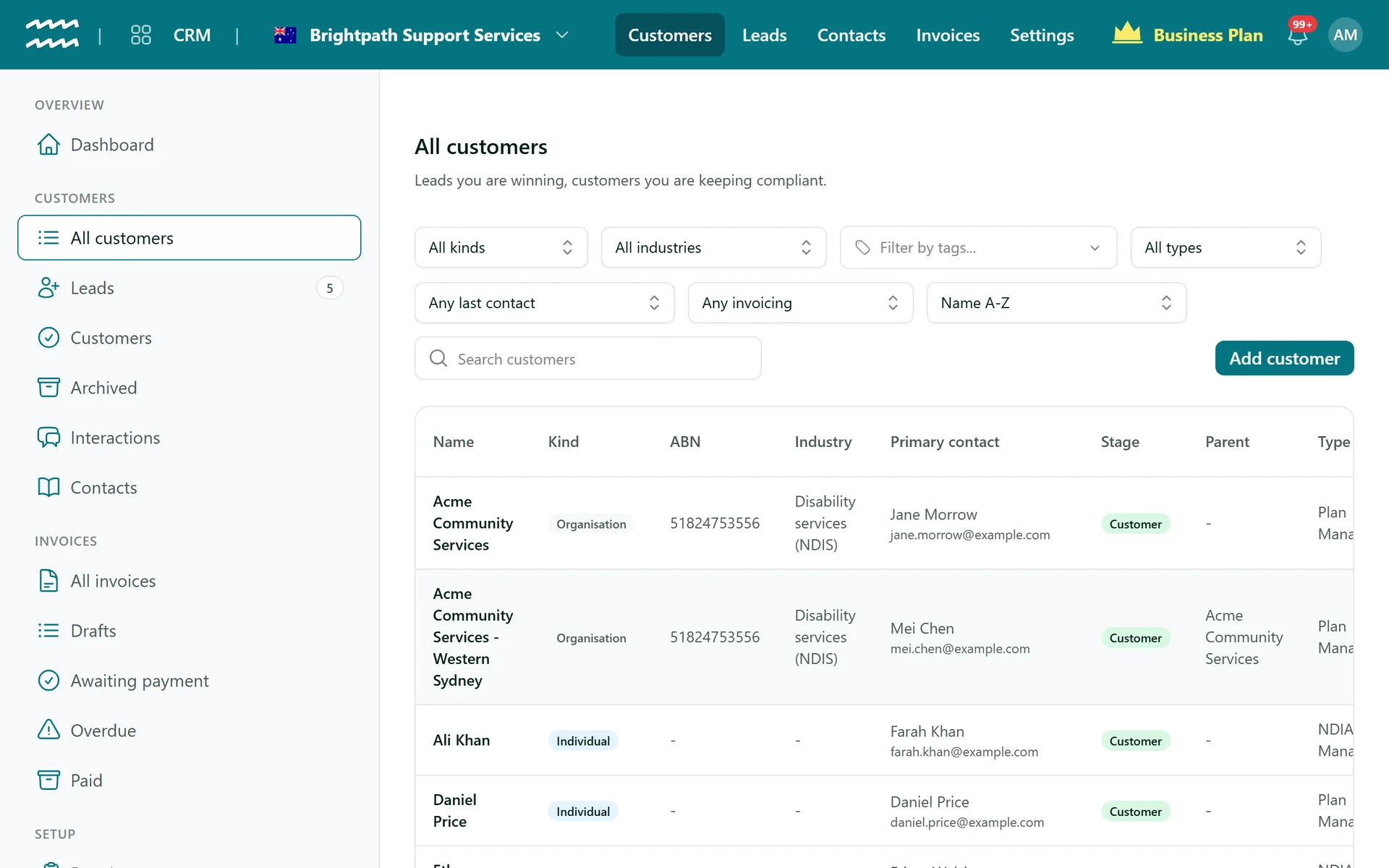
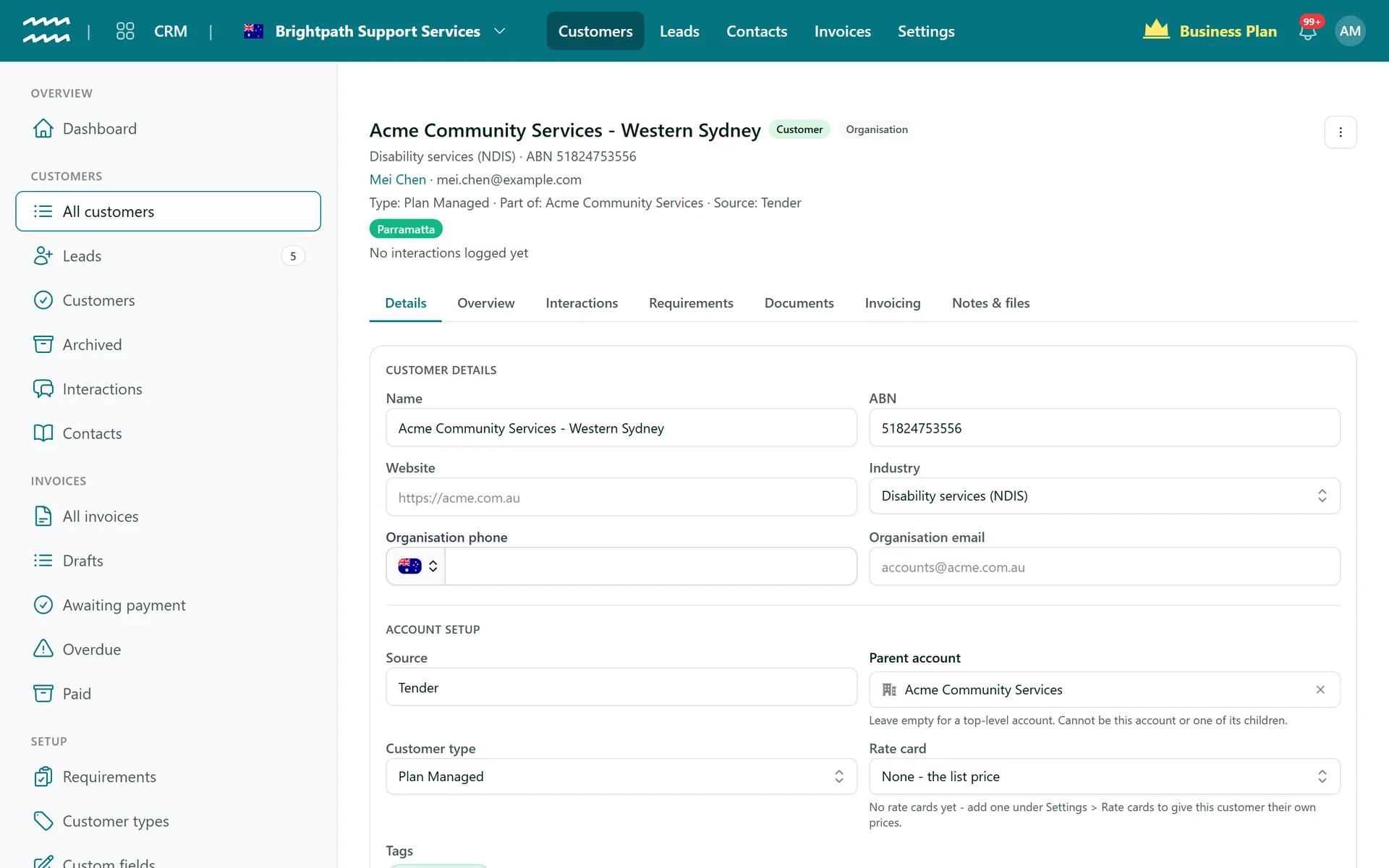
One record for everything about a customer
Organisations and individuals
Both live in one list, and you can switch a customer between them in place.
Contacts that keep up
Add several contacts and mark one as primary. If they leave, the next contact takes over as primary.
Types, stages and tags
Organise customers your way, with one type per customer plus stages and tags.
Custom fields
Add the fields your business needs, then use them as list columns and filters.
Notes and files
Keep notes and files on the customer, so the history stays with the record.
Promote from contacts
Turn someone in your Contacts into a customer without retyping their details.
How to add a customer
- 1
Add the customer
Open Customers, choose Add customer and pick Organisation or Individual.
- 2
Fill in the details
Add their name, ABN, addresses and any custom fields.
- 3
Add contacts
Add the people you deal with and choose a primary contact.
- 4
Work from the record
Use the tabs on the customer for notes, files, documents and invoices.
Everything on the customer record
Open a customer and their contacts, documents and invoices are all there, in tabs rather than separate systems.
- Parent accounts for groups of organisations
- Compliance status beside each customer
- Former contacts stay on record
More in AirSign CRM
Lead Pipeline
Every lead on a board, from enquiry to signed agreement.
Learn moreRequired Documents
See which customers are missing paperwork, and send it.
Learn moreOnline Invoicing
Invoices with a Pay now link, from jobs or your price list.
Learn moreCRM Dashboard
Leads, customers and recent activity at a glance.
Learn moreCustomer Management FAQs
No. It checks an ABN has 11 digits, but it does not validate it against the Australian Business Register.
Yes. You can change the word used across the CRM, for example to client or participant.
A customer with history cannot be deleted, so your records stay complete. Archive them instead.
It shows how organisations relate to each other, such as a head office and its branches. It does not roll up invoices or reports.
AirSign CRM is part of the AirSign suite - one plan, every app. Book a demo and we will walk you through it.
Bring leads, customers and invoices together
Book a demo and we will show you the path from enquiry to paid invoice.