A lead pipeline that moves when the paperwork does
See every lead on a board with stages you name yourself. Send a lead a document and they move along. Link a signed agreement and they become a customer, with nobody retyping anything.
Book a demoPart of the AirSign suite - one plan, every app.
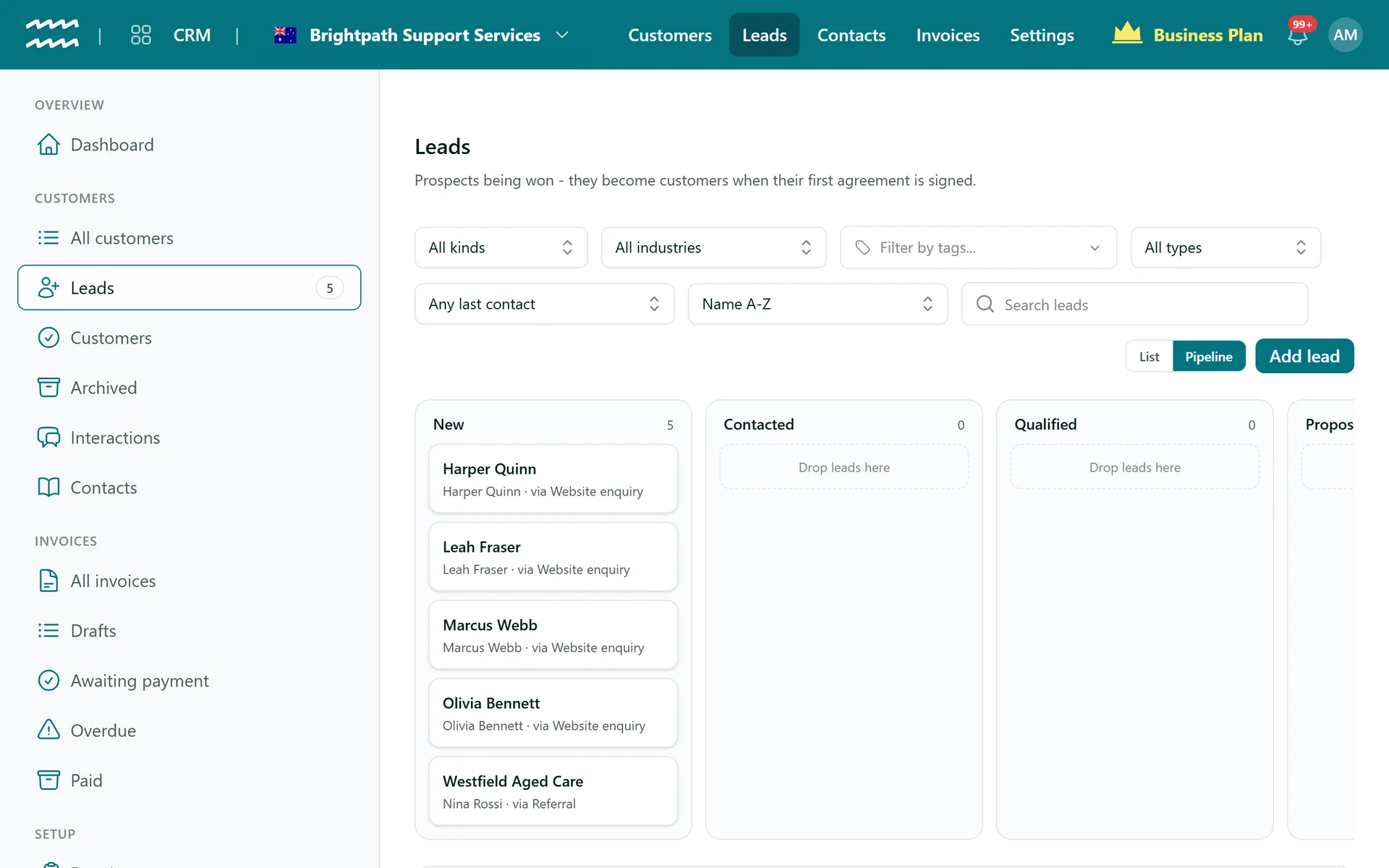
Lead tracking built around your documents
Your own stages
Start from the default stages, then rename, add and reorder them to match how you really sell.
Board or list
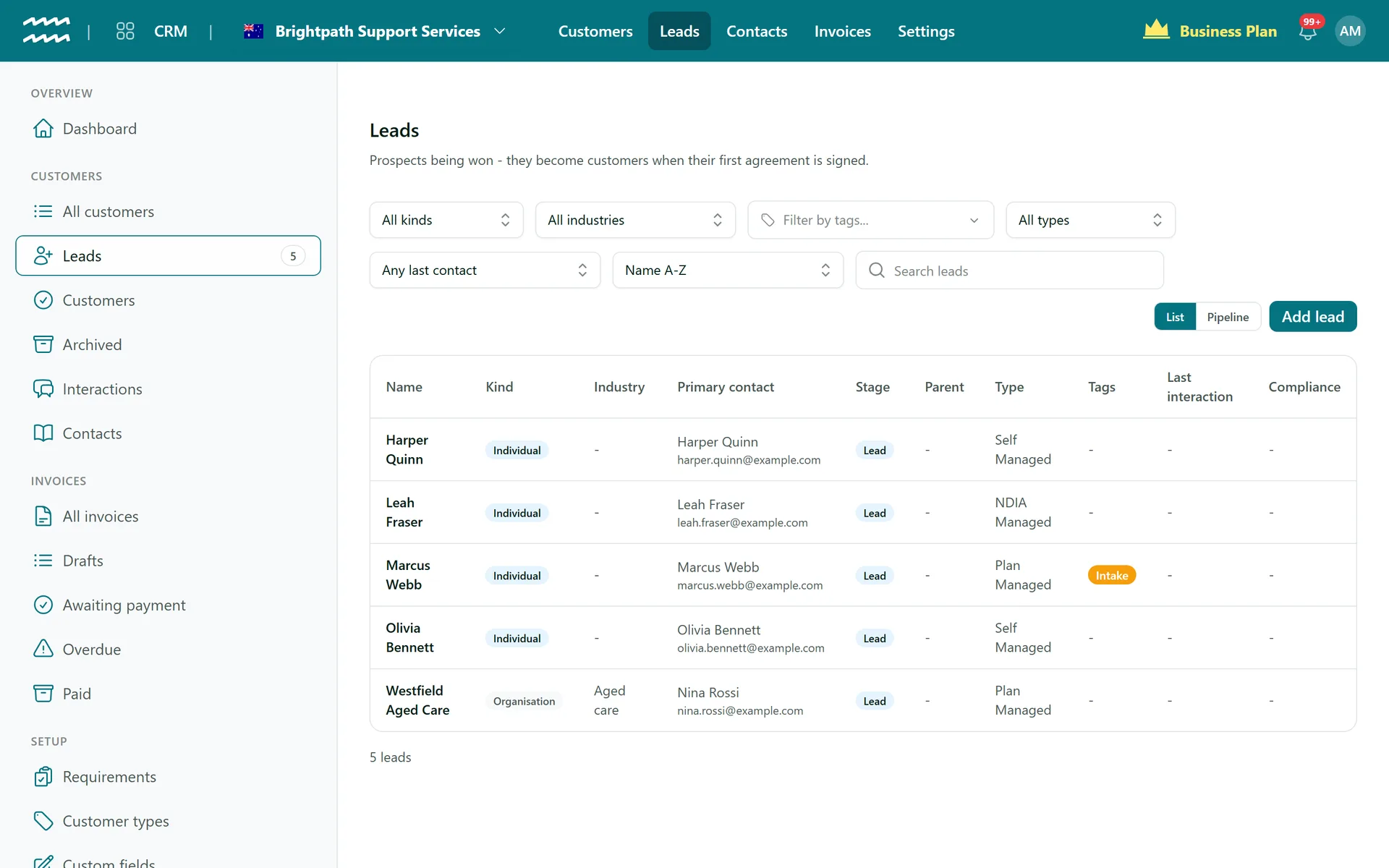
Drag cards between stages on the pipeline, or switch to the list when you want to search and filter.
Documents move leads
Sending a lead a document moves them to your last stage automatically. They only ever move forward.
Signed becomes customer
When a signed document linked to a lead comes back, they convert to a customer on their own. You can also convert by hand.
Spot who has gone quiet
Filter the list by not contacted in 60, 120 or 180 days, based on the interactions your team logs.
Start a workflow
A lead converting can start a workflow in AirSign Automate.
How to set up your lead pipeline
- 1
Add a lead
Open Leads and choose Add lead, or promote someone already in your Contacts.
- 2
Set your stages
Choose Manage stages to name them and put them in order.
- 3
Work the board
Switch to the Pipeline view and drag leads along as conversations progress.
- 4
Send the agreement
Send a document linked to the lead. Once it is signed, they become a customer.
Search and filter in the list view
The board shows where everything stands. The list is for finding the leads worth a call today.
- Filter by not contacted in 60, 120 or 180 days
- Tags, stages and custom fields on every lead
- Leads and customers kept in one system, with no re-entry when they convert
More in AirSign CRM
Customer Management
Organisations and individuals, with contacts and history.
Learn moreRequired Documents
See which customers are missing paperwork, and send it.
Learn moreOnline Invoicing
Invoices with a Pay now link, from jobs or your price list.
Learn moreCRM Dashboard
Leads, customers and recent activity at a glance.
Learn moreLead Pipeline FAQs
A signed document linked to the lead. Documents that are not linked to the lead do not trigger it, and you can always use Convert to customer on the lead instead.
They move to Unstaged, so nothing is lost. You can then drag them into a new stage.
No. The pipeline tracks where each lead is, not how much it is worth, so there are no deal amounts or forecasts.
No, your team logs interactions by hand. The not contacted filters rely on those entries.
AirSign CRM is part of the AirSign suite - one plan, every app. Book a demo and we will walk you through it.
Bring leads, customers and invoices together
Book a demo and we will show you the path from enquiry to paid invoice.