Equipment tracking that records who had it and when
Every asset has one record showing who holds it now, who held it before, its meter readings and the projects it has worked on. When it changes hands, you decide what happens to the checks still open.
Book a demoPart of the AirSign suite - one plan, every app.
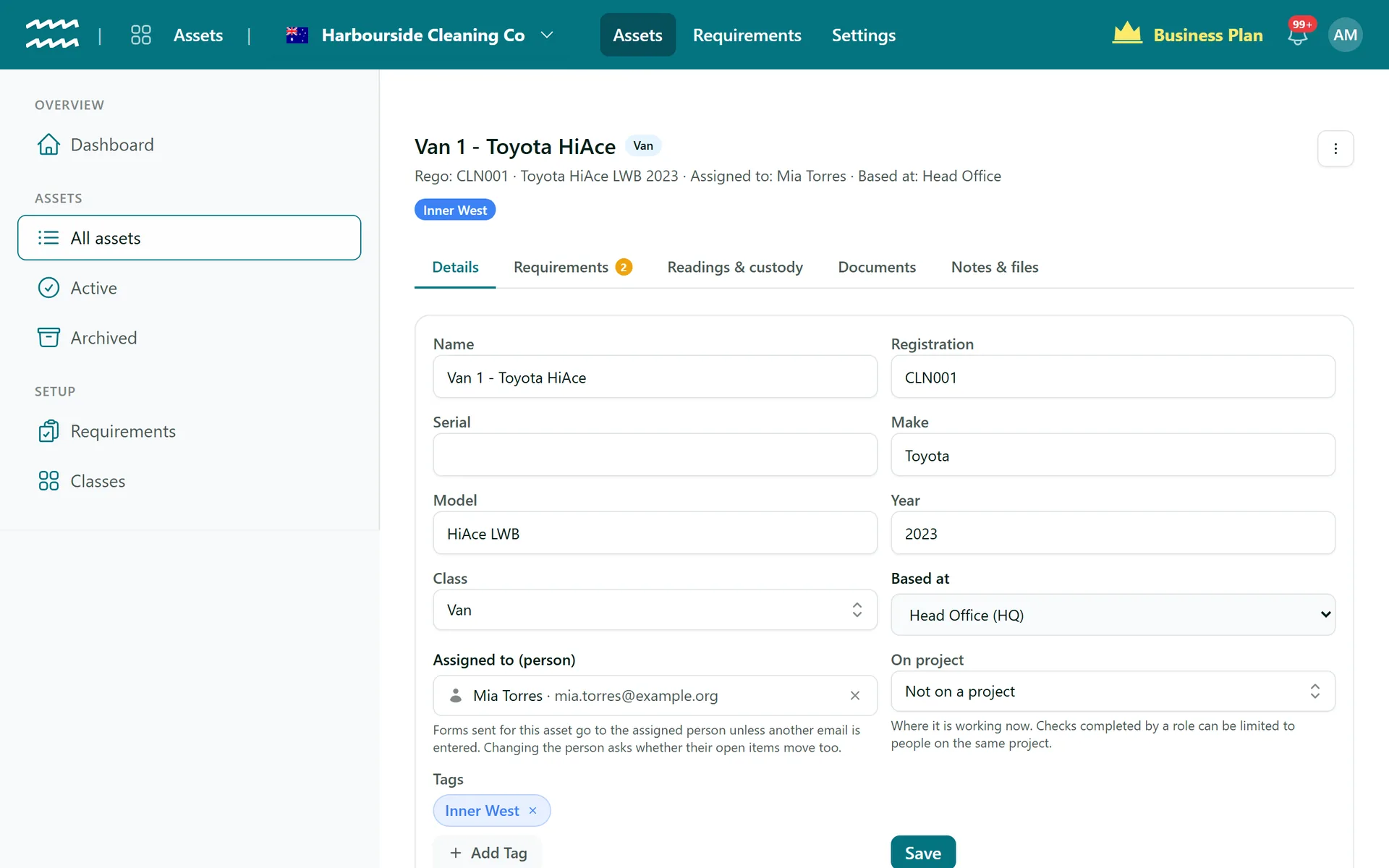
The whole story of each machine
A named holder
Assign an asset to anyone in AirSign People, not only your staff.
Custody history
One row per holder with their from and to dates, so you can see who had the van in March.
Clean handovers
Change the holder and AirSign lists what is still open with the old one, then asks what to do with it.
Meter readings
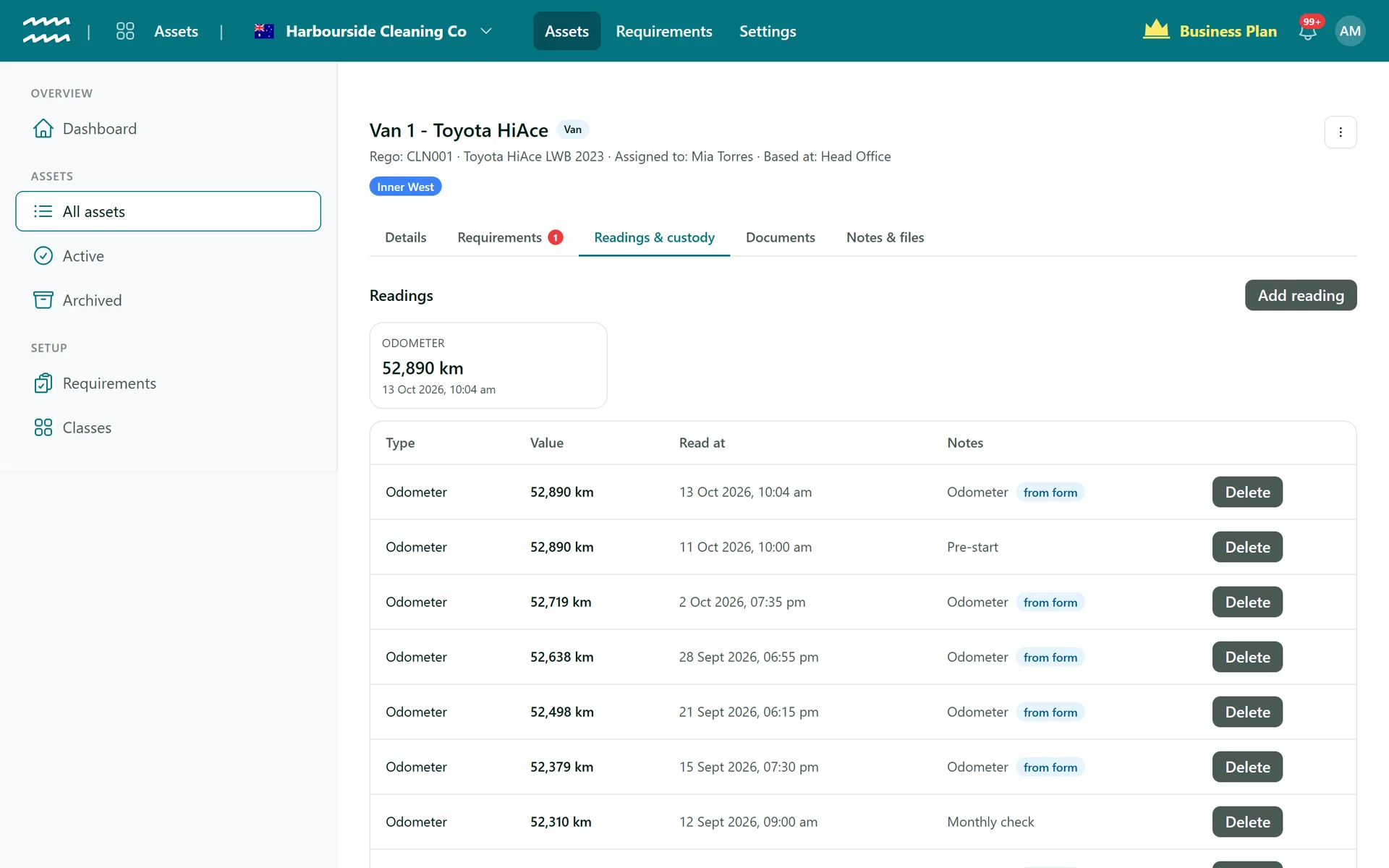
Odometer, engine hours, fuel or a custom reading of your own, with a date and notes.
Readings from forms
A reading in a pre-start lands on the asset, badged from form, with no second entry.
Project history
Set On project and the asset keeps a list of the projects it has worked on.
How to track a piece of equipment
- 1
Open the asset
Go to All assets and choose the vehicle, machine or tool.
- 2
Assign it
On the Details tab, pick Assigned to (person) and choose Save.
- 3
Add a reading
On Readings & custody, choose Add reading, then pick the Type and enter the Value.
- 4
Hand it over
Change the person and choose Save. If anything is open, choose to move it to the new holder or leave it with the old one.
- 5
Look back
Custody history and Project history show where it has been.
Readings and custody on one tab
The latest figure for each meter sits at the top, with every reading underneath showing where it came from.
- Readings from a form are badged from form
- Delete a reading that was entered by mistake
- Keep manuals, photos and invoices under Notes & files
Equipment Tracking FAQs
No. There is no GPS or telematics. AirSign records who holds an asset and where it is based, not its live location.
No. Readings are recorded but they do not trigger anything. Services run on a time-based cadence instead.
You choose. Move sends each one to the new holder with a fresh link, and anything the old holder had started is cleared. Leave keeps them where they are, and only new sends go to the new holder.
Move is turned off, because nothing can reach them. Add an email to their record in AirSign People first.
Not yet. You set On project on the asset, and the history is on the asset's record rather than the project page.
No. It records where an asset has been, not what it cost.
AirSign Assets is part of the AirSign suite - one plan, every app. Book a demo and we will walk you through it.
Know where everything is - and that it is safe to use
Book a demo and bring your asset list.