Asset compliance set once per class, not once per van
Decide what every van, excavator or laptop must hold and how often, and AirSign checks each asset against it. Pre-starts go to whoever holds the asset or to anyone with the right role, and rego papers sit on the record with their expiry.
Book a demoPart of the AirSign suite - one plan, every app.
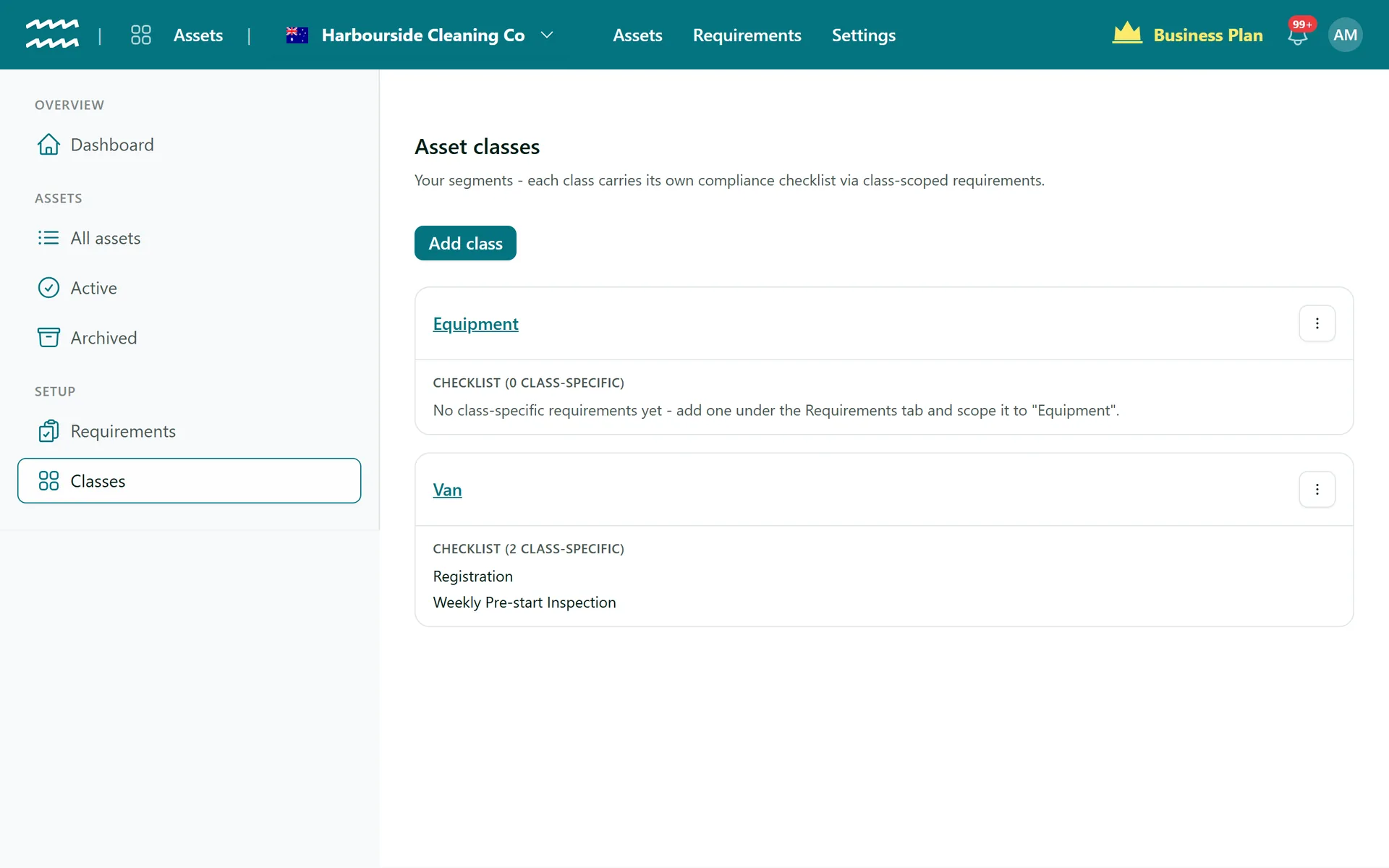
Rules that follow the class
Rules by class
Scope a requirement to one or more classes, then narrow it by location or tag if you need to.
Renewal cadence
A fixed period after completion or a calendar period, with grace days after expiry.
Three kinds of requirement
A form to complete, a document signed in AirSign, or an outside document uploaded with its expiry.
Completed by a role
A shared excavator's pre-start can be done by anyone with the role, even only those on its project.
On the worker's Home
Checks show under Asset checks. Starting one claims it, so two people do not do the same check.
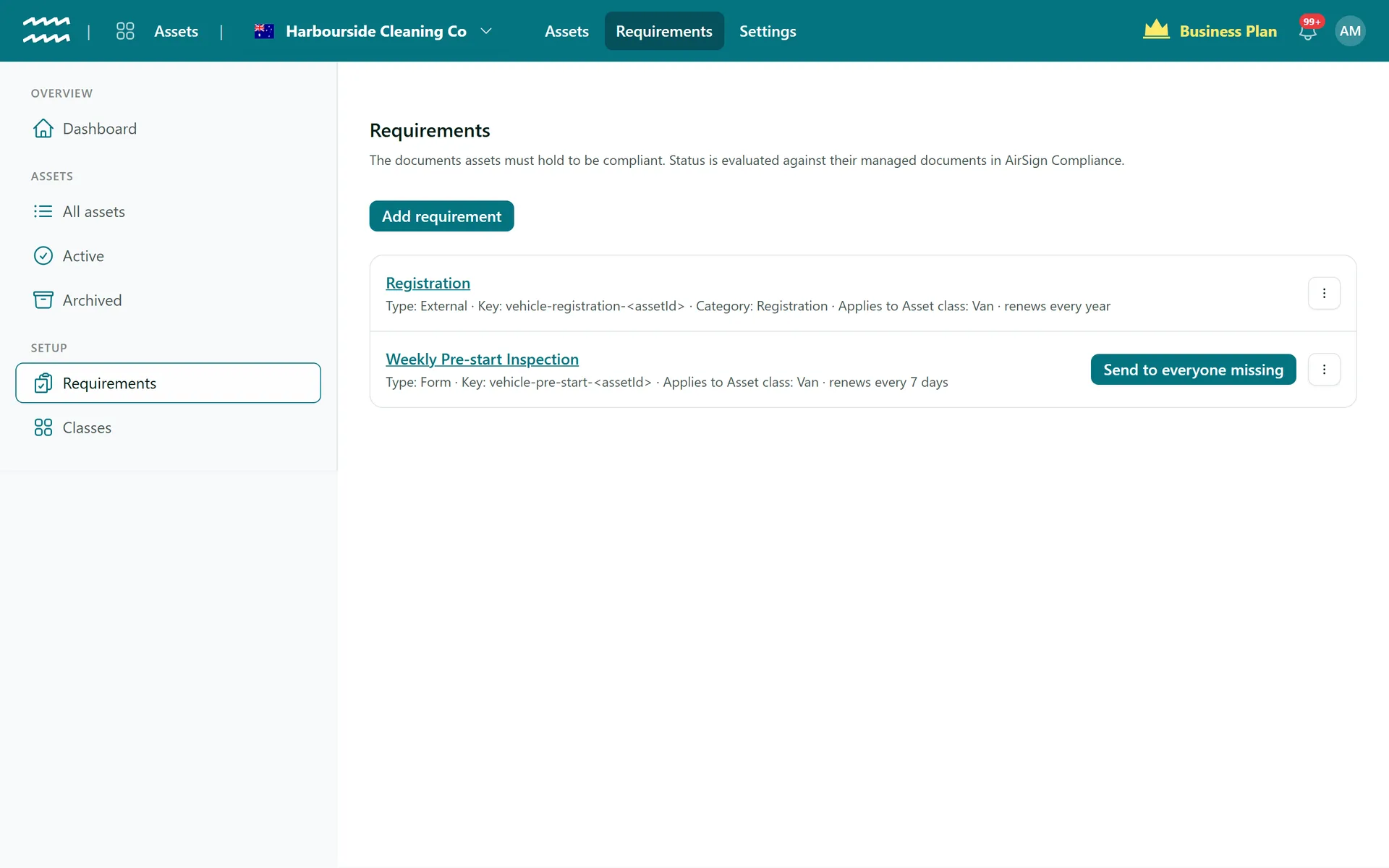
Send to everyone missing
Preview the count, then send a form to every asset that still needs it.
How to set up compliance by asset class
- 1
Create the class
Open Classes, choose Add class and put your assets in it.
- 2
Add a requirement
Open Requirements, choose Add requirement and pick its Type.
- 3
Choose what it covers
Select the asset classes it applies to, plus any location or tags.
- 4
Set how often
Choose a Renewal cadence and a Grace period. For a form, also set who can complete it.
- 5
Send it out
Choose Send to everyone missing, check the count and confirm.
Every rule in one list
Requirements shows what each rule is, what it applies to and how often it renews.
- Each class lists its own checklist under Classes
- Rules with no class apply to every asset
- The Requirements tab on an asset shows what it still owes you
Asset Compliance FAQs
The person assigned to the asset. If nobody is, it goes to whoever did the check last, and if there is nobody to send it to, it is skipped.
The first one claims it and everyone else sees who is doing it. After 30 minutes without activity, anyone in the group can choose Take it.
It can mark the asset non-compliant until a clean check comes in, if the form blocks on critical fails. AirSign cannot physically lock anything or stop someone driving it.
An External requirement has its own Upload for the file and its expiry. You can also use Link a document to attach one already in AirSign Compliance.
No. You record the expiry, and AirSign does not check it against any government register.
Only requirements that are not scoped to a class apply to it.
AirSign Assets is part of the AirSign suite - one plan, every app. Book a demo and we will walk you through it.
Know where everything is - and that it is safe to use
Book a demo and bring your asset list.