An asset register that shows what is in order at a glance
List everything you need to keep track of, from vans and excavators to laptops and tools. Search by rego or serial number, filter by class, location or tag, and see the latest readings and compliance on every row.
Book a demoPart of the AirSign suite - one plan, every app.
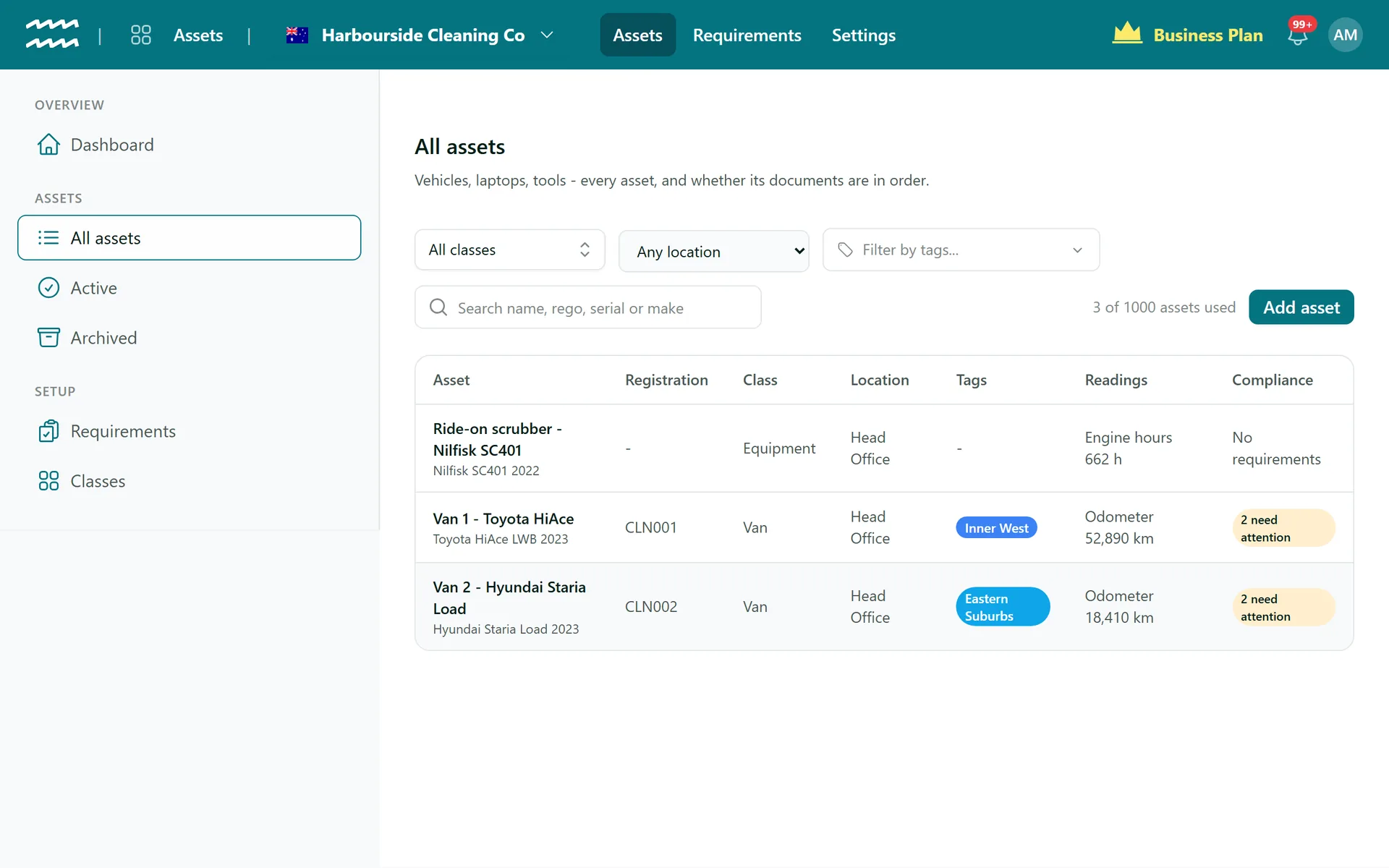
One list instead of a spreadsheet per depot
Anything you own
Registration for vehicles, serial number for everything else, plus make, model and year.
Search that knows rego
Find an asset by its name, registration, serial number, make or model.
Filter the fleet
Narrow the list by class, by the location it is based at, or by tag.
Latest readings on the row
See the newest odometer, engine hours or fuel figure without opening the asset.
Compliance on the row
Each asset reads compliant, needs attention or shows its number of issues.
Archive, not lose
Sold or retired assets move out of the day-to-day list and keep their history.
How to set up your asset register
- 1
Add your classes
Open Classes and choose Add class for groups like Van, Excavator or Laptop.
- 2
Add an asset
Open All assets and choose Add asset.
- 3
Fill in the details
Enter the name, class, registration or serial number, and where it is based.
- 4
Say who has it
On the asset's Details tab, pick Assigned to (person) and choose Save.
- 5
Work from the list
Search and filter All assets to see what needs a look.
A dashboard for what changed
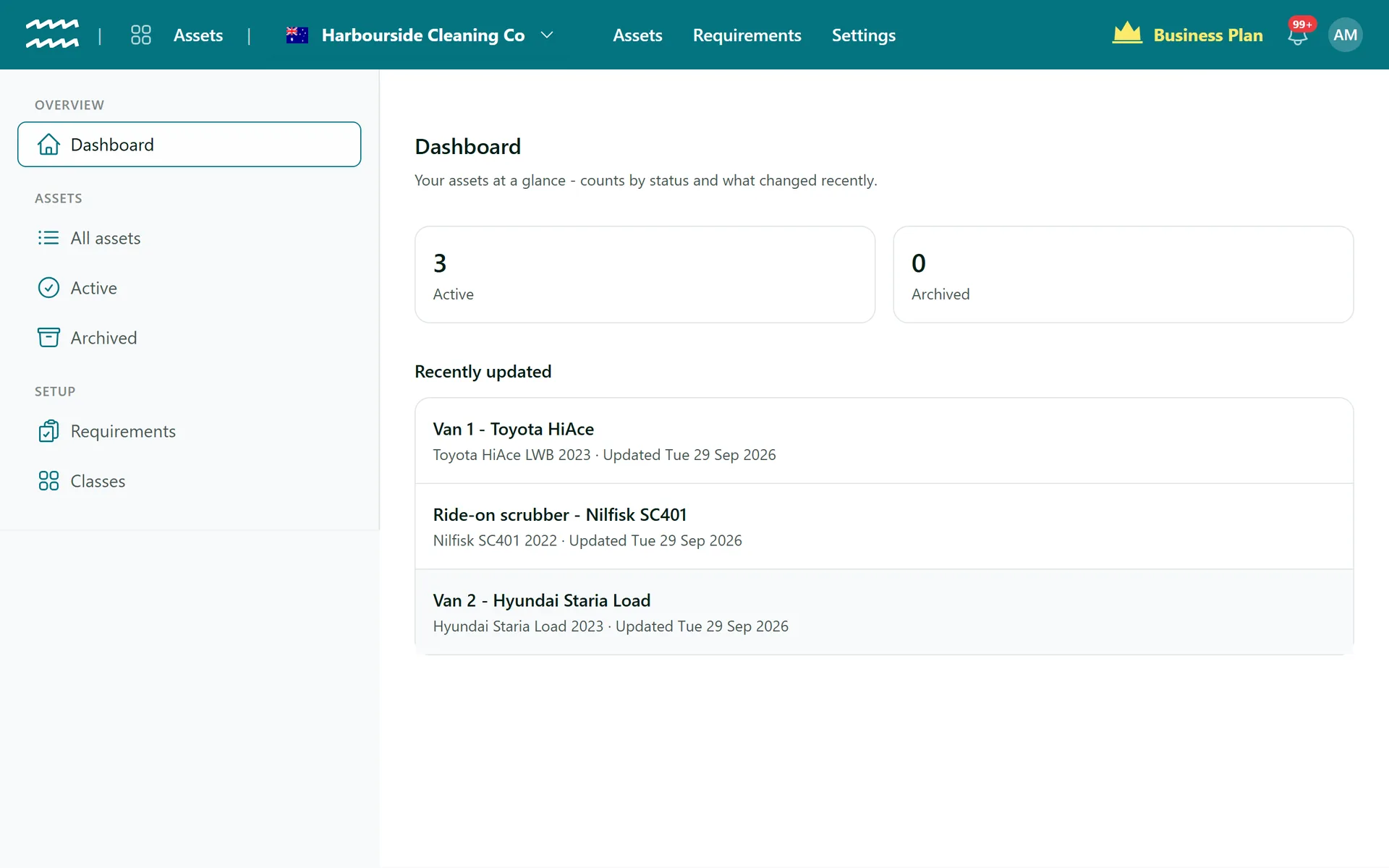
The Assets dashboard is deliberately short: how many assets you have, and which records changed last.
- Active and Archived counts that open each list
- Recently updated assets, one click from their record
- Archived assets keep their history out of the way
Asset Register FAQs
No, there is no CSV import or export. Assets are added one at a time with Add asset.
No. There are no purchase prices, book values or depreciation schedules, so keep those in your accounting software.
No. Find an asset by searching for its name, registration or serial number.
No. It tracks individual assets, not inventory quantities.
All assets shows up to 500 at a time, so use search and filters beyond that. Archived assets do not count toward any plan limit.
Only one with no history. Anything with documents, readings, custody entries or completed forms has to be archived instead.
AirSign Assets is part of the AirSign suite - one plan, every app. Book a demo and we will walk you through it.
Know where everything is - and that it is safe to use
Book a demo and bring your asset list.