File Upload Fields
Collect supporting documents from signers directly within your signing workflow - no separate emails or follow-ups needed
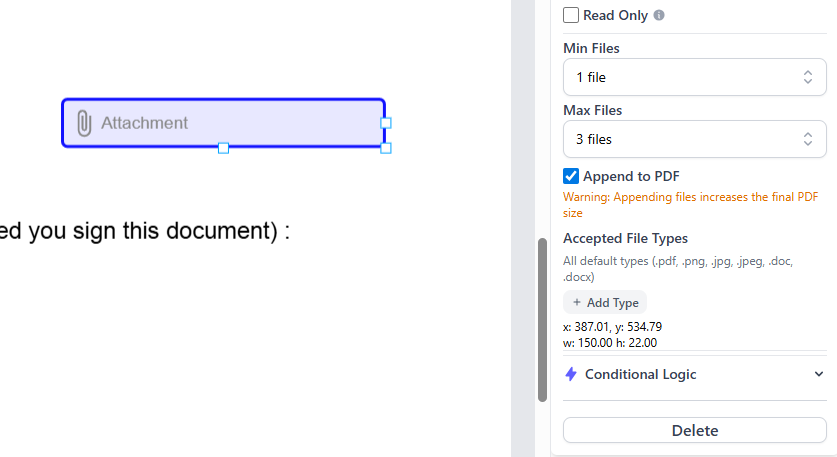
Collect Files Alongside Signatures
Add file upload fields to your documents so signers can attach supporting files as part of the signing process. No more chasing attachments via email - everything arrives together in one complete package.
Collect Supporting Documents
Request IDs, certificates, photos, or any other files from signers as part of the document signing workflow - all in one step.
Streamline Verification
Eliminate back-and-forth emails by collecting all required attachments at the point of signing, reducing delays and lost documents.
How It Works
Add Upload Field
Drag a file upload field onto your document and configure what files you need from the signer.
Signer Receives Document
The signer opens the document and sees the upload field alongside the other fields to complete.
Signer Uploads File
The signer selects and uploads their file directly within the signing experience.
Files Attached to Document
Uploaded files are securely attached to the completed document, ready for you to download.
Common Use Cases
Identity Verification
Collect photo IDs, driver's licences, or passports alongside signed agreements for compliance and verification.
Insurance Claims
Have claimants attach photos of damage, receipts, or supporting documentation right within the claims form.
Contractor Onboarding
Collect trade licences, insurance certificates, and qualifications as part of the contractor agreement process.
Benefits
Reduce Back-and-Forth
No more chasing attachments via email. Collect everything you need in a single step.
Secure File Handling
All uploaded files are encrypted and stored securely in Australian data centres.
Any File Type
Accept PDFs, images, documents, spreadsheets, and more from your signers.
Organised Records
Uploaded files stay linked to the signed document, keeping your records complete and organised.
Supported File Types & Limits
File upload fields support common file types including PDF, PNG, JPG, DOCX, XLSX, and more. Each uploaded file can be up to 10 MB in size. Need larger files? Contact us about enterprise options.
Start collecting files with your documents
Add file upload fields to your signing workflow and eliminate the back-and-forth. Start your free trial today.